

Adding a timestamp to a video is how you create those clickable links, often called chapters, that let viewers jump right to the good stuff. Think of it as turning a long video into a super user-friendly, navigable guide. This simple tweak can do wonders for keeping viewers around longer and even boosting your visibility in search results.
Why Video Timestamps Are Your Secret Weapon
Before we get into the nitty-gritty of how to do this manually or with automation, let's talk about why this feature is so much more than a minor convenience. Adding timestamps, which YouTube calls YouTube Chapters, is a strategic move that pays off big time. It's the difference between a viewer aimlessly scrubbing through your content and one who finds exactly what they need in seconds.
This is an absolute game-changer for lengthy content like tutorials, podcasts, or in-depth product reviews.
Imagine someone is looking for a specific step in your 45-minute software tutorial. Without chapters, they're likely to get frustrated and just click away. But with chapters, they find their answer instantly, stay on your video, and are far more likely to subscribe for more.
The Impact on Viewer Retention
The most immediate benefit is a much-improved user experience, which is directly tied to viewer retention. When you give your audience the power to control their viewing journey, you're showing that you respect their time. That builds trust and encourages them to stick with your content.
Instead of watching viewers drop off because they can't find what they're looking for, you're catering directly to their needs. This simple act of organization can lead to some impressive results:
- Increased total watch time: Sure, viewers might skip around, but they often end up watching the segments most relevant to them, which all adds up in your overall metrics.
- Higher audience satisfaction: A happy viewer is one who's more likely to hit the like button, leave a comment, or share your video.
- Better repeat viewership: When people know your content is well-structured and easy to navigate, they'll remember that and come back for more.
By providing a clear roadmap with a timestamped video, you aren't losing watch time. You're preventing viewers from leaving your video altogether out of frustration.
Unlocking Powerful SEO Benefits
Beyond just making your viewers happy, timestamps are a seriously powerful tool for search engine optimization. Google actively scans video descriptions for timestamp data to get a better handle on what your content is about. When it finds well-structured chapters, it often showcases them directly in the search results as "Key Moments."
These Key Moments pop up as rich snippets, letting users click a chapter title and land at that exact point in your video. This dramatically increases your video's visibility on Google's search engine results page (SERP), driving more qualified traffic your way. You can learn more about how to link to a specific time on YouTube to really get a handle on this powerful technique.
Ultimately, each chapter title acts like a mini-headline, giving you multiple chances to rank for specific long-tail keywords. It's a win-win.
The Art of Manual Video Timestamps
Think of creating timestamps manually as crafting a clear roadmap for your viewers. It’s about guiding them to the exact moments that matter most, and honestly, it’s a thoughtful process that’s part art, part science. This hands-on approach gives you total control, making sure every chapter perfectly matches your content's flow.
Labeling specific moments in media isn't some new-fangled idea. Professional timecode systems actually revolutionized video editing way back in 1967, borrowing concepts from NASA's mission control to help editors find precise frames in miles of footage. We're using the same principle today when we time stamp a video, just in a much friendlier format.
Understanding the Core Formatting Rules
Alright, let's get down to the nitty-gritty. For YouTube to recognize your timestamps and turn them into those slick, clickable chapters, you have to follow a few non-negotiable rules. Getting these wrong is the number one reason I see chapters fail to show up.
Here’s a quick reference to keep you on track.
YouTube Timestamp Formatting Checklist
This little table breaks down the essential rules and best practices. Keep it handy, and your manual timestamps should work every single time.
| Rule or Best Practice | What It Means | Example |
|---|---|---|
| Always Start at Zero | Your first timestamp must be 0:00 or 00:00. This kicks off the whole process for YouTube's system. | 0:00 - Introduction |
| Sequential Order is Key | Your list has to be in chronological order, from the earliest time to the latest. No jumping around. | 0:00, 1:32, 3:45... |
| Minimum Chapter Length | Each chapter needs to be at least 10 seconds long. Any shorter, and YouTube will just ignore it. | 1:32 - Topic A, 1:45 - Topic B |
| Three Chapter Minimum | You need to have at least three timestamps (including your 0:00 start) for the feature to activate. | 0:00, 1:32, 3:45 |
Nailing these rules is the most important part of the manual process. Get them right, and you're golden.
Key Takeaway: The
0:00timestamp is the linchpin. Seriously. Think of it as the "Start Here" sign for your video's table of contents. Skipping it is the most common mistake creators make, and it breaks the whole feature.
This simple flowchart shows just how powerful timestamps can be for longer videos, often boosting clicks and keeping people watching.
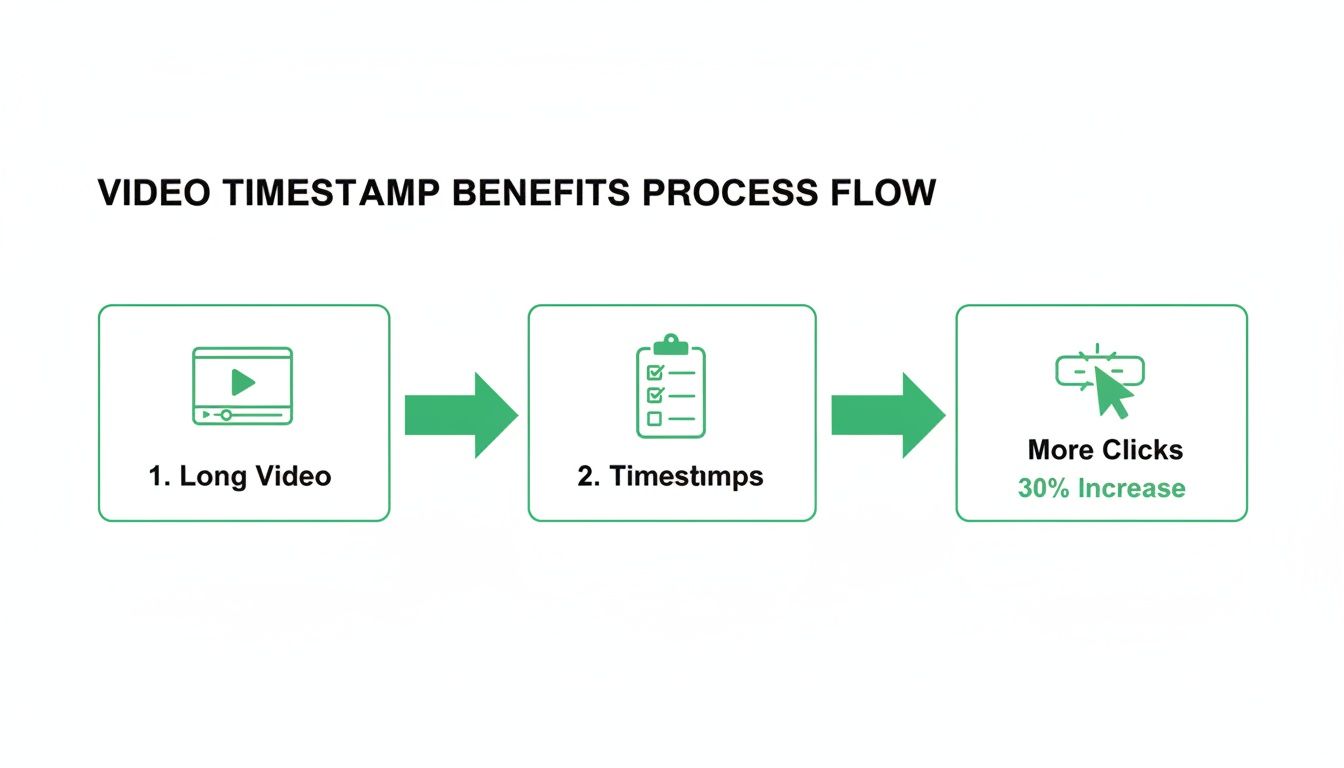
The logic is straightforward: when you break down a long video with timestamps, it feels way less intimidating. That accessibility encourages more people to click and actually stick around.
Identifying and Labeling Meaningful Chapters
Once you've got the rules down, it's time for the "art" part. Watch through your own content and pinpoint every time you shift to a new topic, a different step, or a key idea. These are your natural chapter breaks.
Let's say you're doing a product review. Your chapters might look something like this:
0:00 - Intro & Unboxing
1:32 - First Impressions & Design
3:45 - Key Feature Spotlight
6:10 - Performance Test
9:20 - Pros and Cons
11:05 - Final Verdict & Pricing
See how each label is descriptive but still short and punchy? Vague titles like "Part 1" or "Next Section" don't really help your viewers—or the search algorithms—figure out what's going on. The goal is to create titles that are genuinely useful while also being optimized with relevant keywords.
The meticulous work of manual timestamping is surprisingly similar to the process of adding subtitles to a video, where both timing and precision are everything.
When your list is ready, just copy and paste it directly into your YouTube video’s description box. Hit save, and within a few minutes, you should see those chapters pop up on your video’s progress bar, ready to guide your audience.
Using AI to Automate Your Timestamps
Manually creating timestamps is a powerful skill, but let's be honest—it can be a real time-sink. This is especially true if you're producing long-form content like podcasts, interviews, or in-depth tutorials. When you're staring down the barrel of an hour-long video, that manual process can easily chew up a huge chunk of your workflow.
This is where artificial intelligence comes in to do the heavy lifting. Modern AI tools can analyze your video's audio, dialogue, and even on-screen text to generate accurate, context-aware chapters automatically. Instead of scrubbing through your footage minute by minute, you get that time back to focus on what you do best: creating more content.
The tech that makes this possible didn't just appear overnight; it's been evolving for decades. The explosion of online video was largely fueled by advances in video compression. A key moment was the introduction of the MPEG-4 standard back in 1998, which allowed for smaller file sizes without killing the quality. That one change paved the way for the streaming platforms where AI-driven features now thrive.
How AI Timestamp Generators Work
Tools like TimeSkip are designed to turn this once-tedious job into a quick, five-minute check. The whole process is incredibly straightforward and built to fit right into your existing routine, letting you generate chapters without ever leaving your YouTube workflow.
Here’s a practical look at how it actually works:
- Simple Integration: You start by installing a browser extension that plugs directly into your YouTube Studio. This is a big deal because it means you don't have to waste time uploading your video to a separate website.
- One-Click Generation: Once you're on your video's details page, you just click the tool's icon. The AI immediately gets to work, analyzing your video's transcript and identifying key topic shifts.
- Instant Chapter Creation: Within seconds, the AI spits out a full list of timestamps with descriptive, SEO-friendly titles based on what's actually being discussed in each segment.
- Review and Export: Finally, you get a preview of the chapters. You can make any minor tweaks you want, then copy them with a single click, ready to be pasted directly into your video’s description.
What used to take an hour of careful listening and note-taking now takes less time than making a cup of coffee. This level of automation is a huge advantage for creators who need to publish content consistently.
This approach completely changes the game. It removes the friction from the process, making it realistic to time stamp video content for every single upload, no matter how long it is.
The Benefits of an Automated Approach
Choosing an AI-powered solution offers more than just speed. It brings a layer of data-driven optimization that's tough to replicate by hand, especially when you're working at scale.
- Consistency: The AI applies the same logic every single time, ensuring your chapters are consistently formatted and structured across all your videos. This gives your channel a more professional, uniform feel.
- SEO Optimization: Many tools are specifically designed to create chapter titles that are not only descriptive for viewers but also optimized for search engines. This helps you rank for more specific, long-tail queries.
- Scalability: For channels churning out multiple long videos every week, automation is really the only sustainable way to implement a comprehensive chapter strategy without burning out.
By handing this task over to an AI, you're not just saving time. You're implementing a best practice that boosts your viewer experience and search visibility with minimal effort. If you're looking for a tool to get started, explore our guide on finding the best video timestamp generator for your specific needs.
Optimizing Video Chapters for Search Engines
Okay, so you've added timestamps to your video. That's a great start, but if you stop there, you're leaving a ton of traffic on the table. The real magic happens when you start optimizing those chapters for search engines.
Think of your chapter titles as powerful mini-headlines. Each one is a brand-new doorway for someone to find your content through a Google search. To really make this work, you need to shift your mindset from simply describing what's happening to actively targeting what people are searching for.
Every chapter title is a piece of micro-content. Your goal is to match these titles with the specific questions and long-tail phrases your audience is plugging into Google. Get this right, and you'll start capturing those valuable "Key Moments" rich snippets that can send a flood of highly-targeted viewers directly to the most relevant parts of your video.
Dig for Gold with Keyword Research
Before you write a single chapter title, you need to get inside your audience's head. A little keyword research goes a long way here, and you don't need fancy paid tools to get started. Just fire up Google's autocomplete or a free tool like AnswerThePublic to uncover the long-tail keywords related to your main topic.
Let's say your video is a tutorial on "how to bake sourdough bread." Your initial research might show that people are also looking for things like:
- "How to feed a sourdough starter"
- "Sourdough scoring techniques for beginners"
- "What is the autolyse process"
Bingo. These are perfect candidates for your chapter titles. You're no longer just describing your video; you're providing direct answers to the exact queries people are searching for. To get a better handle on how this fits into the bigger picture, it's worth reading up on optimizing content for search engines.
Write Titles That Beg to Be Clicked
Once you have your keywords, it's time to craft your titles. The best chapter titles are a one-two punch: they're descriptive enough for search engines and compelling enough to make a human want to click. They need to be crystal clear, concise, and give viewers an immediate reason to jump to that section.
A great chapter title tells both the viewer and the algorithm exactly what value a specific video segment offers. Vague titles like "Step 2" or "Next Part" are a massive missed opportunity for visibility.
Instead of a generic title like "Scoring the Dough," an optimized version would be something like "Beginner Guide to Scoring Sourdough." It’s far more specific and packs in a valuable keyword. For a deeper dive into the nitty-gritty of getting the structure right, check out the ideal YouTube timestamp format that keeps both algorithms and viewers happy.
Try to keep your titles under 60 characters so they don't get awkwardly cut off in search results. Finally, structure them to tell a story. Guide the viewer logically from start to finish. This narrative flow not only creates a better viewing experience but also helps search engines understand the overall structure of your content, boosting your chances of earning those coveted rich snippets.
Troubleshooting Common Timestamp Issues
It's a moment every creator dreads. You’ve spent hours carefully mapping out your video, you hit save, and... nothing. Your timestamps aren't clickable, or worse, the chapters don't show up at all. Don't panic—this happens to everyone, and the fixes are usually surprisingly simple once you know what to look for.

Most of the time, errors boil down to small formatting hiccups that YouTube’s system just can’t figure out. Let's walk through the most common culprits so you can get your time stamp video working seamlessly for your audience.
Chapters Not Appearing at All
This is, without a doubt, the most frequent issue I see, and it almost always comes back to one of three simple mistakes. Before you start pulling your hair out, give your timestamp list in the video description a quick once-over for these things.
- The Missing
0:00Start: This is the big one. If your timestamp list doesn't kick off with0:00(or00:00), YouTube won't recognize it as a chapter list. Period. Make sure this is the absolute first entry. - Not Enough Chapters: You need a bare minimum of three timestamps for the chapter feature to activate. If you've only listed one or two, they simply won't appear on the video progress bar.
- Wrong Order: Your timestamps have to be in chronological order. A simple typo, like putting
5:10before4:50, will break the entire system. It's an easy mistake to make, so double-check the sequence.
Think about how much our expectations for video have changed. Since John Logie Baird's first video camera back in 1925, we've gone from massive professional gear to consumer camcorders in the 80s, and now, to expecting instant, on-demand access to specific moments. Timestamps are the modern answer to that demand. To see just how far we've come, check out the long history of video recording.
Timestamps Are Not Clickable
So, your list shows up in the description, but the numbers are just plain text—not clickable links. This is another classic formatting problem.
The most likely culprit is an extra character or the wrong punctuation. Make sure every single entry follows the Minutes:Seconds format exactly, like 3:45 or 12:01. Watch out for extra letters, symbols, or periods that might have snuck in. Any of these can stop the platform from turning your text into a working link.
Also, check for a space between the timestamp and its title. For example, 3:45-My Title might not work, but 3:45 - My Title usually works perfectly. These tiny details are what make all the difference when you time stamp video content to give your viewers the best possible experience.
Got Questions About Timestamps? We've Got Answers.
Jumping into video chapters for the first time usually sparks a few questions. It's totally normal. Getting the basics down will help you build a solid chapter strategy and sidestep some of the common mistakes creators make. Let's clear up a few of the big ones.
One of the first things creators worry about is whether chapters will tank their audience retention. It’s a fair question—if you let people skip ahead, won't they miss all the good stuff?
The reality, and what the data shows, is pretty much the opposite. Timestamps actually stop viewers from clicking away entirely when they can't find what they need. You're helping them find value faster, which makes for a better experience and sends positive signals to the YouTube algorithm. In many cases, it actually boosts your total watch time by pulling in viewers who would’ve skipped a long, unsegmented video altogether.
How Many Timestamps Should I Actually Use?
There's no magic number here, but you do need a minimum of three timestamps for YouTube to even recognize them as "Chapters." A good rule of thumb is to think of it like a table of contents: create one chapter for each main topic you cover.
For a 20-minute video, aiming for 5 to 10 chapters is way more helpful than cramming in 20 vague ones. Also, keep in mind that each chapter needs to be at least 10 seconds long, otherwise YouTube will just ignore it. The goal is to be helpful, not overwhelming.
Can I Add Timestamps to an Old Video?
Yes, absolutely! You can go back and edit the description of any video, any time you want. This is a fantastic way to breathe some new life into your older, evergreen content and give it a fresh SEO boost.
It's super simple:
- Head over to your YouTube Studio.
- Find the video you want to update and click into its "Details."
- Scroll down to the description box and add your timestamp list.
- Hit save, and you're done!
The changes usually show up on the live video within a few minutes. It's a low-effort, high-impact way to optimize your back catalog.
Do Timestamps Work on Other Platforms Besides YouTube?
While YouTube's "Chapters" feature is the most well-known, the idea of using a time stamp video list to help people navigate is becoming standard practice pretty much everywhere.
- Vimeo: Lets you add chapter markers right in the player settings, giving viewers clear navigation points.
- Wistia & Vidyard: If you're hosting videos on your own site, these players offer similar chapter functionality.
- Canvas Studio: Even in education, students are asking for timestamps to navigate long lectures and tutorials, showing just how much people appreciate them.
Even on platforms that don't have a slick, built-in feature, just dropping a simple timestamp list in the description is a thoughtful touch that your audience will definitely appreciate.
Ready to stop wasting time and start optimizing your videos effortlessly? TimeSkip generates perfect, SEO-friendly YouTube chapters in seconds. Try it for free and see the difference automation makes. Get your first two videos done on us at https://timeskip.io.
