

Let's cut through the noise. When we talk about growing on YouTube, one metric stands above almost all others: time. It's the secret language of the algorithm, the one thing that tells YouTube your content is worth promoting.
But 'time on YouTube' isn't just one simple number. It's really a combination of two powerful ideas: how long people watch your individual videos (Watch Time) and how long they stick around on the platform after your video ends (Session Duration). Getting a handle on both is the first real step toward building a channel the algorithm can't help but love.
What Time on YouTube Actually Means for Creators

Think of YouTube as a massive, digital TV network. Its main goal? Keep people watching for as long as humanly possible. More watch time means more opportunities to serve ads and promote other services like YouTube Premium.
To make that happen, the algorithm is constantly hunting for videos that don't just grab attention, but hold it. This is precisely why "time on YouTube" is so critical. Instead of chasing vanity metrics like view count, the most successful creators know that YouTube prioritizes viewer satisfaction, and time is its primary way of measuring that.
It’s not about how many people click play, but how many stick around to the end and—crucially—what they decide to do next.
The Two Pillars of Time on YouTube
The scale of this is mind-boggling. Globally, viewers consume over 1 billion hours of YouTube video every single day. The average viewing session is around 19 minutes. With that much attention on the line, it's no wonder the algorithm puts such a high value on videos that keep the clock ticking. You can find more YouTube user statistics and insights here.
To see how your channel fits into this picture, you need to understand the two core components YouTube is measuring:
-
Watch Time: This one's straightforward. It's the total amount of time people have spent watching one of your specific videos. If you have a 10-minute video and people, on average, watch 50% of it, each view contributes five minutes to your total Watch Time. A high Watch Time sends a crystal-clear signal to YouTube: "Hey, people find this content valuable."
-
Session Duration: This is the bigger picture. It measures the total time a viewer spends on YouTube in a single visit. If someone watches your video and then clicks on another one you recommended in your end screen, you’ve just extended their Session Duration. You’ve become a great starting point for a longer viewing binge, which makes your channel incredibly valuable to the platform.
Watch Time vs Session Duration At a Glance
Here’s a quick comparison to clarify how these two pieces of the puzzle work together to define 'time on YouTube' and what that means for your channel's growth.
| Metric | What It Measures | Why It Matters to YouTube | Creator Goal |
|---|---|---|---|
| Watch Time | The total accumulated minutes viewers have spent watching a single video. | Indicates the quality and engagement level of an individual piece of content. | Create compelling videos that hold viewers' attention from start to finish. |
| Session Duration | The total time a viewer spends on the YouTube platform during one visit. | Shows if a creator can keep viewers on YouTube, watching more content. | Encourage viewers to watch more of your videos or other recommended content. |
Ultimately, both metrics feed into the same goal. YouTube rewards creators who help them keep people on the site. A video that gets millions of quick views but causes people to click away from YouTube is actually less valuable to the platform than a video with fewer views that kicks off a long, satisfying viewing session.
Understanding this shift in thinking is fundamental. It changes how you approach everything from video structure to your calls to action, paving the way for real, sustainable channel growth.
Why the YouTube Algorithm Cares About Watch Time
To get ahead on YouTube, you have to learn to think like YouTube. The platform's algorithm isn't just a recommendation tool; it's a sophisticated "audience satisfaction engine." Its main job is to find videos that don't just get clicks, but more importantly, keep people watching for as long as humanly possible.
Think of it like a restaurant recommendation app. The app’s goal isn’t just to send people to restaurants. It’s to send them to places they’ll absolutely love. It won’t waste time promoting spots where customers order an appetizer and leave. Instead, it’s going to highlight the restaurants where people settle in for a three-course meal, soak up the atmosphere, and leave happy.
YouTube runs on the exact same logic. The algorithm rewards videos that capture and hold attention because every extra minute a viewer sticks around is another opportunity to serve an ad or promote a premium subscription. High time on YouTube is the clearest signal you can send that your content is valuable and engaging.
The Business of Attention
At its core, YouTube's business model is built on one thing: attention. The longer users stay glued to the platform, the healthier the entire ecosystem becomes—and that has a direct impact on your success as a creator.
When you rack up high watch time and long session durations, you're telling the algorithm that your content is doing its job perfectly. In return, your video gets a serious boost in all the right places:
- Search Results: Videos with strong retention tend to rank higher for their target keywords.
- Suggested Videos: The algorithm is far more likely to recommend your video next to others, creating a powerful chain reaction of viewership.
- Homepage: Landing on the homepage can unleash a massive wave of new viewers to your channel.
This is precisely why chasing view counts alone can be a fool's errand. A video with a million 30-second views is far less valuable to YouTube than a video with 100,000 views where people watch for ten minutes straight. That second video proves it can hold an audience, making it a much safer bet for the algorithm to promote.
The ultimate goal for the algorithm is to string together a series of satisfying video views. When your video contributes positively to a user's session, you're not just helping your channel; you're helping YouTube achieve its primary business objective.
Beyond the Platform
This relentless focus on capturing viewing time has allowed YouTube to break out of its shell, expanding its influence far beyond computers and phones. The platform now goes head-to-head with traditional television for a slice of the living room audience.
And this isn't just a feeling—it's a fact. YouTube's impact on television viewing habits is massive, especially in the U.S. According to a Nielsen report from April 2025, YouTube captured a record-breaking 12.4% of all TV viewing time, marking its third consecutive month as the top media company in the category. You can read more about YouTube’s growing share of TV viewership on Nielsen.com.
This powerful stat proves that long-form, engaging content is successfully keeping audiences captivated on the biggest screen in their homes. It’s a clear sign that the algorithm favors content that can sustain interest over longer periods, just like traditional TV. For creators, this means every single minute a viewer spends with your content is strengthening your channel's position in an increasingly competitive media world.
Finding Actionable Insights in Your YouTube Analytics
Your YouTube Studio is more than just a place to upload videos; it’s the command center for understanding exactly how people react to your content. If you really want to increase your time on YouTube, you have to stop just glancing at your view count and start digging into the story your analytics are telling.
Think of yourself as a detective for your own channel. Every graph and chart holds clues about what keeps your audience glued to the screen and what makes them click away. By learning to read these signals, you can stop guessing and start making smart decisions that lead to longer watch times and, ultimately, much better videos. The trick is knowing where to look.
Decoding Your Audience Retention Graph
The single most powerful tool you have for improving watch time is the Audience Retention report. This graph shows you, second-by-second, what percentage of your audience is still watching. It’s like a direct window into your viewers' minds.
You’ll see two main types of retention data, and knowing the difference is key to getting the analysis right.
- Absolute Retention: This shows the retention curve for one specific video, all on its own. It's perfect for pinpointing the exact moments—like a boring intro or a confusing segment—where viewers are dropping off in that video.
- Relative Retention: This one is super useful because it benchmarks your video’s performance against other YouTube videos of a similar length. If your line is consistently above the gray "typical" line, you know you’re doing something right to hold attention better than average.
This is what a typical audience retention graph looks like. The goal is to keep that line as high and flat as possible.
Seeing where the line takes a nosedive gives you a clear roadmap for what to fix in your next video.
Pinpointing Key Moments for Growth
Your retention graph isn't just a flat line; it’s a landscape of peaks and valleys, and each one tells a story. YouTube even helps you out by identifying these with its "Key moments for audience retention" report. To really get a handle on what your audience is doing, it's essential to know how to measure social media engagement everywhere, but on YouTube, these four moments are your starting block.
Here are the four main signals to watch for:
- Intros: This tracks how many viewers are still watching after the first 30 seconds. A steep drop here is a massive red flag that your hook just isn't working.
- Continuous Segments: These are the golden parts of your video where viewers aren't skipping ahead or leaving. A long, flat line here is a fantastic sign of high engagement.
- Spikes: Did a part of your video get re-watched? Spikes point to a moment of high interest, a super valuable piece of information, or maybe just a really funny joke. Your job is to figure out what caused that spike and do more of it.
- Dips: These are the moments viewers skipped right over or where they gave up and left entirely. Analyzing your dips helps you identify the boring, confusing, or just plain uninteresting content to avoid in the future.
By consistently analyzing your spikes and dips, you create a feedback loop. You learn what resonates (spikes) and what doesn't (dips), allowing you to refine your content strategy with each new upload.
Analyzing Traffic Sources for Quality Viewers
Listen, not all views are created equal. Your Traffic Sources report tells you where your viewers are coming from, but more importantly, it shows which sources bring in the most engaged audience.
You might find that viewers from Browse features (the YouTube homepage) watch for an average of six minutes, while viewers from an external website only stick around for one. That's invaluable information.
For a much deeper dive into navigating this data, you can check out our complete guide to understanding your YouTube analytics. Knowing which sources deliver high time on YouTube helps you focus your promotional efforts and make content for the audience that actually values it. It's all about finding the viewers who don't just click, but stick around for the long haul.
Proven Strategies to Increase YouTube Watch Time
Knowing your way around YouTube Analytics is one thing, but actually turning those numbers into a real-world strategy? That’s where the magic happens. If you want to seriously improve your time on YouTube, you need to be intentional about how you build your videos from the ground up. This isn't about chasing trends; it's about structuring your content with a purpose.
So, let's skip the generic advice and get right into the tactics that flat-out work. These are proven methods for grabbing a viewer's attention from the jump, keeping them hooked with a great story, and making sure their energy never dips.
Craft an Irresistible Hook in the First 15 Seconds
You have a sliver of a window—maybe 15 seconds, tops—to convince someone your video is worth their time. A weak opening sends your audience retention graph into a nosedive it might never pull out of. It’s that critical.
Your hook needs to accomplish one of three things, and fast:
- Promise a clear benefit: Get straight to the point. Tell them exactly what they’ll learn or gain. For instance, "In the next ten minutes, you'll learn the three mistakes that are costing you subscribers."
- Create a curiosity gap: Pose a question or introduce a surprising situation that the rest of the video will answer. It’s like a mini-trailer for what’s about to unfold.
- Start with the action: Don’t waste time with a slow buildup. Jump right into the most valuable or exciting part. A cooking tutorial could kick off with a glorious shot of the finished dish before you even mention the first ingredient.
Nail this opening, and you've won half the battle.
Use Storytelling to Maintain Engagement
Facts are fine, but stories are what we’re wired for. A video that follows a narrative arc is always more compelling than a simple list of points. One of the most powerful storytelling tricks on YouTube is using open loops.
An open loop is just what it sounds like: you introduce an idea or a question early on but deliberately hold off on the answer until later. This plants a little seed of curiosity that makes people want to stick around to see how it plays out.
For example, you could start by saying, "Most people think they need expensive gear to get great audio, but later I’ll show you a secret technique using just your smartphone that sounds even better." This builds anticipation and gives viewers a concrete reason to keep watching.
Sprinkle a few of these throughout your video, and you create a forward momentum that keeps your audience invested all the way to the end.
This simple flowchart shows how holding onto viewer attention is the first domino to fall in a growth sequence.
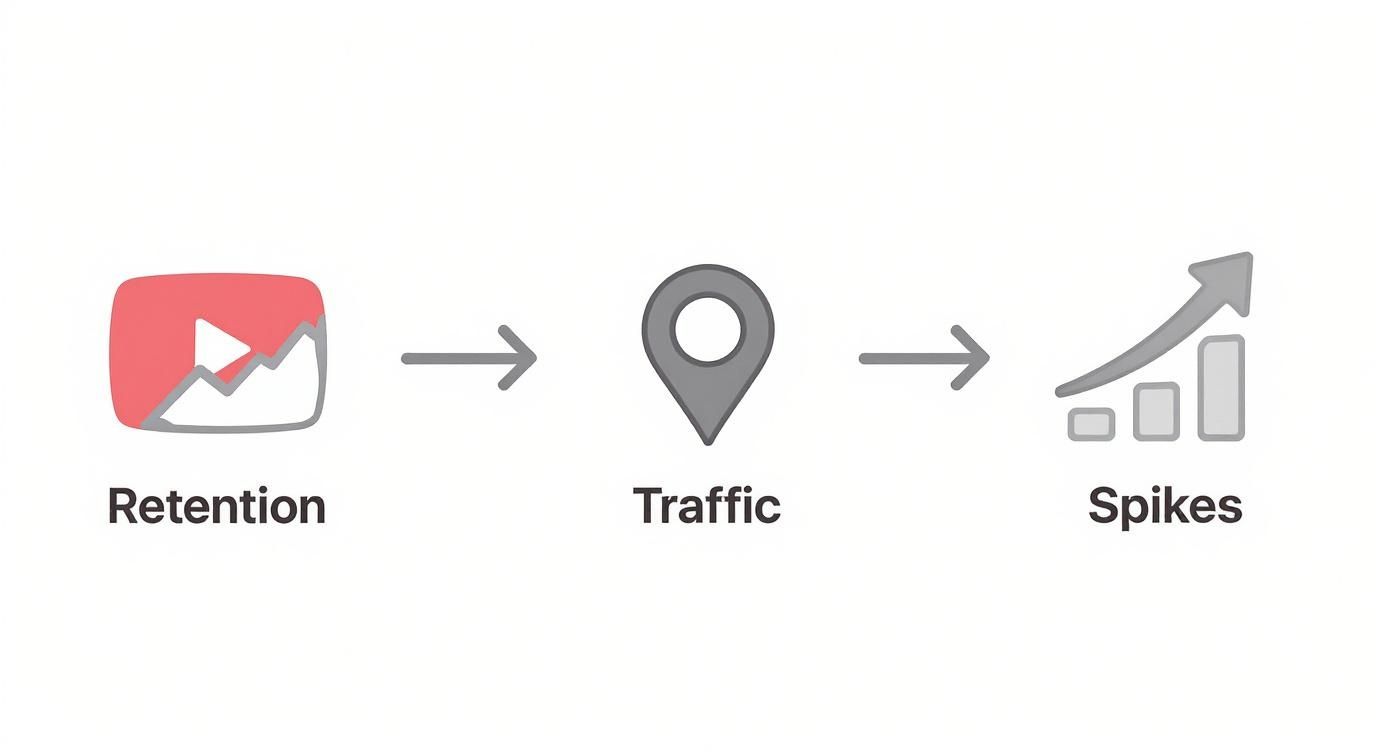
As you can see, better retention drives more traffic, which is what leads to those sweet performance spikes.
Master Visual Pacing and Energy
Even the most fascinating topic can feel like a slog if the screen is static. To keep viewers from zoning out, you have to master visual pacing. It’s all about changing what people see on screen often enough to keep their brains engaged.
Here are a few ways to do it:
- B-Roll Footage: Cut away from your main shot (like you talking to the camera) to show relevant clips, images, or animations that illustrate your point.
- Motion Graphics: Use simple text overlays, animated icons, or slick transitions to add some visual pop and emphasize key ideas.
- Camera Angle Changes: If you film with more than one camera, switching between a wide shot and a close-up can make even a simple talk feel dynamic.
- Sound Design: Don’t sleep on audio! The right background music, some well-placed sound effects, and crisp, clear audio all contribute to a more professional and engaging vibe.
For creators really trying to squeeze every drop of performance out of their content, understanding the ideal YouTube video length can play a huge role. But even a perfectly timed video will fall flat if the pacing is off.
Ultimately, a well-paced video just feels effortless to watch. Each new visual element recaptures attention, stopping boredom in its tracks.
To help you put these ideas into practice, here’s a quick-reference table summarizing which techniques solve specific retention problems.
Watch Time Boosting Techniques and Their Impact
This table breaks down each strategy, its primary goal, and what you can expect when you apply it correctly.
| Technique | Primary Goal | Where to Apply It | Expected Outcome |
|---|---|---|---|
| Strong Hook | Prevent initial drop-off | First 15 seconds of the video | Higher initial retention, lower bounce rate |
| Open Loops | Maintain curiosity | Throughout the video script | Sustained engagement through the middle of the video |
| B-Roll & Graphics | Combat visual fatigue | During long talking segments | Reduced mid-video dips in the retention graph |
| Dynamic Editing | Increase energy and focus | Post-production (editing) | A more professional and engaging final product |
| Strategic Chapters | Improve navigation & SEO | Video description and timeline | Increased session duration and better search visibility |
By mixing and matching these techniques, you're not just making a video; you're crafting an experience designed to hold a viewer's attention. Our complete guide offers even more tips on how to increase YouTube watch time with practical content strategies. When you combine a strong hook, compelling storytelling, and dynamic pacing, you create a viewing experience that makes every second count.
Using Video Chapters to Improve Viewer Experience
It sounds completely backward, but one of the smartest ways to increase total time on YouTube is by making it easier for viewers to skip parts of your video. For longer, info-heavy content like tutorials, podcasts, or in-depth reviews, this is an absolute game-changer.
Picture an intimidating 45-minute tutorial. Without chapters, a viewer hunting for one specific answer will probably click away after a minute of frustrated scrubbing. But with chapters? That same person can instantly jump to the exact segment they need, turning a potential bounce into a fantastic, satisfying experience.
This improved user experience is everything. Instead of losing a viewer, you deliver immediate value. That simple act makes them more likely to stick around, watch more of your stuff, and sends a powerful signal to YouTube that your video is a high-quality resource.
Turning Long Videos into Accessible Resources
Video chapters (or timestamps, as you'll often see them called) are basically a clickable table of contents for your video. They slice a long piece of content into digestible, clearly labeled sections that show up right on the video's progress bar. It’s a small feature with a massive impact on how people watch.
Chapters instantly lower the barrier to entry. They give viewers a clear roadmap of your video's content, which removes that "ugh, do I really want to commit to this?" feeling that comes with long, unstructured videos.
When done right, chapters give viewers a clean, easy-to-understand preview of what you're covering. Each chapter gets its own title and timestamp, making navigation effortless.
This is especially vital for educational or "how-to" content. Viewers often come back to re-watch specific steps or sections. By making it easy for them to find exactly what they need, you encourage repeat views, which is a fantastic way to boost your overall watch time.
The Hidden SEO Power of Chapters
Beyond just making your video easier to watch on YouTube, chapters give you a huge SEO advantage. Every chapter title you create is extra metadata that gives both YouTube and Google way more context about the topics you cover.
All this extra info helps your video rank for more specific, long-tail search queries. Someone searching Google for "how to color correct drone footage" might get a direct link to the 8:32 mark of your comprehensive editing tutorial—a segment they would have never found on their own.
Chapters turn your one video into a collection of discoverable mini-topics. This multiplies your chances to show up in search results, driving highly motivated viewers straight to the part of your video they need most.
This kind of targeted traffic is pure gold. Viewers who land on the exact answer they were searching for are far more likely to be satisfied, subscribe, and check out your other content. This boosts both your watch time and your total session duration. If you're serious about growth, understanding how chapter markers can boost viewer retention is a crucial next step.
Automating Chapter Creation with Modern Tools
Let's be honest: manually creating chapters is a drag. It means re-watching your entire video, meticulously noting timestamps, and trying to come up with descriptive titles for every single section. For longer videos, this can easily eat up hours of your time.
Thankfully, AI-powered tools like TimeSkip now automate this whole process. By analyzing your video's transcript, these tools can identify the distinct topics you cover and generate accurate, SEO-friendly chapters in just a few seconds.
The process is incredibly simple:
- Analyze Transcript: The tool "listens" to your video's audio to understand the content and structure.
- Identify Key Topics: It pinpoints the main subjects and the exact moments you switch from one topic to the next.
- Generate Chapters: It spits out a full list of timestamped chapters with concise, descriptive titles ready to be pasted into your description.
Using an automated tool frees you up to focus on what you do best—making great content. It ensures every video is perfectly structured to keep viewers happy and maximize your visibility in search, making it an essential part of any modern creator's workflow.
Common Questions About Time on YouTube
Figuring out YouTube's algorithm can feel like you're trying to solve a puzzle where the pieces keep changing shape. Once you get a handle on watch time and session duration, a whole new set of questions and myths always seems to crawl out of the woodwork.
Let’s cut through the noise. Here are some direct, no-fluff answers to the questions we hear from creators all the time about boosting their time on YouTube.
Is a Longer Video Always Better for Watch Time?
This is probably one of the biggest myths on the platform, and the short answer is a hard no. Longer videos are not automatically better. The algorithm doesn't reward length for the sake of length; it rewards engagement.
Think of it this way: a rambling 20-minute video that most people ditch after three minutes is a total dud in the algorithm's eyes. Compare that to a super-engaging 8-minute video that keeps viewers glued to their screens from start to finish. Which one do you think YouTube would rather promote?
It’s just like a movie. A three-hour epic can be incredible, but if it’s stuffed with boring scenes, people will walk out. A tight, 90-minute film that has you on the edge of your seat is a much better experience. Your goal shouldn't be to just "make it longer." It should be to make every single second count.
The ideal video length is the exact amount of time you need to deliver your message in the most engaging way possible—and not a second more. If you can deliver massive value in five minutes, make a five-minute video. Padding it out to ten will only kill your audience retention.
Focus on content density and pacing. If you genuinely have enough valuable material to justify a longer runtime without your audience zoning out, go for it. But never, ever sacrifice quality for the sake of the clock.
Audience Retention Percentage or Total Watch Time?
This is another classic point of confusion. Should you focus on the percentage of the video people watch (Audience Retention) or the raw minutes they spend watching (Watch Time)? While they're obviously connected, all signs point to YouTube weighing total watch time more heavily when it's deciding what to recommend.
Here’s a quick example to make it crystal clear:
- Scenario A: A 2-minute video with a fantastic 80% retention. That adds up to 1.6 minutes of watch time per viewer.
- Scenario B: A 15-minute video with a decent 40% retention. That adds up to 6 minutes of watch time per viewer.
Even though Scenario A has a way better retention percentage, the video in Scenario B kept someone on the platform for much, much longer. That extended viewing period gives YouTube more chances to show ads and suggest other videos, which is how they make money. A viewer watching for 6 minutes is simply more valuable to the platform than one watching for less than 2.
That doesn't mean retention percentage is worthless—far from it. High retention is a powerful signal that your content is high-quality and well-paced. Think of it as your diagnostic tool for figuring out why your total watch time is what it is. You want to improve both, but accumulating those precious minutes is the name of the game.
How Long Until I See Results from New Strategies?
Patience is a superpower on YouTube. When you start trying new things—like crafting better hooks, adding video chapters, or tweaking your content format—you’ll be itching to see an immediate jump in your time on YouTube. But the algorithm needs time to collect data, notice the change, and adjust.
As a rule of thumb, give any new strategy at least a few weeks (and preferably a full month) before you decide if it's working. Here’s a more realistic timeline:
- The First Week (Initial Data): You'll get your first look at the audience retention graphs for your new videos. This is your chance to analyze the initial drop-off points and see if those new hooks are actually hooking people better than your old ones.
- Two to Four Weeks (Spotting Patterns): After you've published a few videos using the new approach, you can start connecting the dots. Is your average retention percentage creeping up? Are people coming from "Browse features" watching longer? This is when the data starts to become reliable.
- One to Three Months (Algorithmic Impact): If your new strategy is consistently pulling in higher watch time, this is when the YouTube algorithm might really start to take notice. You could see an uptick in impressions from suggested videos and the homepage as the platform begins testing your content with brand-new audiences.
Remember, YouTube is a marathon, not a sprint. One video's performance won't make or break your channel. It’s the consistent delivery of engaging, valuable content over time that builds momentum and convinces the algorithm that your channel is worth showing to more people. Just focus on making small improvements with every upload, and the results will eventually follow.
Ready to stop wasting time and start optimizing your videos for maximum engagement? TimeSkip is the AI-powered Chrome extension that generates perfect, SEO-friendly YouTube chapters in seconds. Boost your discoverability and give your viewers the experience they deserve. Get started for free at https://timeskip.io.
