

So, you've just uploaded your masterpiece and you hit play to admire your work. You watch it again. And maybe one more time for good measure. Does YouTube actually count those as views?
The short answer is yes, but only for a little bit.
Think of it like a coffee shop's loyalty card that only lets you get one stamp per day. Your first few watches will probably register just fine, but YouTube’s system is designed to stop repetitive views from the same source from artificially inflating your numbers.
How Your Own Views Are Actually Counted
It's completely natural to watch your new video a couple of times for a final quality check. The good news is, YouTube expects this. Those initial plays are almost always added to your public view count because that kind of behavior looks perfectly normal to the algorithm.
But this is where things get a little more nuanced. The platform's main goal is to measure genuine viewership—it wants to know if real people are interested in your content, not just if you're hitting the refresh button over and over.
As a creator, your first handful of self-views are usually seen as legitimate quality control. But after about 4-5 views from the same IP address or account in a short period, YouTube’s system starts to recognize the pattern and filters them out to prevent artificial inflation.
This filtering process is what keeps the view counts on the platform trustworthy. It's smart enough to tell the difference between a creator doing a final once-over and someone trying to game the system.
Understanding the Limits
So, where exactly is the line drawn? While YouTube keeps its official rulebook under lock and key, the general consensus among creators and experts points to a soft cap of around 4 to 5 views per day from a single source (like your home Wi-Fi). After that, any more plays from you are likely to be ignored.
Here’s where it gets interesting, though. Some informal tests have shown that the system can be a bit more lenient in a video's first few hours. One experiment revealed that even 18 quick refreshes on a brand-new private video were all counted, at least initially. This suggests the system waits for a bit more data before its fraud detection and verification audits really kick in. You can read more about these early view count mechanics on GrowTraffic.com.
The key takeaway is that you can't rely on self-views to grow your channel, but your initial quality checks are totally safe and won't get you into any trouble.
To make it even clearer, here's a quick breakdown of when your own views are most likely to count.
When Your Own Views Count vs When They Don't
| Scenario | Likely To Count? | Reason |
|---|---|---|
| First 1-2 watches right after upload | Yes | Seen as a standard quality check by the creator. |
| Watching from a different device (e.g., phone) on a different network (e.g., mobile data) | Yes | Looks like a unique viewer from a different source/IP address. |
| Watching from your logged-in Google account | Yes, for the first few views | Your watch history helps YouTube's algorithm, but it will quickly filter out repeats. |
| Refreshing the page 10 times in a row | No (after the first few) | This behavior is easily flagged as artificial inflation by the system. |
| Watching in Incognito Mode repeatedly | No (after the first few) | YouTube's filters are based on IP addresses and other signals, not just cookies. |
| Having friends/family watch from the same house (same Wi-Fi) | Maybe, for the first few unique devices | Multiple views from the same IP address will eventually be filtered. |
Ultimately, while those first few views from you might give the counter a tiny nudge, they won't make a real difference in the long run. Focus on making great content, and the real views will follow.
How YouTube’s View Verification System Works
Ever wondered what really happens when someone clicks play on your video? It’s not just a simple click-and-count system. YouTube has a sophisticated verification process working behind the scenes, acting like a digital bouncer at an exclusive club. Its job is to make sure every view is legit.
This system doesn’t just tally up clicks. Instead, it scrutinizes a bunch of different signals to tell the difference between a real person who’s genuinely interested and an automated bot or a low-quality, fleeting play. It’s looking at things like the viewer's IP address, how long they actually watch, whether they’re logged into a Google account, and their viewing history. A quick, muted autoplay from some random website just doesn't carry the same weight as someone who actively searched for your video and watched it all the way through.
The Two Stages of View Counting
You can think of YouTube's view counting as a two-step process: the initial tally and the final audit.
- Initial Tally: Right after someone plays your video, the view gets logged almost instantly. This is why you might see your view count in YouTube Analytics shoot up right after you publish. It’s the system’s first, quick count.
- Final Audit: This is where the real deep-dive happens. The algorithm goes back and audits those initial views, filtering out anything that looks fishy or artificial. Only the views that pass this rigorous check are added to the permanent, public view count everyone sees.
This breakdown shows how your own views get treated in this very system.
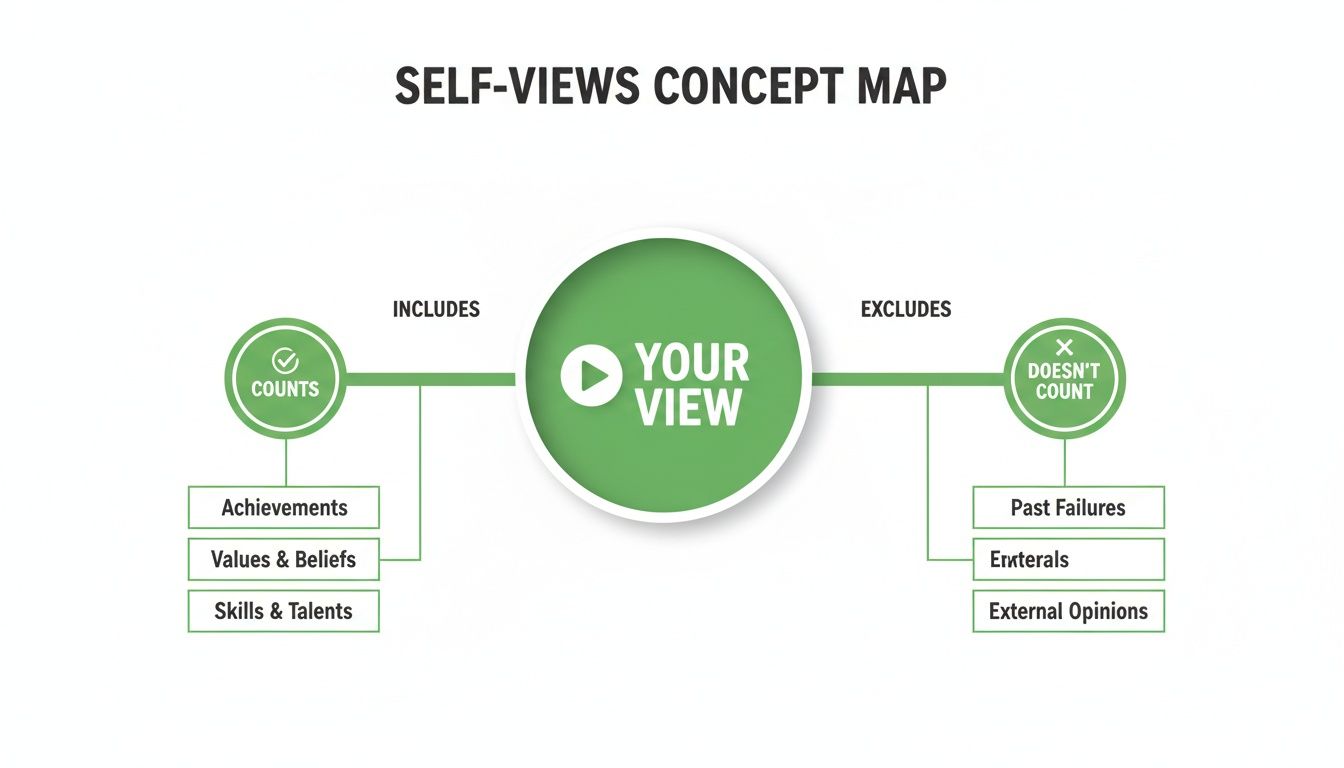
As you can see, those first few watches you do to quality-check your upload are usually counted. But if you sit there hitting the refresh button over and over, the algorithm quickly catches on and throws those views out.
Signals That Matter to the Algorithm
While the system is always getting smarter, there are a few core signals that consistently matter. A legitimate view almost always comes from a user showing clear, unambiguous intent to watch. If you want to get into the weeds of how this data is collected and processed, digging into the YouTube API can offer some fascinating insights.
This multi-layered verification is what keeps the platform fair. It ensures creators who build a real, engaged audience get rewarded, and it stops people from gaming the system with fake traffic.
At the end of the day, not every play makes it past the velvet rope to become a verified view on your public counter. You can get a much more granular look at what's happening under the hood with some advanced tools. Our guide on using Stats for Nerds is a great place to start if you want to understand the raw data behind your video's performance: https://timeskip.io/blog/stats-for-nerds.
From the 301+ Freeze to Real-Time AI Audits
If you've been a creator for a while, the number "301" probably gives you a little flashback. It was a well-known quirk on YouTube for years: your video would start gaining traction, then suddenly, the public view counter would get stuck at exactly 301 views.
This wasn't some random bug. It was actually a deliberate checkpoint. Back in the day, that freeze was a signal that YouTube's human team was stepping in to manually check if that flood of new views was coming from actual people, not just a bunch of bots.
In a weird way, hitting the 301+ freeze became a badge of honor. It meant your video was popular enough to warrant a human review, separating it from the spammy, automated stuff. But as you can imagine, that system was a product of its time.
The Shift to Continuous Auditing
As YouTube scaled to unbelievable levels, manually verifying every viral video just wasn't going to cut it. The platform needed a much smarter, faster way to keep the view counts legit without causing these public bottlenecks. This led to a complete overhaul.
Around 2019, YouTube officially phased out the hard freeze and switched to a powerful, continuous auditing system. Instead of one single checkpoint, the platform now uses advanced machine learning to analyze over 100 different signals for every view in near real-time.
This new process is way more subtle and way more efficient. The system no longer needs to publicly halt the count to do its job. It's always running in the background, constantly validating views as they roll in.
This evolution is a huge part of why the question "does YouTube count your own views?" is so nuanced now—the system is looking at complex behavior patterns, not just a simple click. You can read more about this historic change and see how the platform's view counting evolved on Filmora.wondershare.com.
Ultimately, the move from a clunky, manual freeze to an intelligent, real-time AI audit was a massive leap. It's a far more robust way to protect creators from view fraud and ensures that the numbers you see are a much truer reflection of genuine human interest.
Decoding Your Public View Count vs. YouTube Analytics
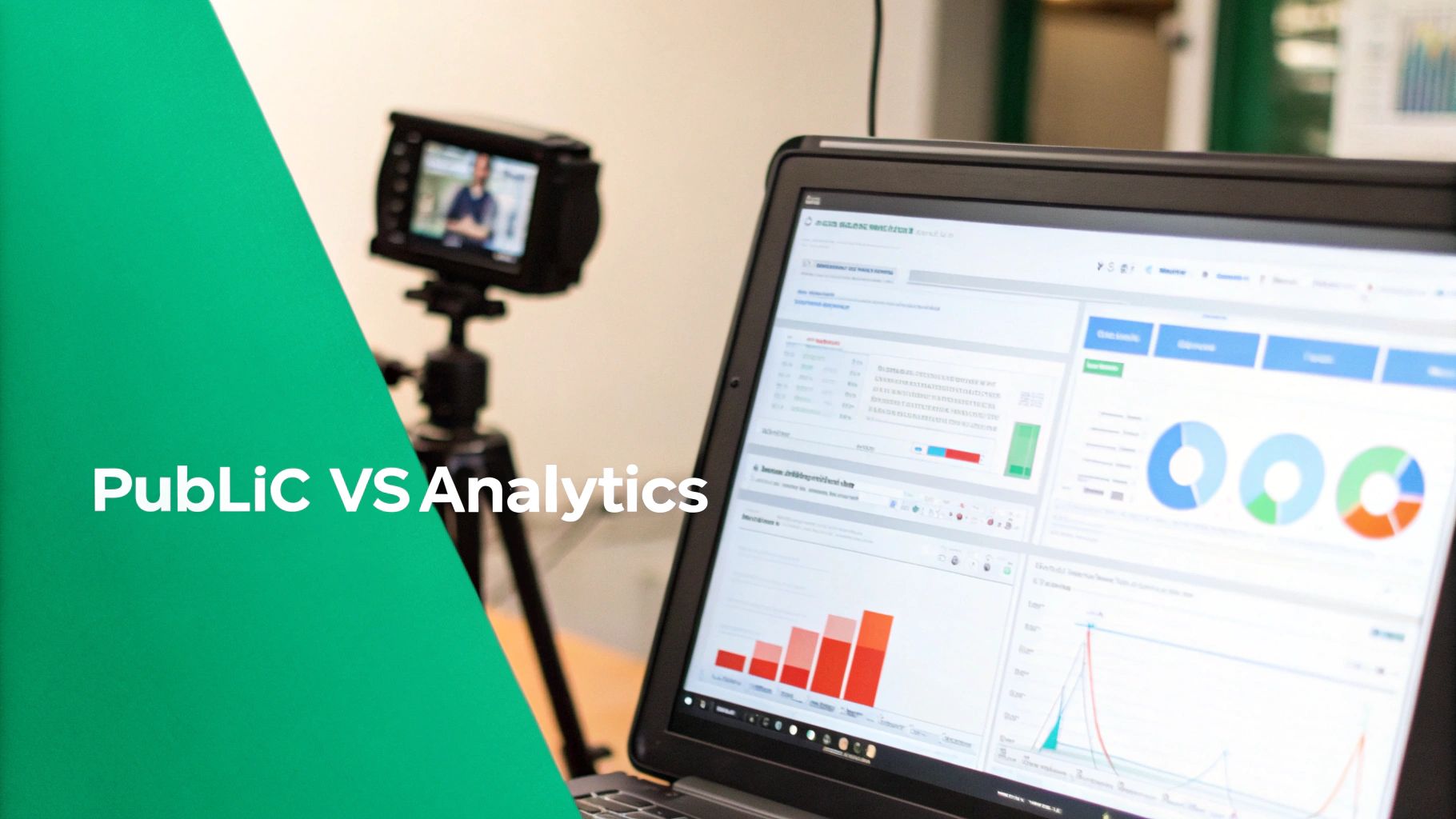 One of the most common things that trips up creators is seeing a gap between the view count on their public video page and the numbers staring back at them inside YouTube Analytics. It's totally natural to get fixated on that public number, but the real story of your video’s performance lives inside your dashboard.
Here’s a simple way to think about it: YouTube Analytics is the raw, unedited footage. It captures almost every play as it happens, giving you a near-instant snapshot of performance. The public view count, on the other hand, is the final, polished cut that’s been verified and approved for release.
Why You Should Trust Your Analytics
While the public count is what your audience sees, your Analytics dashboard is where you'll find the deep insights that actually matter for growing your channel. This is your command center for digging into metrics that drive real growth.
You’ll find information that is far more valuable than a simple view tally, like:
- Watch time: The total minutes people have spent watching your content.
- Audience retention: The exact moments where viewers start losing interest and clicking away.
- Unique viewers: A solid estimate of how many individual people watched your videos.
- Traffic sources: A breakdown of how viewers are finding you—whether it's through search, suggested videos, or external sites.
The public view count is a vanity metric; YouTube Analytics provides the actionable data. The numbers in Analytics often appear higher initially because they haven't undergone the full verification audit that filters out low-quality plays.
This internal dashboard is your true measure of success. To get a comprehensive breakdown of these powerful metrics, our complete guide on how YouTube Analytics is explained can help you turn those raw numbers into a killer growth strategy: https://timeskip.io/blog/youtube-analytics-explained
By focusing on these deeper insights, you can stop obsessing over whether YouTube counts your own views and start making smart, informed decisions that build a loyal, engaged audience for the long haul.
Alright, theory is great, but as a creator, you probably want to see this stuff in action. Let's walk through a simple, safe experiment you can run to see for yourself how YouTube counts your views, all without tripping any alarms or hurting your channel's good standing.
The trick is to isolate your test so random viewers don't mess with the results. To do that, we'll upload a brand-new video and immediately set its visibility to Unlisted. This means only you (and anyone you share the direct link with) can see it.
A Simple Two-Step Test
Here’s a quick and easy way to see the system at work:
- Watch from Different Setups: First, watch your new unlisted video a couple of times on your main computer while you're logged into your account. Next, switch things up completely. Watch it on your phone using cellular data (turn Wi-Fi off!), or better yet, have a friend watch it from their house on their own computer.
- Check Your Numbers: Pop into your YouTube Analytics and watch the real-time view count. You should see those first few views register pretty quickly. Now, the important part: wait 24-48 hours and check again. You'll probably see that the views from different locations and devices stuck around, but some of the extra views from you repeatedly hitting refresh on your own computer might have vanished after YouTube's audit.
Now, you've probably heard that a view only counts if someone watches for at least 30 seconds. While that's a good rule of thumb, it's not always so black and white, especially for brand new videos. In one controlled test, even a bunch of views under 10 seconds each were counted, which suggests the 30-second rule might get applied more strictly once a video starts gaining traction and goes through more rigorous audits. You can dig into more of these fascinating view count test findings on Castmagic.io.
A Quick But Important Warning: Whatever you do, never use services that promise to boost your views with bots, use a VPN to fake your location, or run scripts to auto-refresh the page. YouTube's system is incredibly good at spotting this stuff, and it's a fast track to getting those views removed, getting a strike against your channel, or even getting terminated. A little honest testing is fine; trying to game the system is not.
Focusing on Metrics That Actually Drive Growth
 Getting hung up on whether YouTube counts your own views is a classic rookie mistake. It’s an easy distraction that pulls your focus from what really moves the needle: the goldmine of data waiting inside your YouTube Analytics. That single view you give yourself is a drop in the ocean compared to the insights that fuel actual channel success.
Instead of chasing a single, insignificant number, the pros learn to read the story their audience is telling them through actionable metrics. These are the clues that show you what’s working and what’s falling flat, empowering you to make smarter, more strategic decisions.
Key Metrics to Prioritize
If you want to build a data-driven strategy, you need to shift your attention to these crucial performance indicators:
- Audience Retention: This graph is your best friend. It shows you the exact moments viewers are bailing on your video. A massive drop-off in the first 30 seconds? Your intro needs work. A slow, gradual decline is totally normal, but sharp dips are red flags.
- Click-Through Rate (CTR): This is your title and thumbnail report card. A low CTR is a clear sign that your video isn't compelling enough to grab attention in a sea of search results or on the homepage.
- Traffic Sources: This tells you exactly how people are discovering your content. Are they coming from YouTube search? Suggested videos? An external website? Knowing where your audience comes from helps you double down on what's already working.
When you start to understand what these numbers are telling you about your content, you stop worrying about tiny view count blips and start building a healthy, sustainable channel. The goal isn't just to get views; it's to earn watch time from an audience that's genuinely engaged.
To really kickstart growth, creators should also think about strategies for maximizing organic reach, like figuring out the best times to upload YouTube videos. You can dive deeper into interpreting these essential video performance metrics and see how they contribute to long-term success in our detailed guide. https://timeskip.io/blog/video-performance-metrics
Let’s Clear Up Some Common Questions
Alright, now that we've peeled back the layers on how YouTube's view-counting system works, let's tackle some of the lingering questions that pop up all the time. Think of this as a quick-fire round to clear up those tricky scenarios every creator faces.
Do Views on Embedded YouTube Videos Count?
Yes, absolutely. Views from your videos embedded on other websites, like your blog or a news article, definitely count toward your total. YouTube’s algorithm doesn’t care where the view happens; it just cares that it’s a real person genuinely watching.
The same verification rules apply. For example, an embedded video that auto-plays on mute in the background is far less likely to be counted than one a visitor actively clicks play on. Intent is everything.
How Many Times Can I Watch My Own Video and Have It Count?
This is a classic one. While YouTube doesn't give us a hard number, the general consensus from creators who've tested this is that your first 4-5 views from the same IP address or account within a 24-hour period will probably count.
After that, the system's fraud detection kicks in and flags the behavior as repetitive. It’ll stop adding your views to the public counter. This tiny allowance is really there for you to do a quick quality check, not to game the system.
Why Is My YouTube View Count Stuck or Going Down?
Seeing your view count freeze or even drop can be alarming, but it’s actually a sign that YouTube's system is doing its job. A sudden freeze usually happens when a video gets a big surge of traffic, and the system needs a moment to catch up and audit all those incoming views.
A decrease is what happens after that audit. The algorithm has finished its sweep, identified any views it flagged as low-quality or bot-driven, and removed them from the public count. This ensures the number you see is a more accurate reflection of your real audience.
A dip in your view count isn't a glitch—it's a correction. YouTube's algorithm is constantly auditing traffic to remove any views it identifies as low-quality or bot-related, making sure your public numbers reflect genuine human viewership.
Optimizing your videos with chapters is one of the best ways to improve audience retention and SEO. With TimeSkip, you can generate perfectly optimized chapters in seconds, not hours. Install the free Chrome extension and get your first two videos done for free at https://timeskip.io.
