

A useful tags list for YouTube starts with phrases that accurately describe your video's topic, format, audience, and specific angle. For a beginner home-workout video, for example, a focused set could be home workout for beginners, no equipment workout, 20 minute workout, low impact cardio, and fitness at home.
Quick examples by video type:
- Podcast interview:
marketing podcast,founder interview,customer acquisition,startup lessons - Software tutorial:
notion tutorial,project management setup,beginner workflow,productivity system - Product review:
wireless microphone review,creator audio test,budget microphone,sound comparison
YouTube's own guidance says titles, thumbnails, and descriptions matter more for discovery, while tags are mainly useful for descriptive context and commonly misspelled terms. Treat tags as supporting metadata, not a shortcut to rankings. See YouTube's official tag guidance.
Use only terms that genuinely match the video. Do not add unrelated creator, company, or product names to borrow their traffic. If you want a relevant starting set from your topic, try TimeSkip's free YouTube tags generator, then keep only the suggestions that accurately describe the video.
The eight strategies below form a practical YouTube tags guide for tutorials, podcasts, reviews, education, and other creator formats. They cover different YouTube tag types without pretending tags matter more than the title, thumbnail, description, or the video itself.
1. Niche + Format Combination Tags
The most effective YouTube tag strategies start with clarity. The Niche + Format combination method is a foundational approach that tells YouTube's algorithm exactly what your video is about and who it’s for. This technique involves pairing broad subject tags (your niche) with specific content style tags (your format). This dual-layered approach significantly improves discoverability by targeting viewers searching for specific types of content within a particular interest area. For instance, a viewer isn't just searching for "marketing"; they might be looking for a "marketing podcast" or a "marketing tutorial."
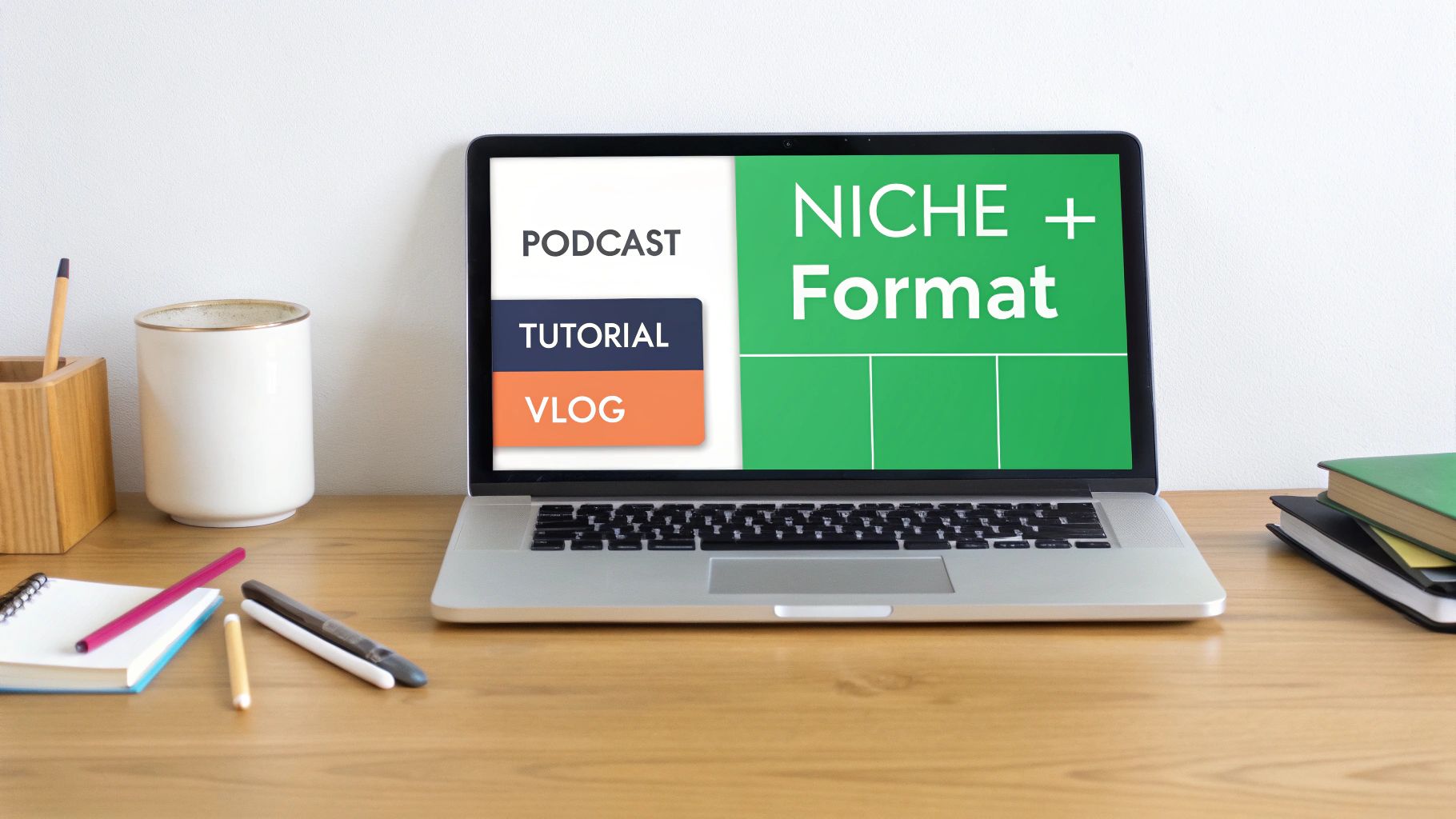
This method keeps the tag set specific and accurate. It can add useful context, especially when the subject or format has common spelling variations, but it cannot compensate for weak packaging or a video that misses the searcher's intent.
Why This Combination Works
This strategy is powerful because it mirrors user search behavior. Viewers often qualify their searches with formats. Instead of just searching for "iPhone 15," a user might search for "iPhone 15 review" or "iPhone 15 unboxing." By combining tech review and iPhone 15 review, you capture both broad and specific search intents. This is a core component of building a strong tags list for youtube because it aligns your video directly with what your target audience is actively seeking. While YouTube's algorithm has evolved, understanding user search intent remains critical, and lessons from other platforms reinforce this. To see how this applies elsewhere, you can discover some of the effective hashtag strategies for visual content that also leverage user intent.
Implementation Tips & Examples
To implement this effectively, blend 3-5 niche tags with 2-3 format tags. Prioritize the most important tags by placing them first.
- For a Podcast Interview:
podcast,marketing podcast,business interview,long-form interview,expert conversation
- For a How-To Video:
photoshop tutorial,graphic design,how-to,step-by-step guide,beginner tutorial
- For a Daily Vlog:
daily vlog,lifestyle vlog,day in the life,travel vlog,New York City
Regularly check your YouTube Analytics to see which tag combinations are driving the most traffic. This data will help you refine your approach over time and optimize your content strategy. For more advanced tag suggestions, you can explore tools like this YouTube tags generator to find relevant combinations.
2. Long-Tail Keyword Tags
While broad, single-word tags have their place, the real competitive advantage often lies in specificity. Long-tail keyword tags are descriptive phrases, typically 3-5 words long, that target highly specific search queries. Instead of competing for a generic term like "SEO," a long-tail tag like "best YouTube SEO tools for creators" captures viewers who are much further along in their search journey and know exactly what they need. This precision targeting results in higher-quality traffic and a more engaged audience.
Long phrases can describe a narrow topic accurately, but adding them as tags does not guarantee rankings. Use them when they clarify the video's subject or capture a common wording or misspelling; put the core search promise in the title and description.
Why This Combination Works
Long-tail keywords directly mirror the natural language people use when searching for specific answers. A viewer trying to learn video editing is more likely to search "how to edit videos for YouTube in 2024" than just "video editing." By matching this conversational search query, you increase your video's chances of appearing in front of the right person at the right time. This is a crucial element for any comprehensive tags list for youtube, as it prioritizes user intent over sheer search volume. For a deeper understanding of this strategy, you can explore the fundamentals of long-tail keyword research to see how it applies beyond just tags.
Implementation Tips & Examples
A balanced approach works best. Aim to include 4-5 long-tail tags alongside 1-2 broader niche tags. Use tools like Google and YouTube's autocomplete search suggestions to find popular long-tail phrases.
- For a Tech Tutorial:
how to start a podcast on a budget,best budget microphone,podcast setup 2024,Audacity tutorial
- For a Marketing Strategy Video:
fastest way to grow YouTube channel,YouTube algorithm explained,how to get more views,YouTube SEO
- For a Software Guide:
step by step tutorial for beginners,how to use Canva for thumbnails,free graphic design tools
Always ensure your video content delivers on the promise of your long-tail tags. Using video chapters to correspond with specific long-tail topics can further enhance the viewer experience and boost your video's performance in search results.
3. Topic Variation and Synonym Tags
Viewers can describe the same subject in different ways. Topic variation and synonym tags give YouTube a small amount of extra context without changing the video's promise. The goal is to cover accurate language variants, abbreviations, and common misspellings—not to insert unrelated names.
Why This Combination Works
A video about beginner photo editing might reasonably use photo editing tutorial, image editing for beginners, and basic photo correction. Each phrase describes the same content from a slightly different search angle. These variations are especially useful when your topic has a well-known abbreviation or a frequently misspelled term.
Implementation Tips & Examples
Start with the exact topic, then add two or three close variants that would still feel accurate if shown as the video's label.
- For a Podcast Tutorial:
how to start a podcast,podcast setup for beginners,podcasting tutorial,podcast recording guide
- For a Tech Review:
smartphone camera review,phone camera test,mobile photography review,camera comparison
- For a Business Strategy Video:
customer acquisition strategy,how to get customers,small business growth,lead generation basics
Avoid repeating near-identical phrases just to fill the tag field. Keep each variation relevant, and use YouTube Analytics to see which actual search terms bring viewers to the video.
4. Seasonal and Trend-Based Tags
Capitalizing on timeliness is a powerful strategy for discoverability, and Seasonal and Trend-Based Tags are designed to do just that. This method involves aligning your video with current events, holidays, viral moments, or seasonal interests. YouTube's algorithm often boosts content tagged with trending terms during peak search periods, giving your videos a significant, albeit temporary, surge in visibility. This approach is perfect for creators who can react quickly to what's happening in the world or their niche.
Seasonal tags are useful only when the video itself is genuinely timely. Do not add a holiday, product launch, or trending name to an unrelated upload merely to chase a temporary query.
Why This Combination Works
This strategy is effective because it directly leverages user behavior driven by real-world events and cultural moments. When a new product launches or a holiday approaches, search volume for related terms skyrockets. By including tags like Black Friday deals or iPhone 15 review in your video, you position your content to capture that wave of traffic. This proactive approach is a key part of building a dynamic tags list for youtube that evolves with audience interests.
The algorithm rewards relevancy, and nothing is more relevant than content that speaks to what people are talking about right now. This timeliness creates a powerful signal that your video is a valuable result for current search queries. To go deeper on this, you can learn more about how to leverage YouTube search trends to inform your content strategy.
Implementation Tips & Examples
To implement this effectively, stay informed about your niche and plan your content calendar around key dates. Monitor trending topics and be prepared to create and tag content quickly.
- For a Holiday-Themed Video:
Christmas gift guide,holiday recipes,DIY halloween costumes,Black Friday 2024,Cyber Monday deals
- For a Current Event or News Analysis:
politics 2024,election analysis,new youtube features,CES 2024 coverage,#TrendingTopic analysis
- For a Viral Challenge or Trend:
viral challenge explained,new tiktok trend,ice bucket challenge,trending meme compilation
Set up Google Alerts for keywords in your niche to catch trends as they emerge. Use tools like Google Trends and the YouTube Trending tab to validate interest. Aim to add seasonal tags 2-4 weeks before the event to build momentum as search interest grows.
5. Problem-Solution Tags
A powerful way to connect with viewers is by directly addressing their pain points. The Problem-Solution tag strategy frames your content around specific challenges your audience faces and the solutions you provide. This method is highly effective because it aligns perfectly with user search intent, especially for tutorials, guides, and educational videos where viewers are actively looking for answers. By using problem-oriented language, you tell the YouTube algorithm that your video is a direct solution to a viewer's query.
This approach helps your videos rank for highly specific, long-tail search terms that indicate a user is ready to watch and learn. When someone searches "fix audio sync issues," they are looking for an immediate fix, and content tagged appropriately is more likely to be served to them, leading to higher click-through rates and watch time.
Why This Combination Works
This strategy taps into the fundamental reason people use search engines and platforms like YouTube: to find solutions. Viewers often type their exact problem into the search bar. Tagging your video with phrases like fix low video engagement or solve audio sync issues directly mirrors this behavior. This creates a strong signal for the algorithm that your content is highly relevant. A comprehensive tags list for youtube should always include these intent-driven keywords, as they attract a motivated and engaged audience that is more likely to watch your video to completion.
Implementation Tips & Examples
To implement this, start by researching the common questions and pain points in your niche. Use action words like 'fix', 'solve', 'how to', and 'best way' in your tags.
- For a Tech Tutorial:
solve audio sync issues,fix video editing lag,how to edit long videos quickly,Premiere Pro troubleshooting,video editing for beginners
- For a Marketing Guide:
how to make youtube videos rank higher,fix low video engagement,fastest method to grow podcast audience,YouTube SEO tips,increase watch time
- For a Productivity Video:
how to stop procrastinating,best way to manage time,solve burnout,productivity hacks,getting things done
For maximum impact, ensure your title, thumbnail, and video introduction all state the problem clearly. As shown in the video below, structuring your content to methodically address and solve a problem keeps viewers engaged.
6. Brand and Personality Tags
Beyond describing what your video is about, effective tags also communicate who created it. Brand and Personality Tags are crucial for building a recognizable identity on YouTube. This strategy involves using tags specific to your channel name, personal brand, or unique content style. These tags act like a digital signature, helping YouTube's algorithm group your content together and suggest your other videos to viewers who have enjoyed one of them. This is essential for turning one-time viewers into loyal subscribers.
This method is fundamental for long-term growth. When a viewer specifically searches for your channel name or a unique series title, these tags ensure your content appears prominently. It reinforces your authority and helps build a dedicated community around your brand, which is a powerful asset for any creator.
Why This Combination Works
This strategy is effective because it leverages brand recognition and viewer loyalty. As your channel grows, people will start searching for you by name. Using your channel name (e.g., YourChannelName) and creator name (e.g., John Smith videos) as tags on every video makes it easy for your loyal audience to find all your content. This strengthens the connection between your videos in the eyes of the algorithm, increasing the chances of your content being recommended in a binge-watching session.
Creating a consistent tags list for youtube that includes your brand identity is a non-negotiable for serious creators. It ensures that as your brand equity grows, your discoverability grows with it. This is a compounding strategy that pays dividends over the entire lifecycle of your channel.
Implementation Tips & Examples
Start by creating a default set of brand tags to include in every video upload. This should include your channel name in various forms. Then, add tags that reflect your unique style.
- For a Channel Called "Pixel Pioneers":
pixel pioneers,pixelpioneers,pixel pioneers tech,John Smith pixel pioneers
- For a Creator with a Unique Series:
#MyUniqueTwist,deep-dive analysis style,humorous tech reviews,Tech Unboxed series
- For a Branded Podcast:
#YourPodcastName,Your Podcast Official,The YourPodcastName Show
Always include your exact channel name as the first or last tag in your tag block. Regularly check your YouTube Analytics under "Traffic Source: YouTube Search" to see if viewers are finding you through your branded terms. As these searches increase, you know your brand-building efforts are working.
7. Language and Audience Demographic Tags
Beyond just the topic and format, specifying who your video is for and in what language can dramatically improve its performance. Language and Audience Demographic tags act as precise targeting instructions for the YouTube algorithm, ensuring your content reaches viewers who will understand and appreciate it the most. This method involves using tags to define the language, viewer skill level (beginner, advanced), geographic focus, or even the target professional demographic. This level of specificity reduces viewer mismatch, which in turn boosts engagement signals like watch time and audience retention.
This approach is crucial for educational content, international channels, and niche communities. By clearly labeling a video as an English language tutorial or for small business owners, you pre-qualify your audience. Viewers are more likely to click on and complete a video that speaks directly to their needs, background, and skill level, signaling to YouTube that your content is highly relevant for that specific cohort.
Why This Combination Works
This strategy is effective because it addresses the user's implicit needs and context. A search for "video production techniques" can yield results for absolute beginners or seasoned professionals. Adding tags like advanced video production or beginner friendly podcast editing immediately clarifies the video's value proposition. This helps your content stand out in crowded search results by connecting with a user's specific learning stage or professional identity.
This targeted approach is a key part of an effective tags list for youtube, as it ensures your video is recommended to the right segment of a broader audience. By reducing bounce rates from viewers who find the content too simple or too complex, you send strong positive signals to the algorithm about content quality and relevance.
Implementation Tips & Examples
Combine demographic or skill-level tags with your core topic tags. Be honest about the skill level required to avoid frustrating viewers.
- For an Educational Video:
beginner photoshop tutorial,photoshop for beginners,graphic design basics,english language tutorial
- For a B2B Strategy Video:
youtube seo strategy,intermediate youtube seo,for busy entrepreneurs,content marketing for solopreneurs
- For an Advanced Technical Guide:
advanced video production,expert color grading,davinci resolve tutorial,for professional videographers
Regularly check your YouTube Analytics to see audience demographics. If there is a mismatch between your intended audience and who is actually watching, refine your tags and in-video language to better align your targeting.
8. Related Topic and Contextual Tags
Beyond targeting your primary keywords, effective tagging involves creating a web of connections to related subjects. Related Topic and Contextual Tags link your video to the broader ecosystem of information your audience is exploring. This strategy helps YouTube's algorithm understand the semantic relationships between topics, positioning your content as a comprehensive resource within a larger conversation. By including these tags, you capture viewers who are searching for adjacent information, not just your video's core subject.
This method enhances discoverability by allowing your content to appear in suggested videos for a wider range of related searches. For instance, a video focused on "podcast editing" can attract viewers interested in the "content creation workflow" as a whole. This expands your reach beyond your immediate niche and taps into new audience segments that have a high probability of being interested in your primary topic.
Why This Combination Works
This strategy is powerful because it mirrors the natural learning and discovery process of users. A viewer researching "YouTube SEO" is also likely interested in Google search ranking and video marketing. By adding these contextual tags, you signal to YouTube that your video is a valuable part of a larger topical cluster. This builds authority and increases the chances of your content being recommended alongside other authoritative videos in that space.
Creating a strong tags list for youtube requires thinking like your audience. They don't consume content in a vacuum; their interests are interconnected. This approach ensures your video is part of that interconnected discovery journey, improving its overall visibility and perceived value. It tells the algorithm your video is not just an isolated piece of content, but a relevant node in a larger network of knowledge.
Implementation Tips & Examples
To implement this without diluting your focus, be strategic. Use 2-3 contextual tags per video and always place your primary topic tags first.
- For a YouTube SEO Tutorial:
- Primary:
youtube seo,video optimization - Related:
google search ranking,video marketing strategy,content strategy
- Primary:
- For a Podcast Editing Guide:
- Primary:
podcast editing,audacity tutorial,audio mixing - Related:
audio production,content creation workflow,how to start a podcast
- Primary:
- For a Channel Growth Video:
- Primary:
youtube growth,get more subscribers,channel growth tips - Related:
social media strategy,audience building,creator economy
- Primary:
Regularly review your analytics to see which contextual tags are driving traffic from "Suggested Videos." This data will show you which related topics your audience is most engaged with, helping you refine your tag strategy and even generate new content ideas.
8-Point YouTube Tags Comparison
| Tag Strategy | Complexity 🔄 | Resource Needs ⚡ | Expected Outcomes ⭐ / Impact 📊 | Ideal Use Cases 💡 | Key Advantages ⭐ |
|---|---|---|---|---|---|
| Niche + Format Combination Tags | Medium — requires accurate category mapping and format labeling | Low — tag selection time; minimal tools | Better algorithm categorization, improved CTR and multi-query ranking | Content with clear formats (podcasts, tutorials, vlogs); TimeSkip users using chapters | Improves relevance across formats; synergizes with chapters for discoverability |
| Long-Tail Keyword Tags | Medium‑High — needs research and testing 🔄 | Medium — SEO tools and keyword analysis ⚡ | Higher intent matches; increased discovery (up to ~25% reported) 📊 | Tutorials, problem-solving videos, niche topics where intent is clear 💡 | Lower competition; higher conversion and ranking potential ⭐ |
| Topic Variation and Synonym Tags | Low — start from the exact topic and close variants 🔄 | Low — review search terms and common wording ⚡ | Adds accurate context for alternate phrases and misspellings 📊 | Tutorials, reviews, and topics with multiple common names 💡 | Broadens language coverage without relying on unrelated names ⭐ |
| Seasonal and Trend-Based Tags | Medium‑High — timing and relevance critical 🔄 | High — constant monitoring and fast production ⚡ | Large but short-lived traffic spikes; high engagement during peaks 📊 | News, product launches, holidays, viral topics where speed matters 💡 | Immediate visibility during trend windows; strong short-term boost ⭐ |
| Problem-Solution Tags | Medium — requires accurate problem identification 🔄 | Medium — research into audience pain points; structured chapters ⚡ | High watch time and retention; attracts intent-driven viewers 📊 | How‑tos, tutorials, troubleshooting, educational content 💡 | Strong intent match; improves retention and CTAs through clear solutions ⭐ |
| Brand and Personality Tags | Low — straightforward to implement 🔄 | Low — consistent application over time ⚡ | Slow-compounding uplift in fan discoverability and loyalty 📊 | Established creators, personality-driven channels, podcasts 💡 | Strengthens brand recall and subscriber retention; aggregates content under creator identity ⭐ |
| Language and Audience Demographic Tags | Low‑Medium — requires correct audience assessment 🔄 | Medium — possible translation/segmentation efforts ⚡ | Better matched viewers; reduced irrelevant views and bounce 📊 | Multi-language channels, educational content with clear skill levels 💡 | Improves targeting accuracy and international reach; enhances engagement metrics ⭐ |
| Related Topic and Contextual Tags | Low — moderate topical research 🔄 | Low — limited extra tagging effort ⚡ | Broader discovery across topic clusters; improved topical authority 📊 | Comprehensive guides, resource videos, content linking related concepts 💡 | Expands addressable search volume and aids algorithmic clustering ⭐ |
From Tags to Triumph: Building Your Cohesive SEO Strategy
Mastering YouTube SEO is not about finding a single 'magic' keyword; it's about building a robust, multi-layered strategy where each element supports the others. The ultimate goal is to create a comprehensive digital fingerprint for your video, making it instantly understandable to both the YouTube algorithm and your target audience. This is where a strategic tags list for youtube moves beyond a simple checklist and becomes a powerful tool for growth.
Throughout this guide, we've deconstructed the eight critical pillars of an effective tagging strategy. By thoughtfully combining these tag types, you create a powerful synergy that maximizes discoverability.
Key Takeaways for Your Channel
- Layer Your Tags: A successful video doesn't rely on just one type of tag. It blends broad Niche + Format Combination Tags with hyper-specific Long-Tail Keyword Tags to capture viewers at different stages of their search journey.
- Think Like Your Audience: Use Problem-Solution Tags to directly answer the questions your viewers are asking. This positions your content as the definitive solution, improving click-through rates from search results.
- Context is King: Topic Variation Tags and Related Topic Tags describe the same subject from useful, accurate angles. This gives YouTube clearer context without adding unrelated names.
- Brand Your Content: Don't forget Brand and Personality Tags. These unique identifiers help build a loyal community and make it easier for dedicated fans to find all of your content in one place.
Your Actionable Next Steps
The true value of a powerful tags list for youtube is realized through implementation and refinement. Your task now is to move from theory to practice. Start by auditing the tags on your last three published videos.
- Identify Gaps: Which of the eight tag types are you currently underutilizing? Are you missing out on trend-based opportunities or failing to include specific location tags?
- Enhance and Update: Revise your existing tags using the strategies that fit the video. For instance, add two long-tail phrases and one accurate topic variation.
- Track Your Performance: Over the next 30 days, monitor your YouTube Analytics. Pay close attention to the "Traffic source: YouTube search" section. Note which new keywords are driving views and use this data to inform your strategy for future uploads.
By moving beyond generic keywords and embracing this holistic approach, you transform your tags from a simple metadata field into a strategic asset. You provide clear, powerful signals that tell the algorithm precisely what your content is, who it serves, and why it deserves to be ranked higher. This methodical process is the foundation of sustainable channel growth and the key to turning casual viewers into a dedicated audience.
Ready to streamline your video optimization and make your tags even more powerful? TimeSkip automatically generates YouTube chapters and timestamps from your video transcript, aligning your video's structure perfectly with your long-tail and problem-solution tags. Enhance user experience and boost your SEO by visiting TimeSkip to get started for free.
