

You'll add YouTube tags by editing your video's details right inside YouTube Studio. Just scroll down, click the "Show More" option, and you'll find the dedicated tags box waiting for your keywords. While they might not be the heavyweight champions like your title and description, tags are still a crucial signal you send to the YouTube algorithm.
Start with the examples in our YouTube tags list, then turn the relevant terms into a copy-ready set with the YouTube tags generator.
Why YouTube Tags Still Matter for Your Videos

There's a persistent myth floating around that YouTube tags are dead. And while their role has definitely evolved, they are a long way from useless.
Think of it this way: your video's title and description are the big, bold road signs telling YouTube where your content needs to go. Tags are the smaller, more specific details on those signs—the ones that clarify the exact route and destination. They're a backup system that helps YouTube connect your video to the right viewers, and they really pull their weight in a few key situations.
Clarifying Ambiguity and Spelling
Let's say you just dropped a killer video about the classic strategy game, "Age of Empires." Your title is perfect, but what if people search for "AOE," "Age of Empires II," or even misspell the name? This is where your tags become your secret weapon.
By adding tags like AOE, Age of Empires 2, and Age of Empires gameplay, you're building a bridge for the algorithm. You're catching all those common misspellings, abbreviations, and different ways of phrasing that just wouldn't fit naturally into your title or description.
Reinforcing Your Video's Core Topic
Tags also help to hammer home what your video is truly about. When your tags are in lockstep with your title and description, you're sending a powerful, unified message to YouTube. This metadata consistency gives the algorithm more confidence in categorizing your content, which in turn boosts its chances of being recommended next to similar videos.
Key Takeaway: The goal isn't to cram the tag section with every keyword under the sun. It's about being strategic. A handful of super-relevant tags that add context and cover search variations will always beat a long, messy list of irrelevant ones.
Understanding why tags are important is one thing, but you can give your content an even bigger SEO boost by learning about using a YouTube video to text converter. This combination of smart tagging and accessible, transcribed content creates a rock-solid foundation for channel growth.
A Practical Guide to Adding Tags on Any Device
Alright, now that you know why tags matter, let's get into the nitty-gritty. Adding tags is a simple process, whether you're uploading from your computer or making some quick tweaks on your phone. I'll walk you through exactly how to get it done on both.
Adding Tags on a Desktop
For most of us, the desktop version of YouTube Studio is mission control. It’s where you have the most power over your video’s metadata. After you've uploaded a new video, you'll find yourself on the "Video details" page.
You'll immediately see the fields for your title and description. But where are the tags? You'll need to scroll down to the bottom of the page and click the "Show More" button. This unfolds a whole new menu of options for your video.
This is what the "Video details" page looks like, with the tags box waiting for you after you click "Show More."
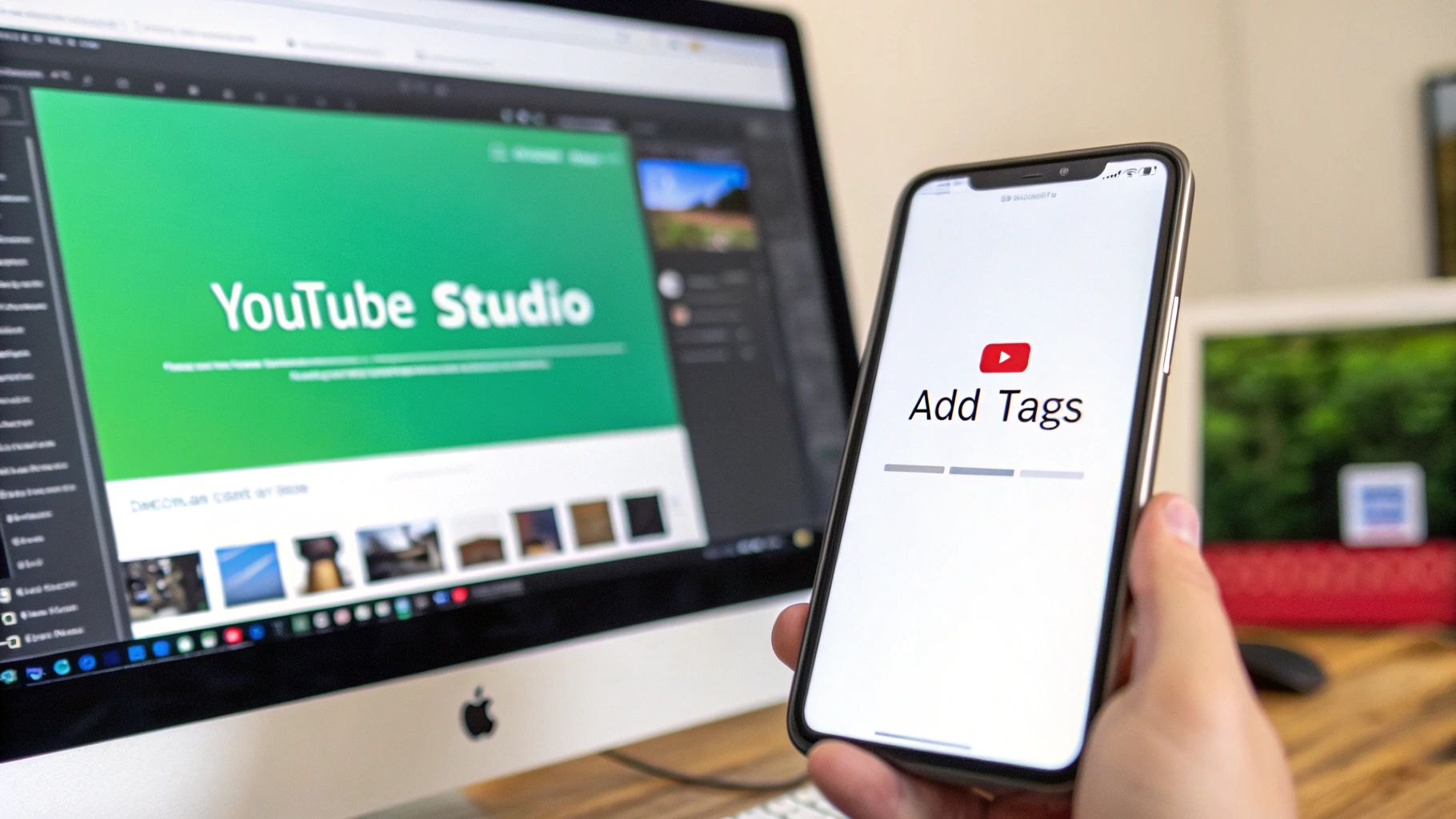
This is your dedicated tags box. Just start typing a tag and hit Enter or add a comma to lock it in and start the next one. YouTube gives you a total of 500 characters to work with, so make every character count.
If you ever find yourself staring at that box with no idea what to type, a good tool can be a lifesaver. You can get some great ideas and speed up your workflow by using a free YouTube tags generator to pull a relevant list in seconds.
Adding Tags on the YouTube Studio Mobile App
Let's be real, inspiration (or the need to fix a typo) doesn't always strike when you're at your desk. Thankfully, the YouTube Studio app makes it super easy to add or edit tags on the fly. The process is a little different, but just as straightforward.
First, pop open the YouTube Studio app and find the video you want to work on. Here’s how you get to the tag section:
- Tap the "Content" tab along the bottom.
- Select the video you need to edit.
- Hit the pencil icon at the top to open the video details.
- Scroll all the way down and tap on "Tags, category, comments & more".
- Tap "Add tags" and you're ready to start typing.
Just like on desktop, type your tag and hit enter to add it. This flexibility is a game-changer, letting you keep your videos optimized no matter where you are.
How to Choose the Right Tags for Your Videos
Knowing where to put your tags is easy. The real trick is figuring out which tags will actually get your video discovered. This isn't about just cramming the tag box with every keyword you can think of. It’s about giving YouTube’s algorithm a crystal-clear roadmap to what your video is about and who it’s for.
A huge part of this is getting good at how to conduct keyword research so you can get inside your audience's head and figure out what they’re actually typing into the search bar.
Your main goal is to nail topical relevance. A handful of hyper-focused tags that perfectly mirror your title and description will always outperform a long, messy list of semi-related terms. To pull this off, you'll want to use a blend of three different types of tags.
Balance Broad and Specific Tags
Let's say you just uploaded a video called "How to Bake Easy Sourdough Bread for Beginners." A solid tag strategy needs to attack this from a few different angles.
- Broad Tags: These are your general, high-traffic keywords that set the scene. For our baking video, tags like
baking,sourdough, andbread makingwork great. They cast a wide net and tell YouTube the general topic. - Specific Tags (Long-Tail): These are the detailed phrases that match a viewer's exact search. Think
how to bake sourdough bread,easy sourdough recipe, orbeginner sourdough loaf. These are your money-makers because they connect directly with people who know what they want.
Mixing these two types is key. It helps you show up in both broad, discovery-focused searches and in those super-specific, high-intent queries, signaling to YouTube exactly who should see your video.
Always Include a Brand Tag
This is one of the easiest and most powerful habits you can build. A brand tag is simply a unique keyword for your channel—it could be your channel name, your own name, or a unique catchphrase you're known for.
If your channel is "The Baking Corner," you should add the baking corner as a tag to every single video you upload.
Why? It forges a direct link between all of your content. When someone is watching one of your videos, YouTube's recommendation engine sees that common tag and is far more likely to suggest another one of your videos next. It’s a simple way to keep viewers binge-watching your channel.
Think Like Your Audience
Honestly, the best way to find great tags is to put yourself in your viewer's shoes. What words would they use to find your video?
A great starting point is to just type your ideas into the YouTube search bar and see what auto-suggestions pop up. Those aren't guesses; they are real searches from real people. It’s a goldmine.
A common myth is that more tags automatically lead to better rankings. The truth is, tags are a supplemental signal for YouTube. While you have up to 500 characters to work with, most data suggests that 3–5 highly relevant tags is the sweet spot. A focused approach avoids diluting your keyword relevance.
In fact, one analysis showed that creators saw an average 8–12% lift in suggested traffic when their tags closely matched the video's title and description. That’s a serious gain from a simple tweak.
Pro Tip: Make your very first tag the main target keyword from your video title. This immediately reinforces the video's core topic for the algorithm.
If you’re still hungry for more ways to unearth the perfect search terms, our complete guide on how to find keywords for YouTube dives into more advanced strategies and tools. By weaving these approaches together, you can craft a tag strategy that truly helps your videos find their audience.
Using Advanced Tag Strategies in Competitive Niches
When you're fighting for views in a crowded space like gaming or finance, the basics of how to add YouTube tags just won't cut it. To really get an edge, you have to stop thinking about tags for just one video and start treating your channel's metadata as a long-term asset. This is where a disciplined, channel-wide strategy really starts to pay off.
Your first move is all about consistency. This means having a core set of go-to tags that you use across all related videos. If your channel is all about "iPhone photography," every single tutorial should have specific tags for that video's topic, plus your consistent ones like iphone photography tips and mobile photography. This steady signal helps YouTube recognize your channel as an authority on that subject, which can speed up indexing and make it more likely your videos get suggested together.
Combining Tags and Hashtags for Double the Reach
It's super important to get this: tags and hashtags are two different tools that work together beautifully. Tags are the behind-the-scenes workers doing the heavy lifting for search and categorization. Hashtags are the visible, clickable links that feed into discovery feeds. Using them in tandem is a serious power move.
A smart approach is to pair your focused, back-end tags with a couple of strategic hashtags right in your video's description.
- Tags: Use these for misspellings, long-tail search queries, and synonyms people might use. Think things like
iphone 15 pro max camera test,iphone15promax review, orbest smartphone camera 2024. - Hashtags: These are for the big, trending topics that viewers actively follow and browse, like
#iPhone15Proor#TechReview.
This dual strategy makes sure you're discoverable through classic search and browsable hashtag pages. You're effectively doubling your potential reach without creating a mess of metadata.
The Compounding Effect of Meticulous Metadata
The real magic of this approach is how it builds on itself over time. A single, perfectly tagged video might give you a small bump. But when you apply a consistent strategy across dozens of videos, you create a powerful snowball effect.
With YouTube's user base now over 2.5 billion monthly users and an estimated 500 hours of content uploaded every minute, the algorithm is begging for clarity. Your metadata is how you give it that clarity.
To see how different tagging approaches stack up, let's compare them.
Tag Strategy Effectiveness Comparison
This table breaks down the potential impact of different YouTube tagging strategies on key performance indicators, showing why a thoughtful approach matters more than just stuffing the tag box.
| Strategy | Number of Tags | Focus | Observed Impact on Discovery |
|---|---|---|---|
| No Tags | 0 | None | Very low; relies solely on title/description. |
| Keyword Stuffing | 50+ | Quantity over Quality | Poor; can be penalized by YouTube for spam. |
| Broad Match Only | 5-10 | General, high-volume terms | Moderate; high competition, low relevance. |
| Focused & Consistent | 3-5 Focused Tags, 1-2 Hashtags | High-relevance, specific terms + broad topics | High; improved indexing and suggested video traffic. |
As the table shows, a focused and consistent strategy is where you'll see the best results. Channels that consistently combine 3–5 focused tags, a keyword-rich description, and 1–2 topical hashtags often see faster indexing and better traffic from search and suggestions. Some creators report gains from 10% to 25% over six months—a massive boost in a tough niche. You can dig deeper into these platform dynamics by reading the latest YouTube statistics.
For a channel with one million monthly impressions, a 10% improvement from disciplined tagging translates to an extra 100,000 impressions every single month. This shows why a meticulous tag policy isn't just a "nice-to-have"—it's a core operational tactic for growth.
Pairing Tags with Chapters: Your Secret Weapon for Growth
Knowing how to add YouTube tags is a great starting point, but if you really want to get ahead, you need to pair them with another powerhouse metadata tool: video chapters.
Think of it this way: tags tell the algorithm the general theme of your video—its broad category. Chapters, on the other hand, slice that theme into specific, searchable moments. When you use them together, you're essentially creating a super-detailed roadmap that helps both viewers and YouTube understand your content on a much deeper level.
This combo is a game-changer, especially for long-form content. Someone might not have time for your entire hour-long podcast, but they’ll absolutely click on a five-minute segment that answers their exact question. Chapters make your content instantly accessible, which drastically improves the viewer experience.
How Chapters Supercharge Your Tags
Chapters have a direct line to one of YouTube's most critical ranking factors: viewer retention. It’s simple—when people can find what they're looking for right away, they stick around longer. That extra watch time sends a huge positive signal to the algorithm, telling it your video is high-quality and satisfying its audience.
And that's where the magic really kicks in. Your tags give YouTube the initial category, but your keyword-rich chapter titles add layers of powerful, specific context.
- For a podcast on digital marketing: Your tag might be
social media marketing, but a chapter titledCreating a Winning Instagram Reels Strategytargets a super-specific search. - For a cooking tutorial: Your tag could be
baking tips, while a chapter calledHow to Proof Dough in a Cold Kitchensolves a very precise problem for a viewer.
This one-two punch allows your video to rank not just for broad topics, but for dozens of smaller, long-tail searches buried within your content.
The Snowball Effect on Discoverability
Marrying well-structured chapters with smart tags does more than just boost retention—it throws fuel on the fire of your video's discoverability. This combined strategy has been shown to pump up viewer retention by as much as 15–20% on longer videos.
Factor in an optimized description, and you could see up to a 25% increase in discovery from search and suggested traffic.
For anyone in a crowded niche, those numbers are huge. Data from various creator tools suggests this strategy can lead to a 15% bump in impressions from related videos and a 10–18% lift in average view duration. If you want to dig into the data yourself, you can find more in these YouTube industry statistics.
The Takeaway: Chapters and tags are the perfect partnership. Tags bring people to your video. Chapters convince them to stay by making your content immediately valuable.
Of course, for busy creators, manually creating timestamps can feel like one more thing on an endless to-do list. This is where AI-powered tools become a lifesaver. A tool like TimeSkip automates the entire process, generating SEO-optimized chapters in just a few seconds. It lets you implement this advanced strategy without adding hours to your workflow.
If you're ready to dive in, we have a complete guide on how to add chapters to a YouTube video that breaks down the whole process.
Common Tagging Mistakes That Hurt Your Channel
Knowing how to add YouTube tags is one thing, but understanding what not to do is just as important for your channel’s health. I've seen countless creators accidentally sabotage their own videos with a few common, easily fixable mistakes.
Let’s make sure your metadata is working for you, not against you.
The most frequent offender I see is tag stuffing. This is when a creator crams the tag box with dozens of keywords, hoping to rank for absolutely everything. In reality, you're just confusing the YouTube algorithm. This dilutes your video's main topic and makes it much harder for YouTube to figure out who to show it to.
Using Irrelevant or Misleading Tags
Another huge mistake is tossing in tags that have nothing to do with your video. It can be tempting to use a popular creator's name or a trending topic to try and steal some of their traffic, but this is a direct violation of YouTube's policies on misleading metadata.
Not only can this tactic get your video removed or earn a strike against your channel, but it also tanks your video's performance. When a viewer clicks expecting one thing but gets something else entirely, they leave. Fast. This sends a huge negative signal to the algorithm, telling it your video isn't delivering what it promises.
This whole process is about synergy. As you can see below, strategic tags improve discoverability, which works hand-in-hand with features like chapters to boost engagement. One bad move can break the entire chain.
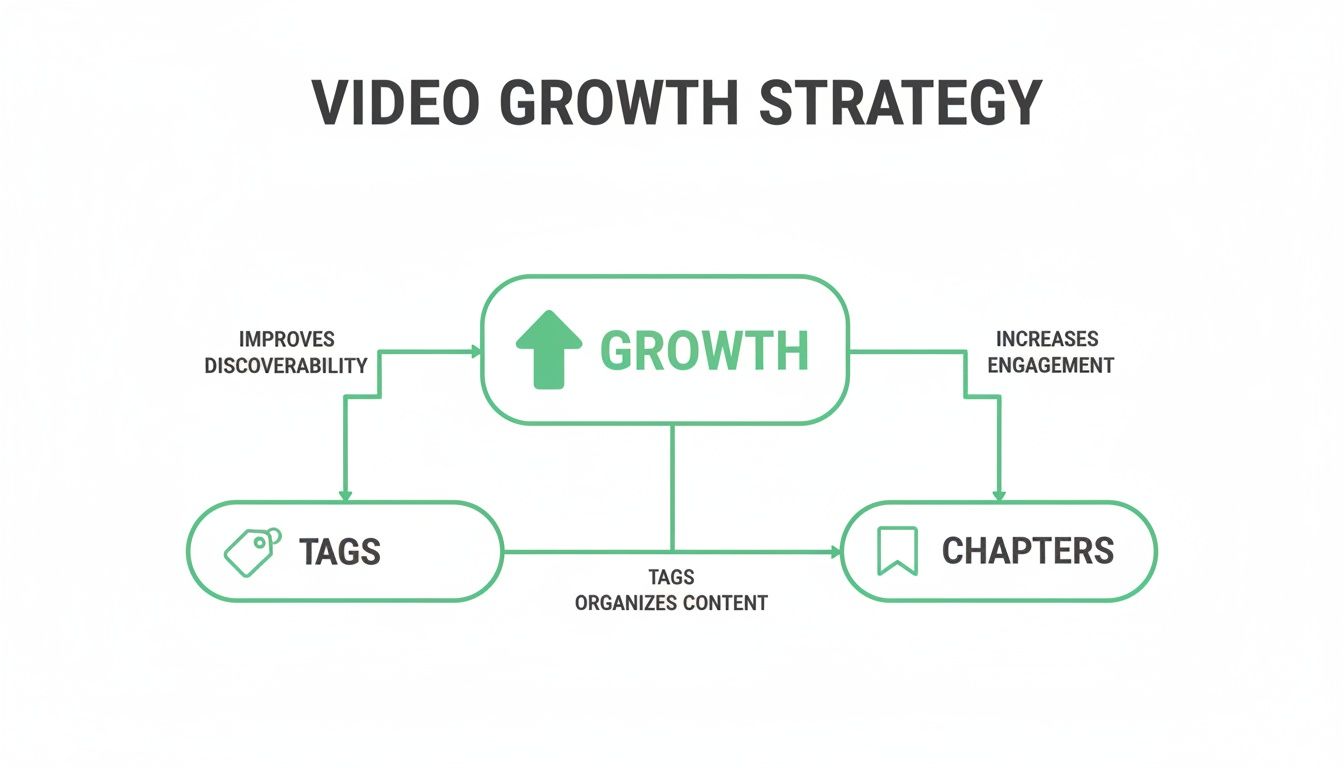
This flowchart really drives the point home: discoverability (from tags) and engagement (from chapters) are directly linked. Mess up your tagging, and you can disrupt the whole growth cycle.
Forgetting Key Tagging Opportunities
While stuffing your tags is a problem, being too sparse can also hold you back. I often see creators miss two simple opportunities that can cost them real views:
- Ignoring Spelling Variations: Don't just assume everyone spells things perfectly. If your topic has common misspellings or regional differences (like
color gradingvs.colour grading), including them in your tags is a smart safety net to catch those searches. - Skipping Your Brand Tag: Forgetting to add your unique channel name as a tag to every single video is a huge missed opportunity. This one simple tag helps YouTube connect all of your videos, making it more likely to suggest your own content to people already watching you.
Your goal with tags should always be clarity, not quantity. A handful of highly relevant tags that accurately describe your content will always outperform a laundry list of confusing or unrelated keywords.
By sidestepping these common traps, you'll ensure your tags are doing exactly what they're supposed to: providing clear, helpful context that gets your content in front of the right viewers.
