

If you want your YouTube videos to take off, you need to master two things: discoverability and engagement. It's all about sending the right signals to the YouTube algorithm, convincing it that your content is valuable enough to share with a much wider audience.
Why Your Videos Are Stuck at Zero Views
We’ve all been there. You pour your heart into scripting, shooting, and editing a video you’re genuinely proud of. You hit publish, and then… crickets. That gut-wrenching "zero views" isn't a judgment on your content's quality. It's a sign that the YouTube algorithm simply doesn't know who to show your video to yet.
With over 500 hours of video uploaded every minute, getting seen isn't about luck. It's about having a solid strategy.

The algorithm’s one and only job is to keep people watching. It wants to find the perfect video for the perfect person at the perfect time. If your video is stuck in limbo, it’s usually because you haven't given the algorithm the clues it needs to understand your topic and find your ideal audience.
The Algorithm Is Not Ignoring You
Think of the YouTube algorithm less as a gatekeeper and more as a powerful, but very literal, matchmaker. It doesn't promote videos out of kindness; it promotes content that has a high chance of satisfying viewers. This is all determined by signals you send both before and after you publish.
Before you even get a single click, these are the signals that matter most for discoverability:
- Strong SEO: Using the right keywords in your title, description, and tags so you actually show up in search.
- Compelling Thumbnails: Creating visuals that pop on the screen and accurately promise value.
- Effective Titles: Writing headlines that grab attention and tell people exactly what they're about to watch.
Once someone clicks, the game changes. The focus shifts entirely to engagement. The algorithm starts asking questions: Did they keep watching? Did they like, comment, or share? High retention is the ultimate thumbs-up.
The Real Competition for Viewer Attention
The battle for eyeballs is fierce. A mind-blowing 91% of all viewing time goes to the top 1% of videos. This leaves the other 99% of creators fighting over the scraps. This stat, which you can read more about in these YouTube viewership trends, drives home a hard truth: being "good" isn't enough. You have to be discoverable and instantly engaging.
Your video's success is a two-part equation. Getting the click (discoverability) is the first half, and keeping the viewer watching (engagement) is the second. Neglecting either one is why channels stagnate.
This guide is designed to give you a real playbook for winning on both fronts. We're going to dive into actionable steps that will turn the algorithm from an obstacle into your biggest promoter, starting with a rock-solid SEO foundation and moving on to how you can hook viewers and keep them watching until the very end.
Building Your YouTube SEO Foundation
Getting your videos seen on YouTube isn't about luck; it's about strategy. You have to remember, YouTube is the world's second-largest search engine. People are actively searching for answers, entertainment, and tutorials every single second. Your job is to build a solid bridge between their search and your video, and that bridge is constructed with good old-fashioned search engine optimization (SEO).
When we strip it all down, getting your video to rank comes down to a few core elements: your title, your description, and your tags. Get these right, and you’re giving the YouTube algorithm crystal-clear signals about what your video is about and who it’s for.
Master Keyword Research for YouTube
Before you can optimize a single thing, you need to get inside your audience's head. What are they actually typing into that search bar? This is the heart of keyword research.
Don't just guess. Your best starting point is YouTube itself. Start typing a topic related to your video and watch the suggestions that pop up. That dropdown menu is a goldmine because it’s showing you what real people are searching for, right now.
Let's say you're making a video about sourdough bread. If you type "sourdough," you'll likely see more specific, longer phrases appear:
- "sourdough bread for beginners"
- "how to feed a sourdough starter"
- "easy no knead sourdough recipe"
These "long-tail keywords" are where the magic happens. They show clear intent from the viewer and are way less competitive than a generic term like "sourdough." Centering your video around one of these is the first real step to grabbing a targeted, engaged audience.
Crafting Titles That Spark Curiosity
Your title is your video’s first impression. It has two critical jobs: tell the algorithm what the video is about with keywords, and convince a human that it's worth clicking.
A great title finds the perfect balance between the two.
Try to put your main keyword right at the beginning of the title. It just gives it more punch in the search rankings. So, instead of a vague title like "My Fun Experience Making Bread," you’d go with something direct and powerful, like "Sourdough for Beginners A Simple No-Knead Recipe."
Pro Tip: Your title needs to make a clear promise. The viewer should know exactly what they're going to get out of watching. Clever, clickbaity titles often fall flat because they don't communicate value fast enough.
And keep it tight. Aim for under 60 characters so it doesn't get awkwardly cut off in search results. The goal is clarity, not keyword stuffing.
Writing Descriptions That Inform and Rank
The video description is probably the most overlooked piece of SEO real estate on YouTube. This is your chance to give the algorithm rich context and your viewers extra value. A sentence or two just won't cut it.
You should be aiming for a detailed description of at least 200-300 words.
- The First Few Lines: The first two or three sentences are everything. They show up above the "Show more" fold, so they need to include your primary keyword and hook the reader immediately by summarizing the video's value.
- The Full Rundown: Use the rest of the space to go deeper. What topics do you cover? What problems do you solve? Weave your main keyword and a few secondary ones in here naturally. Think of it as a mini blog post that supports your video.
- Helpful Links: This is the perfect spot to link out to your website, social media profiles, or any other resources you mentioned.
This text gives YouTube’s crawlers a ton of information to work with, helping your video rank for a much wider array of search terms. If you want to dive deeper, a complete YouTube SEO checklist can make sure you've got all your bases covered.
Using Tags to Categorize Your Content
Tags are another signal you send to YouTube to help it figure out what your video is about and what other content it relates to. While they aren't as powerful as they used to be, they still play a part in building a strong SEO foundation.
Your strategy here should be a simple mix of specific and broad terms.
- Specific Tags: Your very first tag should always be your exact primary keyword (e.g., "sourdough bread for beginners"). Follow it up with a few close variations.
- Broad Tags: Then, add a few more general tags that describe the overall category (e.g., "baking," "bread making," "home cooking").
This mix helps YouTube understand your video's specific niche while also connecting it to a larger topic. This is key for getting your content to show up in the "suggested videos" sidebar next to other popular videos in your space.
Designing Thumbnails That Demand a Click
Once you've nailed your title and description, your thumbnail is the single most important piece of real estate you have on YouTube. It's the billboard for your video, squaring off against millions of others on a viewer’s homepage. A brilliant video with a bland thumbnail is like a blockbuster movie with a terrible poster—it just gets ignored.
Your one and only job here is to stop the scroll. A great thumbnail does this by mashing up visual contrast, emotional cues, and a clear promise of value. Think of it as your silent, three-second pitch.
The Core Principles of High-Performing Thumbnails
Creating a thumbnail that actually gets clicks isn't about artistic genius; it’s about crystal-clear communication. And remember, the best ones are designed with a tiny mobile phone screen in mind, because that's where most of your views will come from.
Here are the non-negotiable elements that truly move the needle:
- High-Contrast Colors: Use bright, bold colors that pop against YouTube’s white, dark, or gray interface. Steer clear of using red, black, or white as your main background—they just blend in with the platform's own branding and make your video invisible.
- Expressive Faces: Our brains are hardwired to notice faces, especially ones showing strong emotion. A shot of you looking surprised, excited, or deeply focused can skyrocket your click-through rate by forging an instant emotional connection.
- Minimal, Bold Text: If you add text, stick to three or four words max. It needs to be huge, bold, and readable on a tiny screen. The text shouldn't just repeat the title; it should add an intriguing hook like "It Worked?!" or "Big Mistake."
A thumbnail's job is to create a "curiosity gap." It should present a question or an intriguing situation that can only be resolved by watching the video. It makes a promise that your content will fulfill.
By zeroing in on these principles, you give your video the best possible shot at getting seen. For a much deeper dive into visual strategies, we've laid it all out in our complete guide on YouTube thumbnail best practices.
Winning the First Eight Seconds
Okay, so you earned the click. Fantastic. But now a new clock starts ticking, and you have a painfully short window to convince the viewer they made the right call.
Most videos fail right here. Viewers bail in the first 8 seconds—that's your 'consideration window' before a massive 55% drop-off by the 60-second mark. The fix? Hook them immediately with a clear value proposition in the first 15 seconds, which correlates to 18% higher retention at the one-minute mark. Videos with strong intros that keep over 65% of viewers past the first minute see 58% higher view duration overall. You can find more on these crucial YouTube audience retention benchmarks if you really want to geek out.
Bottom line: your intro needs to work hard, and it needs to work fast.
Crafting a Hook That Holds Attention
A powerful hook immediately confirms the promise you made in your thumbnail and title. It reassures the viewer they're in the right place. Forget the long, branded intro sequences or slow, meandering lead-ins. Get straight to the point with one of these proven techniques:
- Start with a Bold Claim: Kick things off with a surprising statement or a counterintuitive fact that makes people lean in. For example, "You've been making coffee wrong your entire life, and I'm going to show you why."
- Show the Final Result First: If you're doing a tutorial or a transformation, show the stunning "after" shot right away. This builds instant anticipation and makes people want to stick around to see how you pulled it off.
- Pose a Compelling Question: Hit on a pain point your audience feels by asking a direct question. For a video on organization, you could open with, "Is your desk an absolute disaster? In the next five minutes, I'll show you three simple steps to fix it for good."
An amazing video is worthless if nobody clicks, and a click is wasted if they leave instantly. Master both your thumbnails and your hooks, and you’ll finally give your content the fighting chance it deserves.
Keep Them Watching With SEO-Optimized Chapters
So, you earned the click. Fantastic. But that’s only half the battle. Now comes the hard part: convincing that viewer to stick around.
This is where the real secret to growing a channel lies, especially if you create longer content like podcasts, tutorials, or deep-dive analysis. The single best thing you can do is transform what might look like an overwhelming, long video into an accessible, user-friendly resource with SEO-optimized chapters.
Chapters, or timestamps, break your video into easy-to-navigate segments. They let viewers find the exact information they need, right when they need it. Put yourself in their shoes: when you see a 45-minute video, you hesitate. Is this really worth my time? Chapters completely remove that friction.
It's all part of the viewer's journey, which starts way before they ever hit the play button.
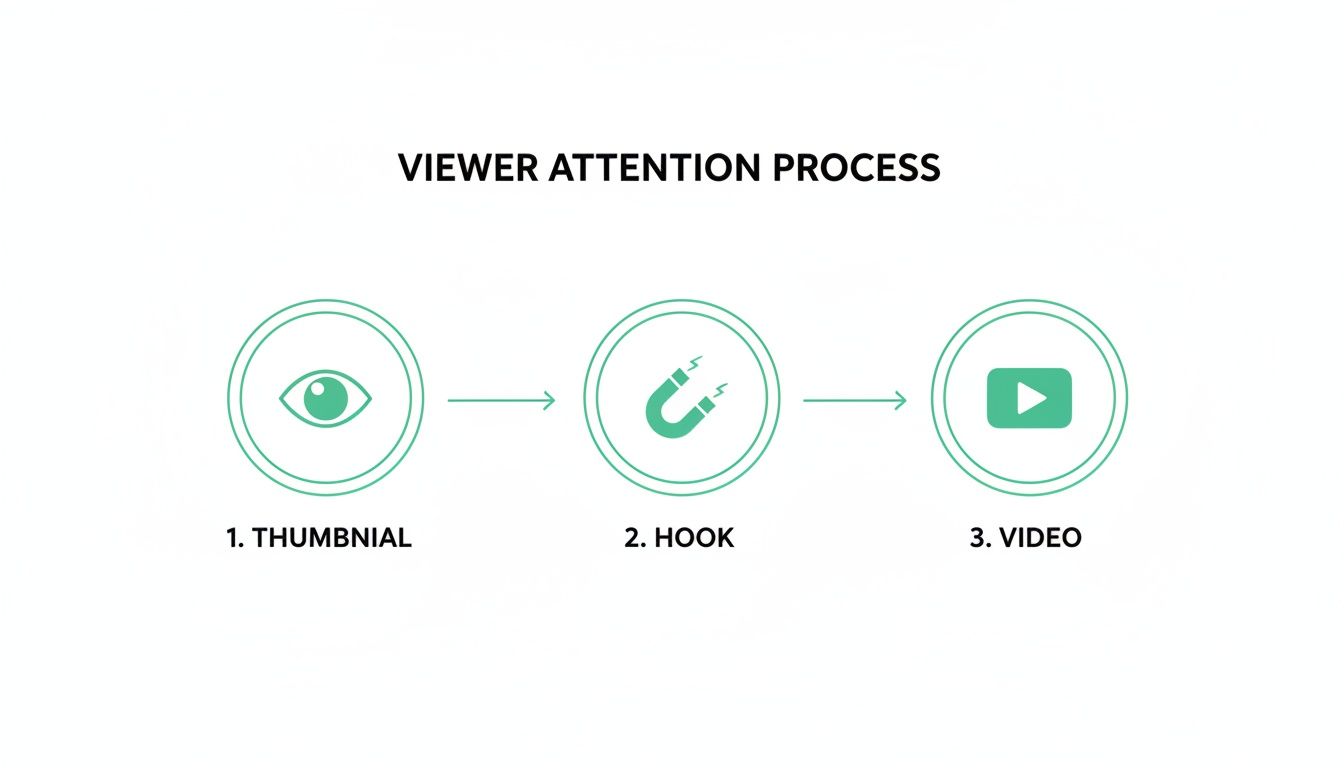
As you can see, getting your videos seen is a multi-stage process. You have to win the battle for attention at every single step—from the initial thumbnail all the way through the crucial opening moments of your video.
Why Chapters Are a Retention Game-Changer
Let's be honest, the modern viewer is impatient. They're probably watching on their phone, where efficiency and skimmability are everything. In fact, mobile viewing is projected to account for as much as 70% of all YouTube watch time by 2025.
Adding chapters has been shown to spike audience retention by up to 15% for well-structured content. That's a huge signal to the YouTube algorithm that your video is satisfying viewers. Some creators have even seen a 220% increase in visibility by automating this process. You can learn more about the impact of mobile on YouTube strategy and why this matters so much.
Instead of one monolithic block of content, chapters create a clickable "table of contents" right in your description and along the video's progress bar. It's a small change with a massive impact:
- It respects the viewer's time. They can instantly see if your video has the answer they're looking for.
- It boosts total watch time. Instead of leaving, a viewer might skip ahead to a section that interests them, adding valuable minutes to your metrics.
- It makes the mobile experience better. Tapping through chapters on a phone is infinitely easier than trying to scrub through a long video to find one specific moment.
Think about it: you can turn a dense, two-hour podcast episode into keyword-rich, digestible segments. Now, someone searching for a specific topic you discussed 90 minutes in can jump right to it. You just turned a potential bounce into an engaged view.
Turning Chapters into an SEO Powerhouse
The real magic happens when you start optimizing your chapters for search. This isn't just about labeling sections "Intro" or "Part 2." Each chapter title is a golden opportunity to rank for more specific, long-tail keywords that people are actively searching for.
This is how your videos get discovered not just on YouTube, but directly within Google search results. Google frequently features video "key moments," pulling chapter titles and timestamps from videos that directly answer a search query.
For instance, a video titled "Ultimate Guide to Home Espresso" could have chapters like:
- 00:00 Choosing the Right Espresso Beans
- 03:45 How to Dial In Your Grinder
- 07:12 Perfecting Your Milk Steaming Technique
- 11:30 Common Espresso Mistakes to Avoid
Now, when someone Googles "how to steam milk for latte art," your video is far more likely to show up, complete with a direct link to the exact moment you cover that topic.
By optimizing your chapters with relevant keywords, you're not just organizing your content for viewers; you're creating dozens of new entry points for search engines to discover and recommend your video.
Implementing chapters with SEO in mind can significantly lift your video's performance across several key metrics. Based on data from creators using tools like TimeSkip to automate this process, the potential improvements are substantial.
Impact of Chapters on Key YouTube Metrics
| Metric | Potential Improvement |
|---|---|
| Audience Retention | Up to 15% increase |
| Session Watch Time | Up to 20% increase |
| Click-Through Rate (from SERPs) | Up to 10% increase |
| Overall Video Visibility | Up to 220% increase |
These numbers highlight that chapters aren't just a user-experience feature; they're a powerful growth lever that tells algorithms your content is valuable and well-structured, leading to better discoverability and engagement.
Automate the Process for Maximum Efficiency
Let's be real—manually creating detailed, keyword-rich chapters for every single video is a ton of work, especially for busy podcasters and creators. This is where automation tools become a lifesaver.
Tools like the TimeSkip Chrome extension can analyze your video's transcript and automatically generate SEO-friendly chapters in just a few seconds. This lets you deploy this powerful retention strategy without adding hours to your workflow. You just review the suggestions, make any quick tweaks, and copy them right into your video description.
This isn't about cutting corners; it's about working smarter. By automating the tedious parts, you can free up your energy to focus on what you do best: creating amazing content. All while ensuring every video is perfectly optimized to keep viewers hooked from the first second to the last. This is how you start turning casual viewers into loyal subscribers.
Driving Traffic to Your New Video
So you’ve hit “Publish.” Feels good, right? But this is the starting line, not the finish. All that work you did optimizing your video was the setup—now it’s time to kickstart the momentum. That first wave of views is a huge signal to the YouTube algorithm, basically telling it, "Hey, people like this. You should show it to more of them."
That initial traffic doesn't just materialize out of thin air; you have to generate it. This means looking beyond YouTube itself and strategically sharing your new video where your audience is already hanging out. The goal is to distribute, not to spam.
Tailor Your Message for Each Platform
Just dropping a link on social media with a lazy "New video!" caption is the fastest way to get scrolled past. Every platform has its own vibe, its own culture, and its own content format. If you want to get noticed, you have to play by their rules and adapt your promo to feel native.
Here's a quick breakdown for the big players:
- Instagram: Chop up a killer 60-second clip or teaser and post it as a Reel. Grab a strong visual hook from your video, slap on some text overlays with a question or a key takeaway, and point people to the "link in bio" in your caption for the full video.
- X (formerly Twitter): This is the place for short, punchy hooks. Share a surprising statistic, a controversial quote from your video, or a cool behind-the-scenes photo. You can drop the direct YouTube link here, but always lead with something that gets a conversation going.
- Facebook: Go with a slightly longer clip, maybe 1-3 minutes, that tells a little story on its own. Facebook’s algorithm loves native video, so uploading a snippet directly works way better than just sharing the YouTube link. End it on a cliffhanger and tell people to click through to YouTube to see what happens next.
The real goal isn't just to farm clicks. It’s to spark a conversation on each platform that naturally funnels people to your video because they're genuinely curious about the topic.
Engage in Niche Communities
Your most dedicated viewers are probably already gathered in specific corners of the internet. Finding them in places like Reddit, Discord servers, or specialized online forums can be an absolute goldmine. These are the people who are truly invested in your niche.
But there's one golden rule here: provide value before you ask for anything. Don't just show up, drop a link, and bounce. That’s a surefire way to get yourself banned.
Instead, actually become a part of the community. Jump into discussions, answer questions, and share what you know. When the moment is right and your video is genuinely helpful to a conversation, you can share it as a resource. For example, if someone in a home-brewing subreddit asks about common fermentation mistakes, that's the perfect time to drop a link to your video covering that exact subject.
Build and Nurture Your Email List
While social media is fantastic for broad reach, an email list is your direct line to your biggest fans. These are the people who have literally raised their hands and said, "Yes, I want to hear from you." Sending out an email blast on launch day can drive a massive, immediate spike in views.
Building a list takes time, but it's an incredibly powerful asset. Offer something valuable for free—like a checklist, a short e-book, or a template—in exchange for an email address. Then, when a new video goes live, you can send a personal, engaging email telling your subscribers exactly why they need to watch it.
Going beyond just creating videos, a well-defined modern video content marketing strategy is what truly separates the hobbyists from the pros. Integrating these promotional tactics is a core part of that strategy, making sure all your hard work actually finds the audience it was made for. This proactive approach is how you turn a video with zero views into the start of a thriving community.
Using Analytics to Guide Your Growth
Sustainable growth on YouTube isn’t about chasing some viral fluke; it's a deliberate cycle of creating, analyzing, and refining your approach. The real secret to getting your videos seen over and over is learning to read the story your data is telling you. Let's pull back the curtain on YouTube Analytics and focus on the numbers that actually move the needle.

For a minute, forget vanity metrics like subscriber counts. The two numbers that truly dictate your channel's future are Click-Through Rate (CTR) and Audience Retention. These metrics are your direct line to the algorithm, telling it exactly how well your videos grab and hold attention—which is all YouTube really cares about.
Decoding Your Audience Retention Graph
Your audience retention graph is the most brutally honest feedback you will ever get. This chart shows you, second by second, the exact percentage of viewers still sticking around. Think of it as a roadmap showing where you’re winning and, more importantly, where you're losing people.
As you look at your graph, keep an eye out for these classic patterns:
- A Steep Drop-off in the First 30 Seconds: This is a blaring alarm that your hook just didn't land. Either your intro failed to deliver on the thumbnail's promise, or it was just too slow and viewers got bored.
- Sudden Dips: A sharp, vertical cliff in the middle of your video points to a specific moment that sent viewers packing. Did you ramble off-topic? Was there a jarring edit or a segment that just dragged on?
- Gradual Decline: A slow, steady slope is totally normal. But if it's too steep, it could mean your overall pacing is off or the content just isn't engaging enough to hold on.
- Bumps or Spikes: Did viewers actually re-watch a specific part? These are your goldmines. Figure out what you did in that moment—was it a great joke, a key insight, or a powerful visual?—and do more of it.
By diagnosing these patterns, you can pinpoint the weak spots in your content. Maybe your intros need to be snappier, or that segment you thought was brilliant is actually putting people to sleep. This data-driven approach takes all the guesswork out of improving.
Using CTR to Test and Improve
Click-Through Rate (CTR) tells you one simple thing: how good is your title and thumbnail at making people click? A low CTR (anything below 4-5% is a red flag) means your "packaging" is failing, no matter how incredible the video itself might be.
This is where iterative testing becomes your superpower. If a video is underperforming after a day or two, don't just write it off. Swap out the thumbnail or tweak the title and watch what happens to your CTR.
Treat every single video as an experiment. Your analytics dashboard is your lab report. A/B testing your thumbnails is one of the highest-impact things you can do to get your videos seen by a much wider audience.
For example, if your thumbnail has a wide shot, try a close-up that shows more emotion. If your title is a boring statement, try rephrasing it as a compelling question. Tiny changes can create massive lifts in CTR, which signals to YouTube that your video is worth showing to more and more people.
To get a better handle on how all these metrics work together, our guide explaining YouTube analytics in detail offers a much deeper look.
Common Questions About Getting Videos Seen
Even with a killer strategy in place, creators always have a few nagging questions about how visibility really works on YouTube. Let's dig into some of the most common ones and get you some straight answers.
How Long Does YouTube SEO Take to Work?
This is the big one, isn't it? You put in all this work optimizing, and you want to know when you'll see the payoff. The honest answer? It depends. But you need to be thinking in months, not days.
SEO is a long game, not a lottery ticket. It builds momentum over time, unlike a one-off viral hit that explodes overnight.
If you're starting a brand-new channel, you're looking at maybe three to six months of consistent, optimized uploads before you start seeing real, meaningful traction from search. An established channel might see an optimized video pop in just a few weeks. The key is patience. SEO rewards channels that consistently deliver value on specific topics again and again.
Are Video Chapters Useful for Short Videos?
Absolutely. It's easy to think of chapters as a tool for long-form podcasts, but they're incredibly valuable for shorter videos, too. Even for a video that's just five or ten minutes long, chapters punch way above their weight.
For one, they give viewers an instant, scannable summary of your content. This respects their time and can be the very thing that convinces them to stick around. More importantly, every single chapter title is another keyword-rich opportunity for your video to get discovered in search.
Adding chapters to a short video helps you rank for multiple, specific search queries on Google and YouTube. You're basically turning one video into a multi-pronged asset that pulls in more targeted traffic.
Think about it: a ten-minute video on "Beginner Photography Tips" could have chapters like "Understanding ISO" and "Mastering Aperture." Suddenly, you're not just ranking for the main topic; you're showing up for people searching for those exact phrases.
What Is the Most Important Metric for the Algorithm?
Creators love to chase that one "magic metric" that will unlock the algorithm. But the truth is, it’s not about a single number. It’s about the powerful dance between two key metrics: Click-Through Rate (CTR) and Audience Retention.
Think of it as a two-part handshake.
- Click-Through Rate (CTR): This is the first impression. A high CTR tells YouTube your thumbnail and title are compelling. They work. People want to see what's inside.
- Audience Retention: This is the follow-through. High retention tells YouTube that once someone clicked, they found the content genuinely valuable and kept watching. You delivered on the promise.
One without the other is useless. A video with a sky-high CTR but awful retention is just clickbait, and YouTube will bury it. A video with amazing retention but a pathetic CTR will never get the initial eyeballs it needs to prove its worth.
To truly get your videos seen, you need both. A compelling reason to click, and a valuable reason to stay. That potent combination is the clearest signal you can send to the algorithm.
Ready to boost your video retention and visibility without adding hours to your workflow? TimeSkip automatically generates SEO-optimized chapters for your YouTube videos in seconds. Get started for free and see the difference.
