

An automated YouTube channel is basically a content machine. You set up a system where software and AI tools do most of the heavy lifting—from writing scripts to editing the final video. This lets you pump out content consistently, usually without ever showing your face, and turn your channel into a scalable asset that can generate semi-passive income. It’s less about being a personality and more about building an efficient content engine.
Finding Your Profitable Automated Channel Niche
Before you even think about AI tools or automation software, you need to lock in your niche. This is the single most important step, and it's where most people mess up. Forget the generic advice. We're going to dig into how to find underserved sub-niches that advertisers are willing to pay top dollar for.
Think of it like building a skyscraper. You have to get the foundation perfect before you can build up. This first phase is all about smart market research, not flashy tech. The goal is to find a topic with a clear, hungry audience and enough search traffic to get views, but not so crowded that you're drowned out by massive channels.
Identifying High-Potential Niches
A great niche for an automated channel has three key ingredients: high advertiser value (measured in CPM, or cost per thousand views), consistent audience demand, and content that's easy to create with a system.
Take finance, for example. It’s one of the most profitable niches out there, with an average CPM of around $35. Advertisers love this space, and there's a constant demand for new content. Automated channels in finance often use AI to generate scripts and create data visualizations, allowing them to produce daily videos on complex topics without a human host.
This screenshot of the YouTube homepage gives you a peek into what’s currently trending. It's a great place to start looking for broader categories that are ripe for automation.
By spotting these trends, you can get a feel for what viewers want and then drill down into a more specific, untapped sub-niche.
When it comes to picking a niche, you're looking for that sweet spot of high advertiser demand, strong audience interest, and content that you can actually scale with automation. Here's a quick comparison of some high-potential categories to get you started.
High-Potential Niches for YouTube Automation
| Niche Category | Average CPM (USD) | Monthly Growth Potential | Content Scalability | Example Topics |
|---|---|---|---|---|
| Personal Finance | $30 - $50 | High | High | Stock market analysis, crypto news, budgeting tips |
| Tech & Gadgets | $20 - $40 | High | Medium | Product reviews, "Top 10" lists, tech tutorials |
| Health & Wellness | $15 - $30 | High | High | Meditation guides, fitness facts, nutrition explainers |
| True Crime & Mystery | $10 - $25 | Medium | High | Unsolved mysteries, historical crime stories, documentary-style videos |
| History & Education | $10 - $20 | Medium | High | "History of..." videos, animated explainers, deep dives on specific events |
This table just scratches the surface, but it shows how different niches balance profitability with the ease of creating content. A high CPM is great, but it won't matter if you can't produce videos consistently.
Validating Your Niche Idea
Once you have a few ideas, it's time to validate them. Don't just guess—test.
A super simple way to do this is to just search your potential keywords on YouTube. Look closely at the top-ranking videos. Are they all from huge, established channels? Or are smaller creators getting a piece of the action? If you see channels with under 50,000 subscribers ranking for your target keywords, that’s a fantastic sign. It means there's room for you.
The sweet spot is a niche with a passionate audience but not so much competition from major media companies that you can't get your foot in the door. The goal is to become a big fish in a small, profitable pond.
To go even deeper, you need to use keyword research tools. This step is non-negotiable for an automated channel that relies on search and discovery to get views. You need to know what people are actively looking for. For a more detailed breakdown, check out our guide on the most searchable keywords on YouTube. This data-driven approach takes the guesswork out of the equation and puts your channel on the path to profitability from day one.
Building Your AI-Powered Content Machine
Alright, with your niche locked in, it's time to build the engine that'll run your automated YouTube channel. Think of this as the assembly line where your scripts, visuals, and audio merge into a finished video. The goal isn't just to automate a few tasks; it's to create a repeatable system that pumps out quality content so you can focus on the big picture—strategy and growth.
This whole process boils down to a few key parts: a solid script, a good voiceover, eye-catching visuals, and some background music. And thanks to AI, every single one of these steps is easier and faster than ever before.
Crafting Scripts That Captivate
The script is the skeleton of your video. If the script is weak, the video will be a snoozefest, no matter how slick your visuals are. Thankfully, modern AI writers are surprisingly good at creating well-structured scripts designed to keep people watching.
Don't just give an AI a topic and cross your fingers. You'll get much better results if you feed it a detailed prompt. Tell it who your audience is, the tone you're going for (like informative, mysterious, or inspirational), and even a rough outline. This little bit of extra effort helps the AI go beyond generic fluff and produce a story that actually flows and hooks viewers from start to finish.
Generating Lifelike Voiceovers
The era of robotic, monotone text-to-speech is officially over. Today's AI voiceover tools can spit out narration that sounds incredibly human, complete with realistic pacing and emotional inflection. This is a massive win for an automated channel, letting you skip the expensive recording gear and voice actors.
When you're picking a tool, listen to the samples. The best options offer a huge range of voices, accents, and styles. This lets you find a voice that fits your channel's brand perfectly and matches the vibe of each video, giving it a professional sheen that helps build trust with your viewers.
A high-quality voiceover can make or break viewer retention. A clear, engaging voice keeps people listening, while a robotic or hard-to-understand one is a primary reason viewers click away.
This infographic breaks down the foundational research that should inform your content machine.
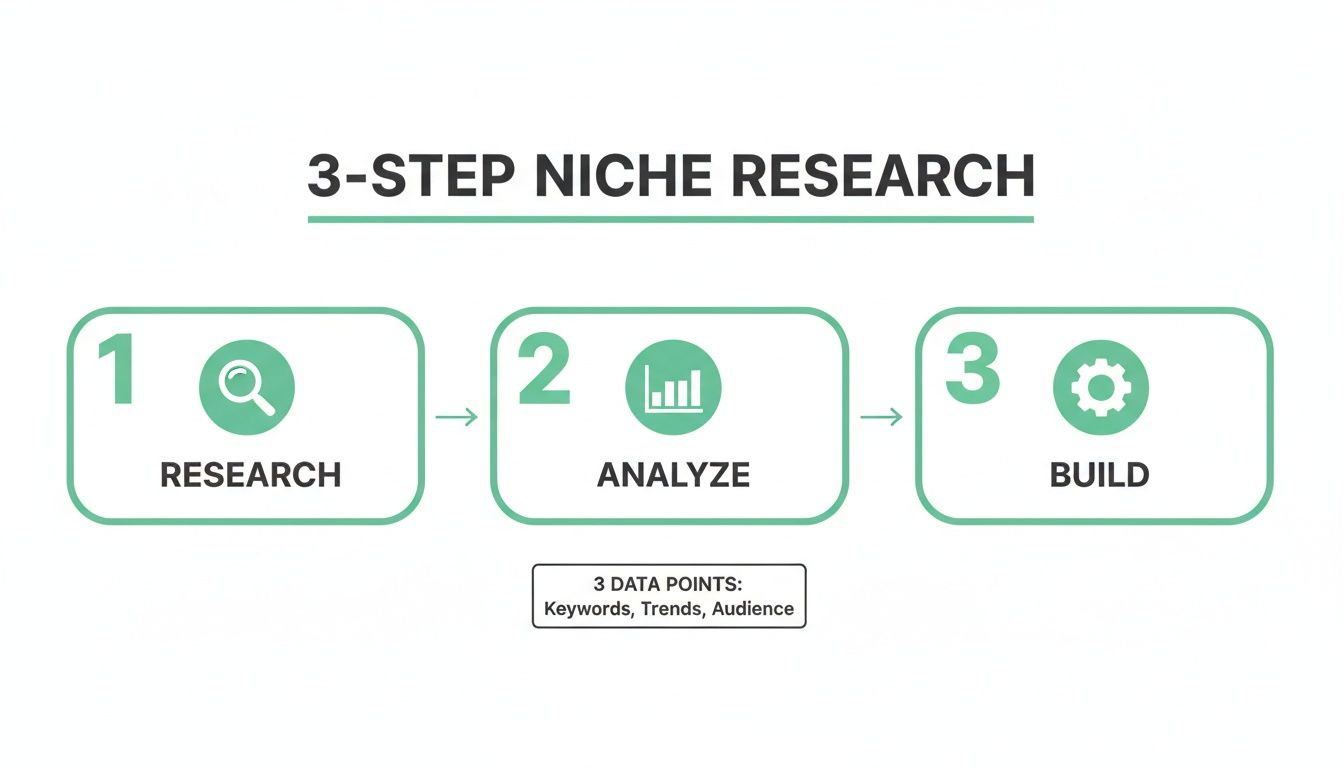
Making sure your process is built on solid audience and market data from the start is non-negotiable.
Sourcing Visuals and Assembling the Video
Script and voiceover are done. Now it's time to bring it all to life with visuals. For most automated channels, this means a mix of stock footage, images, and simple animations.
- Stock Footage Libraries: Platforms like Storyblocks or Envato Elements have massive libraries of high-quality, royalty-free video clips. A subscription is a worthy investment, giving you the raw materials to make visually interesting videos on pretty much any topic.
- AI Video Editors: Tools like Pictory can take your script and automatically create a video by pulling relevant stock clips. It’s a fantastic starting point, but you'll get the best results by going in and manually tweaking the AI's choices to nail the pacing and storytelling.
- Emerging AI Video Generation: To really make your content pop, it's worth looking into advanced AI video generation tools. These can create entirely new video clips from just a text prompt, opening up a whole new world of creative possibilities.
The tech behind text-to-video is moving at a wild pace, and it won't be long before we can create completely unique visuals on the fly. For a deeper look at what’s out there, check out our list of the https://timeskip.io/blog/best-ai-tools-for-content-creators, which covers everything from scripting to the final edit.
Ultimately, your "content machine" is just this repeatable workflow. You start with an AI script, run it through a voiceover tool, and then use an AI-assisted editor to stitch the audio together with carefully chosen footage and music. Once you systemize this, you've got an assembly line for churning out great content at scale.
Automating Your YouTube SEO and Publishing
You can pour your heart and soul into creating a phenomenal video, but that’s only half the battle. If your masterpiece is buried on page ten of YouTube's search results, it might as well not exist. This is where automation comes in—building a system to handle discovery frees you up to focus on what you do best: creating more great content.
By plugging in the right tools, you can put most of your post-production process on autopilot. We're talking everything from search optimization to scheduling out your content calendar weeks in advance. That kind of consistency is exactly what the YouTube algorithm loves. It signals that your channel is active and reliable, which often leads to better visibility over time.

Mastering SEO with AI Assistance
YouTube SEO is all about making your videos easy for viewers—and the algorithm—to find. This means crafting keyword-rich titles, compelling descriptions, and relevant tags that match what people are actually searching for. But let's be honest, doing all that research and writing for every single video is a massive time sink.
This is a perfect task for AI. AI-powered tools can instantly analyze the top-ranking videos in your niche to see which keywords and phrases are working. You can feed an AI a video transcript or a simple topic summary, and it will spit out multiple title and description options engineered to grab attention and rank higher.
For example, an AI can take a flat title like "History of Rome" and turn it into something far more clickable and SEO-friendly, like "The Rise and Fall of the Roman Empire | A Complete History (Documentary)." That small tweak can make a world of difference for your searchability and click-through rate.
Generating Chapters and Thumbnails at Scale
Two things that have a surprisingly huge impact on viewer experience are video chapters and thumbnails. Chapters break your videos into digestible sections, which keeps people watching longer and even helps your video rank for specific long-tail keywords in Google Search. Manually adding all those timestamps is incredibly tedious, but automated tools can generate accurate, SEO-optimized chapters in seconds.
Manually adding chapters is one of the most mind-numbing parts of publishing. Automating just this one step can easily save you hours every week while giving your video a real performance boost in search results.
Thumbnails are your video's billboard—they have to grab attention instantly. Instead of building each one from scratch, you can use templates in a tool like Canva. Even better, modern AI image generators can create totally unique, eye-catching thumbnail concepts from a simple text prompt.
This templated or AI-assisted approach keeps your branding consistent and lets you crank out high-quality thumbnails in a fraction of the time.
Creating a Hands-Off Publishing Workflow
The final piece of the puzzle is your publishing schedule. On YouTube, consistency is king, and batching your work is your secret weapon. Instead of grinding out one video at a time, you build a pipeline that lets you produce a month's worth of content in just a few days.
Here’s what a practical workflow looks like:
- Batch Your Creation: Dedicate specific days just to scriptwriting, then voiceovers, then video editing.
- Automate the Metadata: Once the videos are done, use AI tools to generate all the titles, descriptions, chapters, and thumbnail ideas in one go.
- Schedule in Bulk: Upload everything to YouTube and use the built-in scheduler to set them to go live at the best times over the next few weeks.
This system guarantees a steady flow of content without the daily stress. If you're looking for the right software to make this happen, you can explore a curated list of powerful YouTube automation tools that can handle everything from SEO to scheduling. Once you get this workflow dialed in, your channel stops being a daily grind and starts becoming a well-oiled, automated machine.
Scaling Your Channel and Unlocking Revenue Streams
Once your content assembly line is humming along nicely, the real work begins. The focus shifts from just churning out videos to smart, strategic growth. Think of your automated YouTube channel less like a content factory and more like a business asset you're ready to scale.
Moving beyond basic AdSense is the turning point where a channel goes from a side hustle to a real enterprise. That initial ad revenue is fantastic, but the truly life-changing income flows from building multiple revenue streams on top of your growing audience. This isn’t about guesswork; it requires a data-backed approach to both your content and your monetization.
Decoding Your YouTube Analytics
Your YouTube Analytics dashboard is your new best friend. It’s the command center where you stop guessing what works and start making decisions based on cold, hard data. Don't let all the numbers intimidate you—just zero in on the few key metrics that tell you what your viewers actually want to see.
Hunt for patterns in your best-performing videos. Is there a specific format they love, like "Top 10" lists or deep-dive explainers? Do they all touch on a particular sub-topic within your niche? Finding these successful outliers gives you a clear roadmap for what to create next. The fastest way to grow is to simply double down on what’s already proven to work.
The goal isn't just to get views, but to understand why you're getting them. Pinpointing the exact video style or topic that brings in the most subscribers and watch time allows you to replicate that success systematically.
Take a look at your viewer retention graphs. They'll show you the exact moments people are clicking away. This is pure gold for refining your AI-generated scripts and pacing, helping you make future videos that hold attention longer and get a bigger push from the algorithm.
Beyond AdSense: Profitable Monetization Models
AdSense is just the first step on the ladder. The most successful automated channels build a solid business by layering several income sources. Since you're not the "face" of the channel, monetization strategies that are built around products and services—not a personal brand—are incredibly effective.
Here are the core pillars for making money with a faceless, automated channel:
- Affiliate Marketing: This is often the easiest to set up and can be the most profitable. You simply recommend products or services relevant to your niche and get a commission for every sale made through your unique link. A tech channel, for example, could link to specific gadgets on Amazon.
- Selling Digital Products: Creating your own digital products like eBooks, templates, or short guides offers much higher profit margins. A channel focused on personal finance could sell a ready-to-use budgeting spreadsheet or an investment checklist.
- Brand Deals and Sponsorships: Even without a face, brands are eager to get in front of your targeted audience. As your channel grows, companies will pay for a shoutout or even a dedicated video promoting their product, which can bring in a serious chunk of revenue.
The financial potential here can be mind-boggling. One channel, for instance, generated over $1,576,000 in AdSense revenue using these faceless, automated strategies. In another case, a single video about remote job certifications pulled in $14,000 from AdSense off one million views, on top of an estimated $50,000 to $100,000 in affiliate sales. These numbers really show the power of a diversified income strategy when you learn more about these YouTube automation success stories.
Integrating Revenue Streams Seamlessly
The secret to making all of this work is to weave your revenue streams into your content naturally. They should feel like a helpful extension of your video, not a jarring sales pitch. The products you promote need to genuinely solve a problem for your audience and be a perfect fit for your video's topic.
For example, if your video is a tutorial on a specific software, dropping an affiliate link to it in the description is just a helpful resource. If you're discussing historical events, linking to your own in-depth eBook on the subject provides extra value. This approach builds trust and transforms your content from a simple video into a complete resource, maximizing both viewer satisfaction and your channel's bottom line.
Avoiding Common Pitfalls and YouTube Policy Traps
Automating a YouTube channel is an amazing exercise in efficiency, but that efficiency can backfire spectacularly if you’re not careful. A completely hands-off approach, where AI tools do everything from script to upload without a single human check, is the fastest way to get your channel flagged or even shut down.
Remember, the goal is to build a sustainable digital asset, not a spammy content farm that gets zapped overnight.
The main thing YouTube is cracking down on is low-effort, repetitive content. This is the kind of stuff algorithmically generated to chase trends but offers zero real substance. If your videos are just slightly different versions of each other or use the same handful of stock clips on a loop, you're playing with fire.

The Human Quality Control Layer
The easiest way to safeguard your channel is to build a mandatory human review step right into your workflow. This doesn’t have to take hours—a quick 15-minute check before hitting "publish" can save you from a world of hurt. Think of this quality control step as your channel's last line of defense.
During your review, keep an eye out for a few key things:
- Script Accuracy and Originality: Does the AI-generated script actually make sense? Are the facts correct? A quick read-through will catch awkward phrasing or glaring errors that would instantly kill your credibility with viewers.
- Voiceover Quality: Listen to the final AI voiceover. Does it sound natural, or are there bizarre pronunciations and weird pauses? A robotic voiceover is an immediate red flag for low-quality content to both viewers and YouTube's systems.
- Visual Variety: Did your video tool pull the same three stock clips over and over again? Ensure your visuals are diverse and genuinely match the script to avoid looking repetitive and lazy.
A human touch isn't a bottleneck; it's your channel's insurance policy. Blending automation with personal oversight ensures your content provides real value, which is exactly what YouTube's algorithm is designed to reward.
Navigating Copyright and Asset Licensing
One of the fastest ways to get your automated channel terminated is through copyright strikes. This is an area where you absolutely cannot afford to cut corners. Simply grabbing images from a Google search or ripping clips from other YouTube videos is a recipe for disaster.
You must have a clear, legal right to use every single asset in your videos. That means understanding the licenses for your stock footage, background music, and even AI-generated visuals. For example, many AI art generators have specific terms about commercial use—make sure you’ve read and are following them.
Here’s a simple checklist to stay on the right side of the law:
- Use Reputable Stock Services: Stick to well-known platforms like Storyblocks or Envato Elements and double-check that your subscription covers commercial use on YouTube.
- Verify Music Licenses: Services like Epidemic Sound provide royalty-free music made for creators, protecting you from copyright claims that can demonetize your videos or lead to strikes.
- Document Your Sources: Keep a simple record of where your assets came from. If a claim is ever filed against you, you’ll have the proof you need to dispute it effectively.
Ignoring these rules is like building a house on a foundation of sand. It might stand for a little while, but it’s destined to collapse. Building a successful automated channel means working smart, but it also means working safely within YouTube's guidelines.
Common Questions About Automated YouTube Channels
Jumping into automated YouTube channels is exciting, but it definitely brings up a few big questions right away. The dream of a content machine that works for you is powerful, but you're probably wondering about the real-world costs, if this whole thing is still a good idea, and how long it actually takes to see results.
Let's clear the air and tackle the questions I hear most often from new creators. Getting these answers upfront helps you set the right expectations and build a much smarter strategy from day one.
How Much Does It Cost to Start an Automated YouTube Channel?
The good news is, your initial investment for an automated channel can be surprisingly low, especially when you compare it to a traditional setup. You're not buying expensive cameras, mics, or lighting rigs. Instead, you're investing in software that builds your content assembly line.
A realistic starting budget usually lands somewhere between $75 to $200 per month. This covers the monthly subscriptions for the AI tools that will do most of the heavy lifting.
Here’s a typical breakdown of those costs:
- AI Scriptwriter: A solid tool that generates well-structured scripts will run you about $20-$50 per month.
- AI Voiceover Tool: Getting a high-quality, human-sounding voice is non-negotiable. Expect to pay $15-$40 per month.
- Stock Footage Library: You'll need a steady supply of clips. Subscriptions for these libraries typically cost $30-$60 per month.
- AI Video Editor: These range from free (with limits) to more robust options around $50 per month.
Smart creators don't go all-in from the start. They use free trials and the most basic subscription plans to produce their first 10-20 videos. This keeps the financial risk low while you figure out what works in your niche. Once the channel gets some traction and starts earning its first few dollars, you can reinvest that back into better tools for higher quality and faster output.
Is YouTube Automation Still a Viable Path to Success?
Absolutely, but the game has completely changed. The old "spray and pray" method of pumping out low-effort videos in generic niches like "motivational quotes" or "relaxing rain sounds" is dead. YouTube's algorithm is way smarter now and has gotten incredibly good at sniffing out and burying content that offers zero real value.
Success today requires a much more strategic blend of AI efficiency and human oversight.
The winning formula isn't about replacing human creativity with AI; it's about amplifying it. You use AI for the grunt work—scripting, voiceovers, editing—but you still need a human brain for the strategy: picking the right niche, ensuring quality, and truly understanding what your audience wants to see.
Instead of going after a massive, saturated topic like "finance," the channels that are crushing it now go deep. Think about a channel focused specifically on "dividend investing for beginners" or "financial independence tips for digital nomads." These channels work because they use automation to consistently serve a very specific audience with content they actually find useful. The path isn't gone; it's just matured.
How Long Until an Automated Channel Can Be Monetized?
Hitting the YouTube Partner Program goals—1,000 subscribers and 4,000 hours of public watch time—is a marathon, not a sprint. The timeline can swing wildly depending on your niche, the quality of your content, and how consistently you post.
For a well-run channel that publishes two or three high-quality videos every week in a decent niche, a realistic timeframe is anywhere from 6 to 12 months.
Some channels strike gold with a viral video and get monetized in just 3-4 months. Others, in super competitive spaces, might take over a year. Patience and consistency are your two best friends here. Your main goal should be to methodically build a library of valuable, evergreen content.
It's rarely your first, tenth, or even twentieth video that blows up. The breakthrough often comes from a video you post six months down the line that suddenly clicks with the algorithm and sends a flood of new viewers back to all your older stuff. Every single video you publish is an asset out there working for you 24/7. Just keep building.
Ready to supercharge your YouTube SEO and save hours on every video? TimeSkip automatically generates SEO-optimized video chapters in seconds, boosting your visibility and keeping viewers engaged. Try it for free and see the difference. Automate your YouTube chapters with TimeSkip today.
