

Valid public watch hours are the eligible hours viewers spend watching your public long-form YouTube videos during the latest 365 days. They are one route into the YouTube Partner Program, but not every kind of watch time counts.
Quick Answer: What Are Public Watch Hours on YouTube?
Valid public watch hours on YouTube means the eligible time viewers spend watching your public long-form videos over a rolling 12-month window. For full YouTube Partner Program ad-revenue eligibility, YouTube says creators can qualify with 1,000 subscribers and 4,000 valid public watch hours in the last 12 months, or with 1,000 subscribers and 10 million valid public Shorts views in the last 90 days. Shorts watched in the Shorts Feed do not count toward the 4,000 public watch hours threshold.
YouTube also has expanded YPP access in eligible regions with lower thresholds for fan-funding features: 500 subscribers, 3 public uploads in the last 90 days, and either 3,000 valid public watch hours or 3 million valid public Shorts views. That is not the same as full ad-revenue eligibility, so check the Earn tab in YouTube Studio before planning your monetization path.
Upcoming change: YouTube says that on February 1, 2027, the ad-revenue entry threshold for new applicants will rise to 8,000 qualified long-form watch hours or 20 million qualified Shorts views. Existing YPP members are not removed by this change. Check YouTube's current eligibility guidance and announced 2027 changes before applying.
Use the YouTube watch time calculator to translate a 3,000- or 4,000-hour target into the views and average view duration your channel needs.
| Term | Meaning |
|---|---|
| Public watch hours | Watch time from videos set to public and eligible for YPP counting. |
| Valid public watch hours | Public watch time after YouTube filters out ineligible or invalid sources. |
| Rolling 12 months | The last 365 days, not your channel's lifetime total. |
| Shorts views | A separate YPP path; Shorts Feed views do not become 4,000 public watch hours. |
Unpacking the Importance of Public Watch Hours

It's tempting to see public watch hours as just another number, but it’s so much more. Consider it your channel's "engagement score." It’s not about how many people click on your videos, but how long you can keep them glued to the screen. A high watch time tells YouTube that you’re not just getting clicks; you're building a real community around valuable content.
This is what separates a channel with a few fleeting viral hits from one that consistently delivers content people genuinely want to watch. Holding a viewer's attention is the ultimate currency on YouTube, and a healthy stash of public watch hours proves you’ve earned it.
Why This Metric Is a Gatekeeper for Monetization
To join the YouTube Partner Program, you need to prove you have a real, engaged audience. That’s why YouTube set the bar at 4,000 valid public watch hours in the last 12 months, on top of having 1,000 subscribers.
The threshold measures whether a channel has built sustained eligible viewing activity. Treat it as a rolling target: hours can fall out of the 12-month window even while lifetime watch time continues to increase.
At its core, the 4,000-hour requirement is YouTube's way of verifying that a channel has an active, interested viewership, making it a reliable partner for advertisers. It’s a measure of quality and commitment, not just quantity.
Understanding exactly what counts toward this metric is your first step. Let's break down what contributes to your total, where to find your numbers, and how to create videos that keep people watching longer.
For a quick reference, this table breaks down exactly what counts towards your monetization goal.
Public Watch Hours Explained At a Glance
| Component | What It Means | Why It Matters |
|---|---|---|
| Public Videos | Watch time from videos you've set to "Public." | Only public content counts. Private, Unlisted, or deleted videos contribute nothing to your YPP total. |
| Long-Form Content | Time spent watching your standard, horizontal videos. | This is the primary source for watch hours. Shorts views do not count toward the 4,000-hour goal. |
| Last 365 Days | The metric is a rolling window, looking back at the most recent 12 months. | It's not a lifetime total. Old watch hours "expire" as time passes, so consistency is key. |
| Valid Views | Genuine watch time from real viewers. | YouTube's algorithm filters out invalid traffic like bot views or loops to ensure the metric is authentic. |
Getting a handle on these components is essential. It prevents you from chasing the wrong numbers and helps you focus your efforts where they'll actually make a difference for monetization.
What Actually Counts Toward Your 4000 Hour Goal
Not every view you get on YouTube is created equal, especially in the eyes of the YouTube Partner Program. Getting a handle on this difference is one of the most important things you can do. It helps you pour your creative energy where it actually moves the needle on your monetization journey.
Think of it like a band trying to make it big. A private soundcheck or a rehearsal for a few friends is great practice, but it's the public, ticketed concert that builds their official following and gets them noticed. In the same way, only the watch time from your public videos counts toward your official goal.
The Gold Standard: Valid Watch Hours
So, what exactly makes the cut? The rules are simple but absolute. For a view to add those precious minutes to your 4,000-hour mountain, it has to come from a few specific places.
Here’s what gets counted:
- Public Videos: This is the big one and your main source of watch hours. Any time spent watching a video you've set to "Public" is good to go.
- Public Live Streams Saved as VOD: Watch time can count when the stream stays public and is converted into a public video-on-demand replay.
The Earn tab in YouTube Studio is the source of record for your current progress. A YouTube monetization checker can help you review public eligibility signals, but it cannot read a channel's private valid-watch-hour total.
What YouTube Explicitly Excludes
Knowing what doesn't count is just as important as knowing what does. If you're chasing views from the wrong sources, you'll just end up frustrated when that progress bar on your monetization page refuses to budge.
The single most common mistake new creators make is confusing their total channel watch time with valid public watch hours. The number you see in your main analytics is almost always way higher than the one on the "Earn" tab, and these next sources are the reason why.
YouTube does not count any watch hours from these types of content:
- Private Videos: Any video you set to "Private" is for your eyes only. It generates zero public watch hours, period.
- Deleted Videos: The moment you delete a video, any watch hours it ever earned are wiped from your YPP total forever.
- Ad Campaigns: Watch time that comes from viewers who found your video through an ad campaign (like TrueView) doesn't count. YouTube wants to see organic interest, not paid-for views.
- YouTube Shorts: This is a huge one. Views from the Shorts feed do not contribute to the 4,000-hour requirement. It's really important to understand the specific YouTube Shorts monetization requirements, because they run on a completely separate system based on views, not hours.
- Livestreams (After the Fact): While the watch time from a live public stream counts, any views the recording gets after you set it to unlisted or private will not be added to your total.
By focusing your efforts on creating high-quality, public, long-form videos, you make sure every single minute of engagement pushes you closer to that monetization goal. This focus eliminates confusion and helps you build a growth strategy that actually works.
How to Check Your Public Watch Hours in YouTube Studio
So you're grinding away, trying to hit those magic numbers for the YouTube Partner Program. But where do you actually find the official count? It’s a classic creator question, and the answer is surprisingly simple, though not always obvious.
Your official public watch hours are tucked away in a different spot than your main channel analytics. You need to head over to the Earn tab in your YouTube Studio. Think of this tab as your mission control for monetization—it shows you the exact numbers YouTube uses to decide if you're eligible.
A Step-by-Step Guide to Finding Your Numbers
Getting to the right screen just takes a few clicks. YouTube designed this section to give you a quick, no-fluff update on where you stand.
- Pop open your YouTube Studio dashboard.
- Look for the Earn tab on the left-hand menu (it’s the one with the dollar sign icon).
- Scroll down a bit until you see the "How do I join" section.
Right there, you'll see two beautiful progress bars: one for your subscriber count and one for your public watch hours.
This is it. This is the screen that matters. These bars track your progress toward the 1,000 subscribers and 4,000 public watch hours you need to apply for monetization.
Why Your Analytics and Earn Tab Numbers Don't Match
Here’s where a lot of creators get tripped up. You glance at your main Analytics tab, see a big watch time number, and get excited. Then you click over to the Earn tab and see a smaller number. What gives?
It's simple, really. Your main Analytics tab is showing you the total watch time your channel has ever received from every possible source. This includes views from:
- Private and unlisted videos
- Deleted videos
- YouTube Shorts
- Ad campaigns
The Earn tab, on the other hand, is the official scorekeeper. It only shows you valid public watch hours from the last 365 days. It’s a rolling window that automatically filters out all the views that don't count toward monetization.
Trust the Earn tab. It’s your single source of truth for YPP progress. If you're looking to turn more of your total views into valid watch hours, it pays to dig into what makes your audience tick. Understanding the deeper story behind your numbers is key, and getting a handle on video analytics on YouTube is the best place to start.
Common Myths About YouTube Watch Hours
The road to getting monetized is paved with bad advice and persistent myths. If you don't get a solid handle on how public watch hours actually work, you can end up chasing the wrong goals, which is a one-way ticket to frustration and burnout.
Let's clear the air and bust some of the most common myths that hold creators back.
One of the biggest misunderstandings is the whole "last 365 days" requirement. A lot of creators treat it like a static finish line you cross once and you're done. It's not.
Think of it more like a 365-day-long conveyor belt. Every new day you add content and get views, that day gets added to the front of the belt. At the same time, the day from 366 days ago falls off the back. This is why your watch hour total can actually go down even when you're still getting views—the hours you're gaining today aren't making up for the ones that just expired from a year ago.
Your Lifetime Total Does Not Count
It’s a classic moment of confusion for new creators: you pop into your main channel analytics, see a massive lifetime watch time number, and then head over to the "Earn" tab only to see a much smaller, sadder figure. What gives?
The answer is simple: the YouTube Partner Program only looks at the most recent 12 months of data. Your channel's entire history, while a great milestone, is irrelevant for your current eligibility.
Another trap is assuming all views are created equal. They absolutely are not. There's a huge difference between watch time from your regular, long-form videos and views from YouTube Shorts. Time accumulated from viewers scrolling the Shorts feed contributes exactly zero hours to your 4,000-hour goal.
Shorts have their own separate path to monetization (10 million views in 90 days), so if your goal is the 4,000-hour mark, focusing on Shorts is a strategy that will lead you nowhere fast.
This infographic breaks down exactly where to look in YouTube Studio to find your real, official YPP progress.
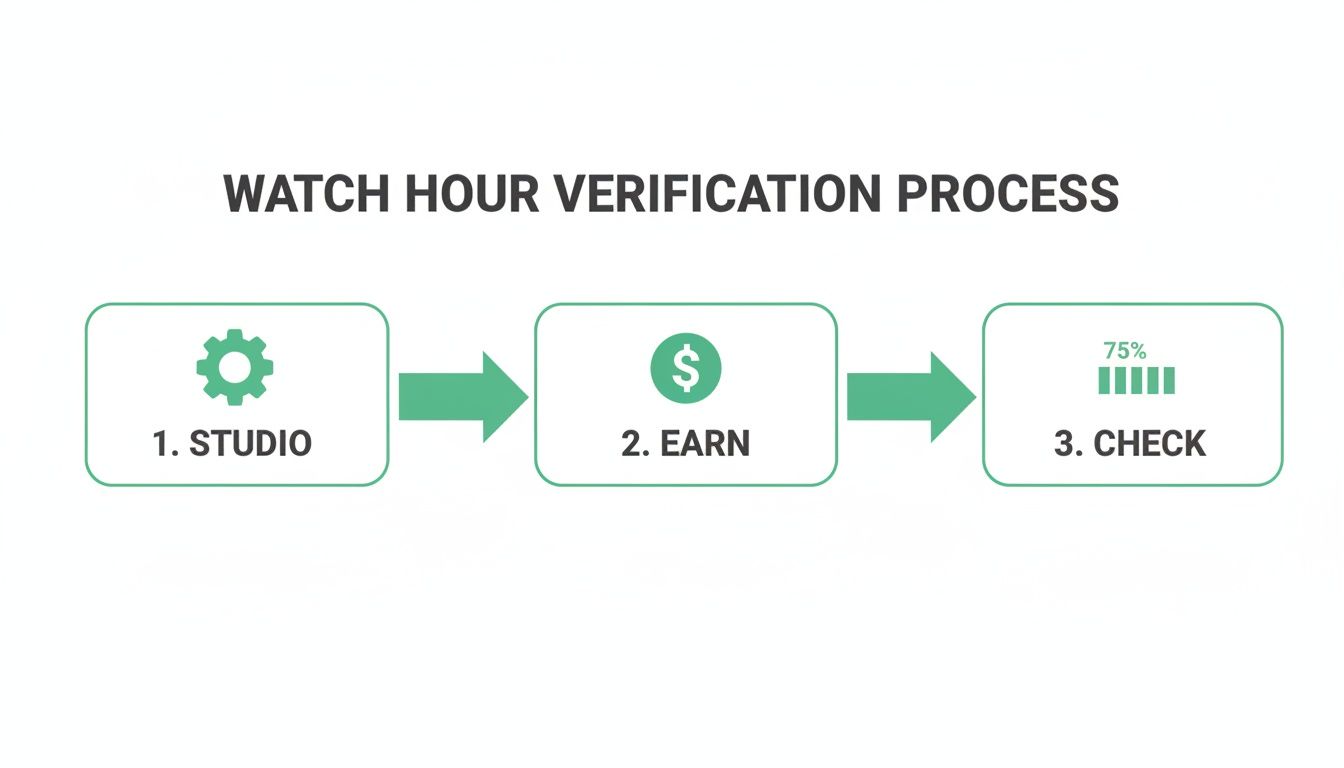
As you can see, the only number that matters is the one tucked away in the dedicated "Earn" section of your dashboard, not the general analytics page.
The Dangers of Buying Watch Hours
This one is less of a myth and more of a really bad idea. The temptation to just buy your way to monetization is real, but services selling watch hours are a fast track to disaster.
Not only is it a complete waste of money, but it's also a direct violation of YouTube's fake engagement policies.
Purchasing watch hours is a surefire way to get your channel flagged. YouTube's systems are incredibly sophisticated at detecting inauthentic traffic, and the consequences can be severe, ranging from having your YPP application rejected to permanent channel termination.
Let's be clear: there are no shortcuts. The only sustainable path to a successful, monetized YouTube channel is by building your public watch hours organically—by creating valuable content that people actually want to watch.
Proven Strategies to Increase Your Public Watch Hours
Knowing the rules of the monetization game is one thing, but actually winning is something else entirely. Racking up 4,000 public watch hours isn’t something that just happens; it takes a smart, sustainable strategy built around creating real value for your viewers.
It all boils down to making content so good that people don’t just click on it—they stick around for the whole ride. Let's dig into some proven tactics that will help you grow your watch time the right way.
The absolute foundation of high watch time is content that can hold someone's attention. While there’s no magic video length, it’s just simple math that longer videos have more potential to pile up watch hours. Think about it: a 15-minute video that keeps someone for 50% of the time earns you 7.5 minutes. A 5-minute video with the same retention? That only gets you 2.5 minutes.
But—and this is a big but—length alone is useless. You have to justify the runtime with quality, engaging material that keeps viewers hooked. This means you need to get good at storytelling, deliver on your promises, and use dynamic editing to keep things interesting.
Create Bingeable Content With Playlists
One of the sneakiest—and most effective—ways to boost watch time is to get viewers to watch more than one of your videos in a single sitting. This is where playlists become your secret weapon.
When you group related videos together, you create a seamless viewing experience that basically begs for a binge-watch.
Try creating playlists built around specific themes or a series:
- Tutorial Series: A multi-part guide like "Mastering Photoshop for Beginners."
- Episodic Content: A weekly vlog or a story-driven series that leaves viewers hanging.
- Topic Clusters: A collection of all your videos on one subject, like "All My Keto Recipes."
When one video ends, the next one in the playlist cues up automatically. Just like that, you've multiplied your watch hours from a single viewer without them having to lift a finger.
Key Insight: A well-organized playlist doesn't just get you one view; it creates a whole viewing session. It guides your audience through your best stuff, which massively increases their time on your channel and tells YouTube you're a source of quality content.
Enhance Viewer Experience With Video Chapters
For longer videos, nothing kills your audience retention faster than a viewer feeling lost or unable to find the specific info they came for. Video chapters solve this problem instantly by giving viewers a clear roadmap of your content.
By breaking down a long video into digestible, clickable sections, you empower viewers to jump straight to the parts that matter most to them. This isn't just great for the user experience; it's a huge win for SEO. Google often pulls these chapters directly into its search results, making your content way more discoverable.
Instead of getting frustrated and clicking away, viewers can easily find the value they're looking for, keeping them on your video longer.
Manually creating chapters can be a real grind, but tools like TimeSkip can automate the whole process in seconds. It generates SEO-optimized chapters with a single click, saving you a ton of time while making your videos more user-friendly. That directly translates to more public watch hours.
To get a better handle on tactics like this, check out our complete guide on how to increase your YouTube watch time.
Optimizing your content's structure is a huge piece of the puzzle. But to really get your videos seen by more people, you'll want to dive into these actionable YouTube SEO optimization tips that can help you rank higher. When you combine a great viewing experience with smart SEO, you create a powerful engine for watch time growth.
Watch Hour Growth Tactics Comparison
Choosing the right strategy depends on your channel's style and your available time. Some tactics are quick wins, while others are long-term investments. This table breaks down a few popular approaches to help you decide where to focus your energy.
| Strategy | Effort Level | Potential Impact | Best For |
|---|---|---|---|
| Long-Form Content (10+ min) | Medium | High | Educational, documentary, and deep-dive channels where depth adds value. |
| Playlist Creation | Low | High | Channels with existing video series or clustered topics. A quick, powerful win. |
| Video Chaptering/Timestamps | Low (with tools) | Medium to High | All creators with longer videos, especially tutorials, interviews, and reviews. |
| Live Streaming | High | Very High | Creators who can engage an audience in real-time, like gamers or Q&A hosts. |
| SEO Optimization | Medium | High | Every creator. This is a foundational practice for long-term channel growth. |
Ultimately, the best approach is a mix of these strategies. Start with low-effort, high-impact tactics like creating playlists and chaptering your existing videos. As you grow, you can layer in more advanced strategies like live streaming and producing more in-depth, long-form content to keep the momentum going.
Why Watch Hours Are More Than Just a Metric
It’s incredibly easy to get tunnel vision and stare at that 4,000-hour finish line like it's the only thing that matters. But trust me, public watch hours are so much more than just a gatekeeper for getting monetized. They're the truest pulse check you have on your content's health and the strength of your connection with your audience.
This one metric is a direct reflection of your ability to hook viewers and keep them around. High watch time sends a massive signal to the YouTube algorithm, basically screaming, "Hey, people don't just click on this video—they actually stick around and value it." That kind of positive feedback is exactly what gets you more recommendations and better organic reach across your entire channel.
A Reflection of Your Community
Think about it this way: every single minute of watch time is a vote of confidence from a viewer. They're choosing to spend their most valuable asset—their time—with you. That’s the ultimate form of engagement. When you shift your focus to creating content that genuinely serves your audience, you stop chasing a number and start building a real, loyal community.
Instead of asking, "How can I get 4,000 hours?" try asking this instead: "How can I create videos so valuable that my audience wants to watch them all the way through?" This shift in perspective changes the entire game.
Honestly, if you make it your mission to build an authentic relationship with your viewers through helpful, entertaining, or just plain high-quality content, the watch hours will come. They become a natural byproduct of your success, not just some arbitrary box you have to check.
Focus on the community, and the metrics will take care of themselves.
Frequently Asked Questions
Getting a handle on the YouTube Partner Program can feel like you're trying to solve a puzzle. Let's clear up some of the most common questions creators have about public watch hours so you can get back to what matters—making great videos.
Do YouTube Shorts Count Towards 4000 Watch Hours?
Nope, and this is a big one that trips up a lot of new creators. Views from the Shorts feed do not count toward your 4,000 public watch hours.
Watch time from your regular, public, long-form videos is the only thing that fills up that specific bucket. YouTube Shorts play in a completely different sandbox with their own monetization goal: hitting 10 million views in 90 days.
Why Did My Public Watch Hours Go Down?
Seeing your watch hours drop is always a gut-punch, but don't panic. There's a perfectly logical reason for it: the metric is calculated on a rolling 365-day basis.
This just means that every single day, the hours you earned on that exact day one year ago fall off your total. If you had a video go viral 13 months ago, the views from back then are no longer part of the calculation. It’s a constant cycle of adding new hours while the old ones expire.
Think of it like a conveyor belt that's exactly one year long. New hours get on at the front, and hours older than 365 days fall off the back. Your total is just what's currently on the belt.
How Long Does It Take to Get 4000 Watch Hours?
Honestly, there's no magic number here. It varies wildly from one channel to the next. Some creators get there in a few months, while for others, it might take a year or more.
It all comes down to your niche, the quality of your content, and how you get the word out. The single most important thing you can do is consistently upload videos that people genuinely want to watch all the way through. That's what tells the YouTube algorithm to start showing your stuff to brand-new audiences.
Stop wasting time manually creating timestamps for your videos. TimeSkip generates SEO-optimized chapters in seconds, boosting your viewer retention and discoverability. Try it for free at https://timeskip.io and see how fast you can grow your public watch hours.
