

If you're serious about starting a successful YouTube channel, it all comes down to three things: choosing a niche you're genuinely passionate about, creating killer content that solves a real problem for that audience, and optimizing every single video for discovery.
Nail these fundamentals from the get-go, and you'll build a solid foundation for growth right from your very first upload.
Building Your Foundation for YouTube Success
 Before you even think about cameras or editing software, let’s talk about the single most critical decision you'll make: your niche. This isn’t just about picking a topic; it’s about defining your channel's entire identity and pinpointing exactly who you're talking to.
Think of your niche as your North Star. It guides every content decision you make and makes it infinitely easier to attract a loyal community of viewers who actually care about what you have to say.
One of the biggest mistakes new creators make is trying to appeal to everyone, which usually ends up appealing to no one. A focused channel has a clear value proposition. When a new viewer lands on your page, they should instantly get who you are, what you offer, and why they should hit that subscribe button. That clarity is what turns a casual browser into a dedicated fan. A huge part of this is learning how to create a strong brand identity that shapes how people see your channel from day one.
Finding Your Profitable Niche
So, how do you find that perfect niche? It's all about finding the sweet spot where three things overlap: your passion, your expertise, and what people are actually looking for.
Start by brainstorming topics you genuinely love and could talk about for hours on end. Authenticity is magnetic on YouTube, and if you're excited about your topic, that energy will come right through the screen and make your content way more engaging.
Next, get real about your skills. What problems can you solve? Can you teach a skill, break down a complex subject, or offer a unique take on something? You don't need a PhD; your expertise could come from a lifelong hobby or a skill you've perfected through sheer experience.
Finally, you have to make sure people are actually searching for this stuff. Use simple tools like the YouTube search bar or Google Trends to validate your ideas. Type in a potential keyword and see what auto-populates—those are real searches from real people. Your goal is to find an underserved corner of a bigger market or a fresh angle on a popular topic.
Understanding the Competitive Landscape
Jumping into YouTube today means navigating a platform of staggering scale. It’s on track to hit 2.85 billion users by 2026, and you're competing with over 113 million other channels. To stand out, you need an edge.
While huge niches like gaming and education are incredibly crowded, even small optimizations can make a massive difference. For example, a tool that automates SEO-friendly video chapters can boost your visibility by up to 220%, helping you carve out your own space.
Key Takeaway: Your niche isn't just a category; it's your brand's DNA. A specific, well-researched niche gives you a clear direction, attracts a dedicated audience, and provides a significant advantage over channels with a scattered content strategy.
Getting your foundation right is the most important investment you can make in your channel's future. To give you a bird's-eye view, here's a quick checklist to guide you through these crucial first steps.
Your YouTube Launch Checklist
| Phase | Action Item | Why It Matters |
|---|---|---|
| Discovery | Find Your Niche | Defines your audience, content direction, and brand identity. A focused channel is easier to grow. |
| Branding | Choose a Memorable Name | A good name is easy to recall, spell, and relates to your content, making your channel more professional. |
| Validation | Research Audience Demand | Ensures people are actively looking for the content you plan to create, setting you up for viewership. |
| Strategy | Analyze Competitors | Helps you find gaps in the market, identify what works, and develop a unique angle for your content. |
This table simplifies the process, but each step is vital. Speaking of branding, once you've landed on a niche, you'll need a memorable name to go with it.
A great channel name should be easy to remember, spell, and hint at what your content is about. If you're feeling stuck, a good tool can spark some ideas. Check out our free YouTube channel name generator to find the perfect fit for your new brand. Seriously, don't rush this planning phase—it's everything.
Developing a Content Strategy That Hooks Viewers
 Let's be real: a thriving YouTube channel doesn't happen by accident. It's not about random uploads or getting lucky. The channels that truly take off are built on a rock-solid content strategy—a roadmap that guides every single video you create.
This plan is your defense against inconsistency and burnout. Without it, you’re just scrambling for ideas, which is a recipe for disaster. But with a good strategy, your channel becomes a sustainable growth machine that keeps viewers coming back for more.
The top creators get this. They don't just know what their next video is; they know their content calendar for the next month, sometimes even the next quarter. That kind of foresight is what separates a flash in the pan from a long-term success story.
Building Your Idea Engine
The fear of running out of ideas is paralyzing, but it’s also completely avoidable if you have a system. The goal is to build a backlog of video topics so you’re never staring at a blank screen wondering what to film next.
Start by digging into your niche. What questions are people constantly asking? What problems are they desperate to solve? Tools like AnswerthePublic are fantastic for this, but even typing keywords into the YouTube search bar and seeing the auto-suggestions can reveal what your audience is searching for.
You're not just looking for topics; you're hunting for pain points. Every search query is a need waiting to be filled. Your job is to create the perfect video to meet that need, whether it's a tutorial, a review, or a deep-dive explainer.
Pro Tip: Set up a simple spreadsheet or a Trello board to capture all your ideas. Add columns for the topic, its status (Idea, Scripting, Filming, Done), target keywords, and any research links. This will be your content command center.
By creating a system for idea generation, you build an engine that never runs dry. This consistency is a massive signal to the YouTube algorithm that your channel is active and valuable—a crucial step in building a successful channel from the ground up.
Choosing the Right Video Formats
Not all videos are created equal. The format you choose is just as critical as the topic itself because it shapes how your audience consumes the information. Picking the right format for your niche can make or break your engagement.
Here are a few popular formats that consistently perform well:
- Tutorials and How-To Guides: These are absolute gold because they solve a direct problem. If you’re in a niche like tech, cooking, or DIY crafts, tutorials are non-negotiable. They have huge search potential and deliver immediate value.
- Product Reviews: People are always looking for honest reviews before they spend their money. An in-depth, unbiased review can build incredible trust with your audience and become the final push they need to make a purchase.
- Vlogs and "Day in the Life" Videos: These formats are all about connection. They give viewers a peek behind the curtain of your life or business, which helps foster a genuine community.
- Interviews with Experts: Bringing an expert onto your channel not only provides fresh insights but also exposes your channel to their audience. It's a powerful way to position yourself as a connected authority in your space.
Don't be afraid to experiment. You might discover your audience prefers quick, five-minute explainers over long, detailed interviews. Keep a close eye on your analytics to see which formats drive the most watch time and engagement, and then double down on what’s working.
Structuring Videos for Maximum Retention
Getting someone to click is one thing. Keeping them watching is the real challenge. You have about 15 seconds to hook a viewer, but a well-structured video is what keeps them glued to the screen until the very end—and that’s what fuels channel growth.
A simple yet powerful framework for structuring your videos is the Hook, Content, Call-to-Action (CTA) model.
- The Hook: Kick things off with a bold claim, an intriguing question, or a quick preview of the final result. Your intro needs to immediately answer the viewer's unspoken question: "Why should I watch this?"
- The Content: This is where you deliver on your promise. Break down your topic into simple, digestible steps. Use visuals, on-screen text, and pattern interrupts—like changing camera angles or adding B-roll—to keep things dynamic and maintain interest.
- The Call-to-Action: Never end your video abruptly. Tell your viewers exactly what to do next. Whether it's subscribing, checking out another video, or dropping a comment, a clear CTA makes it far more likely they’ll actually do it.
This structure creates a predictable and satisfying experience. When viewers know what to expect, they’re more likely to stick around, which boosts your audience retention and tells YouTube your content is top-notch.
Creating a Smart Production Workflow on a Budget
Let's be real: you don’t need a Hollywood budget to make clean, professional-looking videos. So many creators get stuck in a gear-obsessed rut, convinced they need the latest and greatest camera before they can even start. That’s a myth that will paralyze your channel before you ever hit record.
A killer YouTube channel is built on valuable content, not expensive equipment. You can produce fantastic videos with a shoestring budget if you just focus on what actually matters—crystal-clear audio and a repeatable workflow that keeps you sane.
Assembling Your Starter Kit
Let's break down the bare essentials. Your smartphone is already an incredible video camera. Modern phones shoot in 4K, which is more than enough for YouTube. The trick is keeping it steady, so your first must-have is a simple, affordable tripod.
Next up, lighting. Forget those complicated three-point lighting setups for now. A ring light is a cheap, versatile workhorse that gives you soft, even light, which instantly makes your videos look more polished. Just pop it in front of you, and it’ll wipe out any harsh shadows.
Key Insight: Your audio quality is way more important than your video quality. Viewers will put up with slightly grainy video, but they will click away in a heartbeat if they can't hear you clearly. A simple lavalier (lapel) mic that plugs right into your phone can cost less than $20 and will be a massive upgrade over your phone's built-in mic.
Building an Efficient Production System
Consistency is king on YouTube, but it's impossible to keep up without an efficient system. The secret to staying ahead and avoiding burnout is batching your content. Instead of trying to create one video from script to final edit, you dedicate specific days to specific tasks.
Here’s what that could look like for a month's worth of content:
- Scripting Day: Spend one day outlining and scripting your next four videos. Having a solid plan makes filming a breeze.
- Filming Day: Set up your gear once and film all four videos back-to-back. You're already in the zone, so this is incredibly efficient.
- Editing Weeks: Over the next few weeks, you can chip away at editing the footage you already have in the can.
This batching method builds a buffer so you’re never scrambling for a video the night before it's supposed to go live. We dive deeper into this in our complete guide to building a YouTube video production workflow.
Streamlining Your Editing Process
Editing is often where creators lose the most time, but it doesn't have to be a slog. Your goal isn't to create a cinematic masterpiece—it's to deliver a clean, valuable video. Start with software that’s easy to pick up.
Beginner-Friendly Editing Software:
- CapCut (Free): This is an unbelievably powerful tool for being free, and it works on both desktop and mobile. It has awesome features like auto-captions that save a ton of time.
- DaVinci Resolve (Free Version): A legit professional-grade editor with a free version that’s shockingly robust. The learning curve is a bit steeper, but it gives you incredible power as you grow.
Focus on mastering the fundamentals first. Learn how to make clean cuts to trim out mistakes, add simple text overlays to emphasize key points, and make sure your audio levels are balanced. Once you're comfortable with that, you can start weaving in B-roll (supplemental footage) to keep things visually interesting.
By prioritizing good audio, batching your content, and keeping your editing simple, you build a production process that you can actually stick with. This smart workflow is the engine that will power your channel's growth, letting you focus on what really matters: making great content that people love to watch.
Getting Your Videos Found: A Crash Course in YouTube SEO
Look, you can create the most amazing, life-changing video in the world, but if nobody can find it, does it even exist? That's where YouTube SEO comes in. It's the difference between your hard work getting lost in the noise and it landing right in front of the people who need to see it.
Don't forget, YouTube isn't just a video site; it's the second-biggest search engine on the planet. People are constantly typing in questions and problems they need solved. Your job is to make sure your video is the answer that pops up. By optimizing your video, you’re essentially giving YouTube a crystal-clear roadmap to your content, telling its algorithm exactly what it’s about and who it’s for.
Mastering Titles and Descriptions
Your video's title is your first, and most important, handshake with a potential viewer. It has to do two things at once: grab their attention and include the keywords they're actually searching for. A killer title walks that fine line between being packed with the right search terms and being so intriguing that people can't help but click.
Next up is the description. Think of this as your chance to really sell the video. The first couple of lines are absolutely critical—they're what people see in search results before they even click. Use that space to immediately state the video's value, throw in your main keywords, and maybe even drop a compelling call-to-action.
To make your descriptions work harder for you, follow this simple structure:
- The Hook: Start with a punchy 1-2 sentence summary that grabs attention and includes your primary keyword.
- The Details: Go deeper. What problems are you solving? What specific questions will you answer in the video?
- Chapters (Timestamps): This is a non-negotiable for improving user experience. Breaking your video into easy-to-navigate sections is a huge SEO win.
- Your Links: Don't forget to link out to your website, socials, or any products you mention.
The Power of Thumbnails and Chapters
Never, ever underestimate the power of a great thumbnail. It’s your video's billboard. Paired with your title, it tells a visual story that sparks curiosity and drives that all-important click-through rate (CTR). This is a metric the YouTube algorithm is obsessed with. You can even use a dedicated YouTube thumbnail generator to create something that really pops.
Equally important are your video chapters. When you add timestamps, you're doing more than just helping viewers skip to the good parts. You're feeding Google and YouTube a ton of extra data about what's inside your video. This helps you rank for all the specific, long-tail keywords you use in your chapter titles. We dive deep into all of this in our complete guide on YouTube SEO for beginners.
The sheer scale of YouTube is staggering. Its ad revenue hit $8.92 billion in Q3 2024 alone, and the platform ballooned from 800 million videos to 4 billion in just one year. To stand out, you have to be smarter with your SEO.
The workflow might seem simple, but optimization is the secret ingredient that turns a simple upload into a successful video.
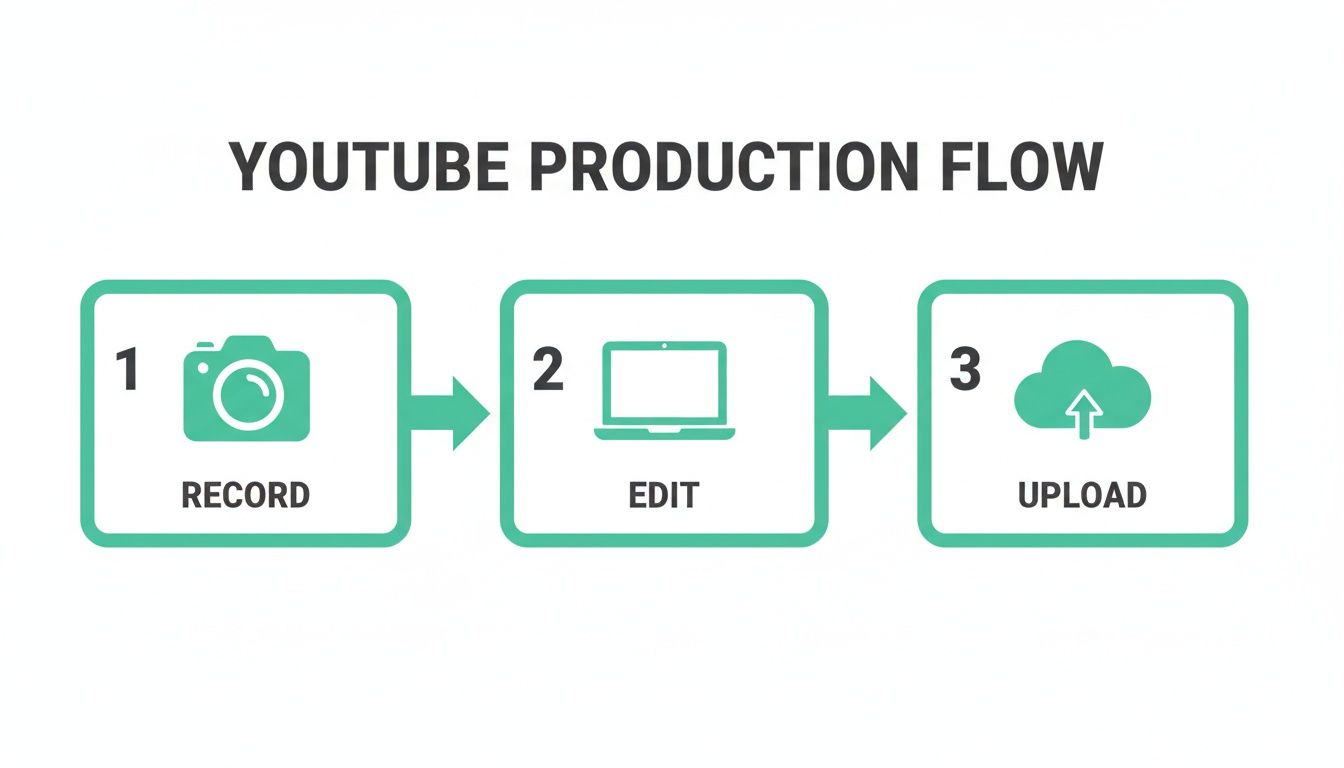
Most creators just record, edit, and upload. The ones who really succeed weave optimization into every single one of those steps, especially during that final upload phase.
Putting Your SEO on Autopilot
Let's be real: manually creating timestamps for every video is a drag, especially for longer content. This is where you can get smart and automate the process. Tools are now available that can scan your video's transcript and whip up SEO-friendly chapters in an instant.
Tools like TimeSkip were built for this. It uses AI to pinpoint the main topics in your video and generates accurate, keyword-rich chapters in seconds. It’s a massive time-saver, but more importantly, it ensures your chapters are strategically designed to boost your search rankings.
By handing off this crucial SEO task to a tool, you free yourself up to do what you do best: making great content. It's a small tweak to your workflow that can deliver a huge payoff in getting your videos seen by a much bigger audience.
Growing Your Community Beyond the Upload Button
Hitting “Publish” on a new video feels like the finish line, but in reality, it’s the starting pistol. The real work of building a loyal, engaged community kicks off the second your video goes live. Your content can't just live on an island; it needs a life beyond YouTube to actually find a new audience.
This is where so many creators stumble. They put all their faith in the algorithm to do the heavy lifting, but the channels that see real, exponential growth are the ones that proactively promote their own work and build genuine relationships. You have to be your own biggest fan.
Think of your channel as the hub of a wheel. Every other social media platform is a spoke, designed to drive traffic back to that central hub. This multi-platform ecosystem is powerful, keeping your audience locked in no matter where they hang out online.
Promoting Your Content Authentically
Dropping a link on Twitter with "new video is live!" is the fastest way to get scrolled past. Effective promotion means providing real, native value on every platform you use. You have to tailor your content to fit how people actually use that specific app.
Instead of just link-dumping, try these moves:
- Instagram Reels & TikTok: Snip a killer 30-second, high-impact clip from your main video. Throw some trending audio on it, add on-screen text that teases the core idea, and end with a clear call-to-action to check out the full video on YouTube.
- X (formerly Twitter): Kick off a thread breaking down three key takeaways from your video. This gives instant value and sparks conversation, with a link to the full video at the end for anyone who wants to go deeper.
- Facebook & LinkedIn: Share a more polished 1-2 minute snippet. This clip should tell a complete mini-story or solve one specific problem from your longer video. It’s perfect for educational or professional content.
This approach respects the user's experience on each platform while naturally pulling them into your YouTube orbit. You're adding to the conversation, not just shouting into the void.
Fostering a Genuine Connection in the Comments
The comment section is your channel's town square. It’s where your most dedicated fans show up to share their thoughts, ask questions, and connect with you. Ignoring this space is like throwing a party and then locking yourself in the bedroom.
Make it a non-negotiable habit to reply to as many comments as you can, especially in the first few hours after a video goes live. This initial burst of engagement is a great signal to the YouTube algorithm, but more importantly, it shows your viewers you're actually listening.
Key Insight: Find a thoughtful comment that adds to the conversation or asks a great follow-up question and pin it. This not only makes that person's day but also sets the tone for the entire discussion.
Don't just give lazy "thanks for watching!" replies. Ask them questions, acknowledge their specific points, and show you appreciate them taking the time. This simple act can turn a passive viewer into a true community member who feels seen and heard.
Using Analytics to Drive Smart Decisions
Guesswork is a recipe for burnout on YouTube. The road to a successful channel is paved with data, and your YouTube Analytics dashboard is the map. Understanding just a few key metrics can completely shift your strategy from throwing spaghetti at the wall to making calculated, informed decisions.
Historically, viewer retention has always been a cornerstone for a thriving channel. As YouTube's user base exploded from 739.56 million in 2020 to a projected 2.7 billion by 2026, the battle for attention has only intensified. With over 70% of watch time now happening on mobile, easy navigation is non-negotiable.
This is where tools like TimeSkip become a secret weapon. Its AI can generate chapters in seconds, which can potentially boost visibility by 220% and increase watch sessions by 15%. You can dig into more eye-opening YouTube growth statistics on ThumbnailTest to see just how critical these details are.
To get started, here's a quick look at the metrics that truly matter.
Essential YouTube Analytics Metrics to Track
Understanding what the numbers in your YouTube Studio actually mean is the first step toward making smarter content decisions. This table breaks down the essentials.
| Metric | What It Measures | Actionable Insight |
|---|---|---|
| Audience Retention | The percentage of viewers still watching at any given point in your video. | A sharp drop in the first 30 seconds? Your intro needs work. A dip in the middle? That section might be boring or confusing. |
| Click-Through Rate (CTR) | How many people click your video after seeing the thumbnail and title on YouTube. | A low CTR (under 4%) is a red flag. Your "packaging"—the title and thumbnail—isn't compelling enough to earn the click. |
| Traffic Sources | Where your views are coming from (e.g., YouTube search, Suggested Videos, external sites). | If "Suggested Videos" is your top source, YouTube's algorithm likes you. If "Search" is high, your keyword game is strong. |
By checking these numbers regularly, you'll start to see patterns emerge. You’ll learn what your audience truly responds to and can refine your approach with every single upload. This data-driven feedback loop is the engine that drives sustainable, long-term channel growth.
Answering the Big Questions Every New YouTuber Asks
Jumping into YouTube is exciting, but it definitely brings up a lot of questions. From timelines to making money and avoiding those classic rookie mistakes, trying to find clear answers can be a real headache. Let's tackle some of the most common worries new creators have when they're just starting out.
How Long Does It Really Take to See Any Growth?
Honestly? Patience is everything here. While it's true that a video can go viral overnight, real, sustainable growth is almost always a slow burn. Most creators won't see any significant momentum for at least six to twelve months of consistently putting out videos.
Your first year is all about laying the foundation. Focus on building a small but mighty community that actually cares about your content, not just chasing a huge subscriber count.
Here’s a more realistic way to look at your first year:
- Months 1-3: This is your learning phase. Concentrate on figuring out a workflow that works for you, publishing consistently (say, one video a week), and listening to the first bits of feedback you get.
- Months 4-6: You should start to see little sparks of life in your analytics. Your goal now is to figure out which of your video ideas are actually resonating with people by digging into your numbers.
- The First Year: By the end of year one, you should have a respectable library of videos and a much clearer picture of what actually gets you views and subscribers in your niche.
Key takeaway: Growth on YouTube isn't a straight line up. You'll hit plateaus that feel like they last forever, followed by sudden bursts of growth, usually kicked off by a single video that the algorithm decides to show to more people. Just keep showing up, and the results will come.
What Do I Need to Do to Get Monetized?
Getting into the YouTube Partner Program (YPP) is the first step to earning money from ads on your videos. To even be considered, you have to hit two main milestones within any 12-month period:
- 1,000 Subscribers: This shows YouTube you’ve built a core audience that finds your content valuable enough to follow.
- 4,000 Public Watch Hours: This is the big one. It proves that people aren't just clicking on your videos—they're actually watching them for a good chunk of time.
Those numbers can look pretty intimidating from zero, I get it. But they exist for a reason: YouTube wants to see that a channel has a proven track record of creating engaging stuff before it starts running ads. If you just focus on making high-quality, high-retention videos, you'll naturally work your way toward these goals.
What Are the Biggest Beginner Mistakes I Should Avoid?
So many new creators stumble over the same, easily avoidable hurdles. If you can sidestep these common pitfalls right from the start, you'll be miles ahead of the pack.
The number one mistake is being inconsistent with your posting schedule. Uploading a bunch of videos one week and then vanishing for a month is the fastest way to kill your momentum. It confuses your audience and tells the algorithm your channel isn't reliable.
Another huge one is bad audio quality. It's funny—viewers will often forgive slightly shaky or low-res video, but they absolutely will not stick around for scratchy, hard-to-hear audio. It's an instant click-off.
Finally, not looking at your analytics is like trying to drive with a blindfold on. Your YouTube Analytics are a treasure trove of data, giving you a roadmap that shows you exactly what your audience wants to see more of. Ignore it at your own peril.
Ready to supercharge your video SEO and save hours of tedious work? TimeSkip uses AI to generate perfect, SEO-optimized chapters for your YouTube videos in seconds. Get started for free and see how automatic timestamps can boost your visibility and viewer retention. Learn more at timeskip.io and get your first two videos done on us.
