

Getting noticed on YouTube feels like shouting into a hurricane. With millions of hours of content uploaded daily, simply creating a great video is no longer enough to guarantee an audience. The real challenge, and the greatest opportunity, lies in mastering the platform's discovery systems to ensure your hard work reaches the viewers who are actively looking for it.
Many creators fixate on one or two popular tactics, like keyword stuffing or designing flashy thumbnails, only to experience frustratingly slow growth. This isolated approach overlooks a critical truth: sustainable channel growth comes from a holistic strategy that combines discoverability, viewer engagement, and long-term retention. To truly get more views in YouTube, you need a system where each element amplifies the others.
In this comprehensive guide, we move beyond generic advice to deliver 10 proven, interconnected strategies. We will provide actionable workflows, specific examples from successful creators, and the exact steps you can implement immediately to see tangible results. This is not just a list of tips; it is a complete blueprint designed to enhance your video's performance across every critical metric. Whether you are just starting out or working to break through a growth plateau, this is your roadmap to building a channel that not only attracts viewers but keeps them coming back for more. We will cover everything from optimizing titles and descriptions for search to leveraging automated chaptering for improved watch time, creating a powerful, synergistic effect that drives significant and lasting channel growth.
1. Strategic Chapter Timestamps & Video Segmentation
One of the most underutilized methods to get more views in YouTube is transforming your video’s timeline into a clickable table of contents. Strategic chapter timestamps segment your content into digestible, clearly labeled sections, fundamentally improving the viewer experience and boosting your video's search performance.
When you add chapters, you empower viewers to instantly navigate to the exact information they need. This is especially critical for long-form content like podcasts, tutorials, or detailed reviews. Instead of a viewer leaving because they can't find a specific answer, chapters keep them on your video longer, which is a powerful signal to the YouTube algorithm that your content is valuable.
Why Chapters Are a Game-Changer for Views
YouTube actively rewards creators who use chapters because they directly enhance user satisfaction and watch time. The algorithm can even use your chapter titles to feature your video in Google Search results as a "key moments" snippet, driving external traffic directly to specific parts of your video.
- Improved SEO: Chapter titles act as mini-keywords. A viewer searching for a specific sub-topic covered in your video is more likely to discover your content.
- Increased Watch Time: By preventing viewers from dropping off, chapters help accumulate crucial watch minutes.
- Enhanced User Experience: Viewers appreciate the control and clarity, making them more likely to subscribe and return.
How to Implement Chapters Effectively
Creating chapters is straightforward, but optimizing them requires a strategic approach. You can add them manually in your video description or use an AI tool to automate the process.
For instance, educational channels like Crash Course use chapters to structure complex topics, making them accessible for students. Similarly, podcast clips from shows like the Joe Rogan Experience leverage chapters to highlight key conversational moments, making lengthy discussions searchable.
To maximize your results, follow these tips:
- Use Keyword-Rich Titles: Treat each chapter title like a mini video title. Use long-tail keywords that people are actively searching for.
- Automate for Efficiency: Manually creating timestamps can be tedious. Tools like TimeSkip use AI to automatically generate SEO-optimized chapters in seconds, saving you time while ensuring your chapters are structured for maximum impact.
- Keep Segments Concise: Aim to place a chapter marker every 2-5 minutes to keep the video well-paced and easy to navigate.
By segmenting your videos, you're not just organizing content; you're creating multiple new entry points for viewers to find you, directly contributing to more views. To dive deeper into optimizing this feature, you can learn more about YouTube chapters and their impact on SEO.
2. Keyword-Rich Video Titles & SEO Optimization
Your video title is the single most important piece of text for discovery and a foundational element to get more views in YouTube. Crafting titles that strategically incorporate high-traffic keywords tells both the YouTube algorithm and potential viewers exactly what your video is about, dramatically improving its chances of appearing in search results.
An effective title strikes a perfect balance between being optimized for search engines and compelling enough for a human to click. When a user's search query closely matches the keywords in your title, YouTube's algorithm identifies your video as a highly relevant result, boosting its visibility and driving organic traffic directly to your content.
Why Keyword-Rich Titles Are Essential for Views
A well-optimized title acts as a direct line of communication to the YouTube algorithm. It’s your first and best chance to rank for the search terms your target audience is actively using. This foundational SEO practice ensures your content doesn't just exist but gets discovered by the right people.
- Improved Search Ranking: Titles that align with popular search queries are prioritized by YouTube, leading to higher rankings and more impressions.
- Increased Click-Through Rate (CTR): A clear, compelling title that promises a solution or value encourages more users to click when they see your video.
- Enhanced Discoverability: The algorithm uses title keywords to recommend your video alongside other relevant content, expanding your reach to new audiences.
How to Implement Optimized Titles Effectively
Researching and implementing the right keywords is a core creator skill. You can start by using YouTube’s own search bar autocomplete feature to see what users are looking for.
For instance, a creator making a video about budget laptops might use a title like "Best Budget Gaming Laptop Under $500 - Detailed Comparison" to target a specific, high-intent search query. Similarly, an educational channel could use "Complete Python Tutorial for Beginners [Full Course]" to capture a broad audience seeking comprehensive learning resources.
To maximize your results, follow these tips:
- Place Keywords First: Position your main target keyword as close to the beginning of the title as possible.
- Use Keyword Research Tools: Leverage platforms like TubeBuddy or VidIQ to find high-volume, low-competition keywords and analyze what's working for top videos in your niche.
- Add Numbers & Brackets: Titles with numbers (e.g., "5 Easy Steps") or brackets (e.g., "[2024 Guide]") often have a higher CTR as they set clear expectations.
- Keep it Concise: Aim for 50-60 characters to ensure your full title is visible in search results without being cut off.
By treating your title as a strategic SEO asset, you are building the primary gateway for viewers to find your content, which is a critical step to get more views in YouTube.
3. Compelling Thumbnails with High Click-Through Rate
Your video’s thumbnail is its digital billboard, and optimizing it is a non-negotiable step to get more views in YouTube. A compelling, custom thumbnail is the single most important factor in convincing a potential viewer to click on your video over a competitor's. It works in tandem with your title to spark curiosity and set expectations, directly influencing your click-through rate.
A high-contrast design with a clear focal point can dramatically increase clicks, sometimes by 20-50% or more. The YouTube algorithm interprets a high CTR as a strong signal that your content is relevant and engaging, leading it to recommend your video to a wider audience. Understanding what is click-through rate (CTR) and its importance is therefore the first step toward creating thumbnails that truly perform.

Why Thumbnails Are a Game-Changer for Views
YouTube’s home page and recommended sections are highly competitive visual spaces. An effective thumbnail captures attention instantly and communicates your video's value proposition in under a second. This split-second decision is where you win or lose a view.
- Improved CTR: A strong thumbnail directly boosts your click-through rate, a key metric the algorithm uses to rank and suggest videos.
- Increased Visibility: Videos with high CTRs are more likely to be promoted by YouTube, leading to an exponential increase in impressions and views.
- Stronger Branding: Consistent, high-quality thumbnails establish a recognizable brand identity, encouraging repeat viewership.
How to Implement Thumbnails Effectively
Creating a high-performing thumbnail is both an art and a science. It involves a strategic combination of color psychology, graphic design principles, and a deep understanding of your target audience.
Creators like MrBeast have mastered this, using bright colors, exaggerated emotional expressions, and bold text to create an irresistible sense of urgency and curiosity. In contrast, channels like Vsauce use clean, minimalist designs with high contrast to provoke thought and stand out with simplicity.
To maximize your results, follow these tips:
- Use Bright, Contrasting Colors: Ensure your thumbnail pops on both desktop and mobile, especially when viewed at a small size.
- Add Bold, Readable Text: Limit text to 3-5 words in a clear, sans-serif font to quickly convey the video’s topic.
- Create a Clear Focal Point: Use a high-quality image of a face, an object, or a key outcome to draw the viewer's eye.
- Direct Attention: Employ subtle visual cues like arrows, circles, or gaze direction to guide the viewer to the most important element.
By treating your thumbnail as a critical part of your content strategy, you turn passive scrollers into active viewers, which is fundamental to getting more views. To see these principles in action, explore the expert insights in the video below.
4. Long-Form Content Strategy (10+ Minutes)
One of the most powerful ways to get more views in YouTube is to shift your focus toward creating longer, more substantive videos. A long-form content strategy, typically targeting videos over 10 minutes, is designed to maximize total watch time, a key metric the YouTube algorithm uses to measure content value and recommend it to new audiences.
When you create in-depth content, you provide more opportunities for viewer engagement and give the algorithm more data to analyze. This extended duration is crucial not only for better algorithmic ranking but also for unlocking monetization features like mid-roll ads, directly linking longer watch sessions to increased revenue potential.
Why Long-Form is a Game-Changer for Views
YouTube’s algorithm is fundamentally built to promote videos that keep viewers on the platform longer. Longer videos, when executed well, naturally accumulate more watch minutes per viewer, signaling to YouTube that your content is highly engaging and worthy of being pushed to a broader audience.
- Increased Watch Time: The single most important metric for the algorithm. A 15-minute video with a 50% retention rate earns more watch time than a 5-minute video with 100% retention.
- Greater Ad Revenue: Videos over eight minutes are eligible for mid-roll ads, significantly increasing your channel's earning potential.
- Deeper Audience Connection: Long-form content allows you to build authority and establish a stronger, more loyal relationship with your viewers.
How to Implement a Long-Form Strategy Effectively
Creating longer videos doesn’t mean padding out your content; it means providing more value and structuring it to maintain engagement. This requires a deliberate and strategic approach to planning and editing.
For example, tech channels like Linus Tech Tips produce 20-30 minute deep-dive reviews that hold audience attention through detailed analysis. Similarly, educational channels like TED-Ed use 10-15 minute animated videos, often segmented with chapters, to explore complex topics thoroughly.
To maximize your results, follow these tips:
- Hook Viewers Immediately: Secure interest within the first 10-15 seconds to prevent early drop-offs.
- Use Pattern Interrupts: Incorporate cuts, graphics, B-roll, or music changes every 30-60 seconds to reset viewer attention.
- Segment with Chapters: Add timestamps every 2-5 minutes. This makes your content navigable, which is essential for retaining viewers who are looking for specific information within a longer video.
- Analyze Your Retention Graphs: Use YouTube Analytics to identify where viewers lose interest and optimize those sections in future videos.
By strategically creating longer, well-structured videos, you are directly aligning your content with the YouTube algorithm's primary goal: maximizing watch time.
5. Strategic Video Description Optimization
One of the most overlooked assets to get more views in YouTube is the video description box. Far more than just a place for a brief summary, a detailed, keyword-rich description serves as a powerful SEO tool that provides critical context to both the YouTube algorithm and your potential viewers.
When you optimize your description, you’re creating a roadmap for YouTube’s search system to understand, categorize, and rank your content. A well-crafted description can surface your video for a wider range of search queries, driving discoverability and attracting a highly engaged audience looking for exactly what your video offers.
Why Descriptions Are a Game-Changer for Views
YouTube’s algorithm scans your description to understand your video’s topic, nuance, and relevance. A robust description packed with keywords, links, and structured information gives the algorithm confidence in recommending your content, directly impacting its reach and performance.
- Improved SEO: A detailed description allows you to rank for long-tail keywords that you couldn’t fit in your title.
- Increased Click-Through Rate: The first few lines appear in search results, acting as a "meta-description" that can entice users to click.
- Enhanced Viewer Journey: You can guide viewers to other content, social platforms, or products, increasing overall engagement with your brand.
How to Implement Descriptions Effectively
Optimizing your description is a simple yet high-impact task. It involves structuring information for both algorithms and human readers, ensuring clarity and providing value beyond the video itself.
For example, tech review channels like Marques Brownlee (MKBHD) use their descriptions to list product specs, affiliate links, and related content. Similarly, educational channels often provide resource links, transcripts, and chapter timestamps, turning the description into a valuable companion to the video.
To maximize your results, follow these tips:
- Prioritize the First Three Lines: Place your primary keyword and a compelling summary in the first 150 characters, as this is what viewers see before clicking "Show more."
- Integrate Keywords Naturally: Include 3-5 relevant keywords and phrases throughout the text to reinforce your video's topic without keyword-stuffing.
- Use Timestamps and Links: Add clickable chapter timestamps and link to related videos, playlists, and your website to keep viewers within your ecosystem.
- Structure for Readability: Use short paragraphs, bullet points, and clear sections to make the information scannable and easy to digest.
By treating your description as a strategic asset, you provide essential context that helps the algorithm work in your favor. To explore this further, you can learn more about crafting the perfect video description for YouTube.
6. Community Engagement & Comment Interaction
An often-overlooked strategy to get more views in YouTube is treating your comment section as a dynamic community hub rather than a static feedback form. Actively engaging with your comments sends powerful positive signals to the YouTube algorithm, indicating that your content is sparking valuable conversation and retaining viewer attention beyond the video itself.
When you reply to comments, pin insightful user feedback, and ask questions, you create a feedback loop that encourages more interaction. This engagement is a key metric that YouTube's algorithm uses to evaluate a video's quality and relevance, often leading to increased promotion in suggested videos and browse features.
Why Engagement Is a View-Generating Machine
YouTube's primary goal is to keep users on the platform longer. Videos that generate significant discussion and interaction are seen as highly effective at achieving this. The algorithm rewards this behavior by pushing your content to a wider audience, directly fueling your view count.
- Increased Algorithmic Favor: High comment activity signals to YouTube that your video is engaging, prompting the algorithm to recommend it more frequently.
- Boosted Community Loyalty: Responding to viewers makes them feel seen and valued, converting casual viewers into a loyal subscriber base that returns for future uploads.
- Source of Content Ideas: Your comment section is a goldmine of direct feedback, providing inspiration for future videos that you know your audience wants to see.
How to Implement Engagement Effectively
Building a community requires consistent and authentic interaction. It's about fostering a conversation, not just acknowledging praise. This direct line of communication is a powerful tool for growth.
For example, creators like MrBeast frequently reply to top comments and pin user-generated questions to fuel further discussion. Tech reviewer Marques Brownlee (MKBHD) often addresses specific technical questions in the comments, adding value and demonstrating expertise long after the video is published.
To maximize your results, follow these tips:
- Respond Quickly: Aim to reply to new comments within the first 24 hours. This initial burst of activity can give your video an early algorithmic boost.
- Ask Provocative Questions: Pin a comment of your own that asks a question related to the video's topic to kickstart the conversation.
- Leverage the Community Tab: Use polls, questions, and behind-the-scenes updates on your Community tab to keep your audience engaged between uploads.
- Highlight Great Comments: "Heart" and pin the most insightful or constructive comments to reward participation and set a positive tone for the discussion.
By actively nurturing your comment section, you are building a thriving community that not only supports your channel but also signals to YouTube that your content is worth promoting, which is a key component to get more views in YouTube.
7. Playlist Creation & Strategic Categorization
One of the most powerful yet simple ways to get more views in YouTube is by strategically organizing your videos into playlists. Creating thematic playlists transforms your channel from a collection of individual videos into a curated library, encouraging viewers to binge-watch your content and significantly increasing their session duration.
When a viewer finishes a video within a playlist, YouTube automatically cues up the next one. This seamless transition keeps them on your channel longer, accumulating valuable watch time. This extended engagement is a major positive signal to the YouTube algorithm, telling it that your content is high-quality and keeps audiences hooked, which can lead to broader recommendations.

Why Playlists Are a Game-Changer for Views
Playlists are not just organizational tools; they are a direct driver of channel growth and views. By guiding a viewer's journey, you prevent them from clicking away to another creator's video after yours ends. This boosts your channel's overall watch time, a critical metric for algorithmic success.
- Increased Session Watch Time: Playlists automatically serve up your next video, drastically increasing the chances a viewer watches multiple pieces of your content in one sitting.
- Improved Content Discovery: Playlist titles and descriptions are indexed by YouTube search. A well-optimized playlist can rank on its own, creating a new entry point for viewers to find your channel.
- Enhanced Viewer Experience: Organizing content makes your channel more professional and easier to navigate, especially for series or multi-part tutorials.
How to Implement Playlists Effectively
Creating a playlist is easy, but making it a view-generating machine requires strategy. Your goal is to build logical, compelling sequences that viewers won't want to leave.
For example, educational channels like Khan Academy organize videos into playlists by subject and difficulty, creating a clear learning path. Gaming channels often create playlists for each game they play, allowing fans to easily follow a specific series from start to finish.
To maximize your results, follow these tips:
- Use Keyword-Rich Titles: Treat your playlist title and description like a video. Use keywords that describe the series or topic, such as "Beginner's Guide to Digital Painting" or "Complete SEO Tutorial Series."
- Order Videos Strategically: Start with your strongest, most engaging video to hook viewers. Arrange subsequent videos in a logical order to guide them through a topic or story.
- Create Series Playlists: If you have episodic content, make sure to set the playlist as an official "Series Playlist" in your settings. This tells YouTube that these videos are meant to be watched in order.
By categorizing your content into thoughtful playlists, you create a binge-worthy experience that keeps viewers engaged, directly leading to more views and faster channel growth.
8. Consistent Upload Schedule & Audience Anticipation
One of the most powerful, yet simplest, strategies to get more views in YouTube is building a reliable and consistent publishing routine. Establishing a predictable upload schedule transforms casual viewers into a loyal audience by training them when to expect new content, creating a powerful habit loop that benefits both your community and the algorithm.
When you publish consistently, you signal to YouTube that your channel is active and dependable. This reliability helps the algorithm favor your content by promoting it to subscribers who are more likely to watch, creating positive feedback loops of increased watch time and engagement. More importantly, it builds trust and anticipation within your audience, making your uploads a scheduled event rather than a random occurrence.
Why Consistency Is a Game-Changer for Views
YouTube’s algorithm rewards channels that can consistently bring users back to the platform. A predictable schedule helps drive "session watch time," where a viewer watches multiple videos in a row. When your audience knows a new video drops every Tuesday, they are more likely to return, watch it, and potentially view other content.
- Builds Audience Habits: A regular schedule makes your channel a reliable part of your viewers' routine.
- Improves Algorithmic Favor: Consistency signals to YouTube that your channel is a valuable and active asset.
- Boosts Initial Velocity: When subscribers anticipate your video, they watch it sooner after release, which boosts its initial performance and ranking.
How to Implement a Consistent Schedule Effectively
Creating a sustainable schedule is more important than committing to an unrealistic frequency. The key is predictability, whether you post daily, weekly, or bi-weekly. This is a core strategy used by countless top creators to build massive, engaged communities.
For example, creators like Linus Tech Tips built their empire on a foundation of multiple, consistently scheduled weekly uploads. Educational channels like Crash Course release their series on predictable days, allowing students and teachers to integrate the content into their week.
To maximize your results, follow these tips:
- Choose a Sustainable Pace: Pick a frequency you can maintain without burnout, such as once a week. Quality and consistency trump sheer quantity.
- Promote Your Schedule: Announce your upload day and time in your channel banner, video outros, and social media bios.
- Create a Content Buffer: Stay 2-4 weeks ahead in your production schedule to avoid missing an upload due to unforeseen delays.
- Use YouTube's Premiere Feature: Build live hype around your launch by premiering your video, creating a shared viewing experience that drives immediate engagement.
By turning your channel into a reliable source of content, you're not just uploading videos; you are building a loyal community that actively anticipates and boosts every new release, leading directly to more sustained views over time.
9. Cross-Platform Promotion & Social Media Integration
Relying solely on YouTube’s algorithm to get more views in YouTube is a missed opportunity. Cross-platform promotion involves strategically sharing clips and teasers of your videos on other social media platforms like TikTok, Instagram, and LinkedIn to drive external traffic back to your main channel.
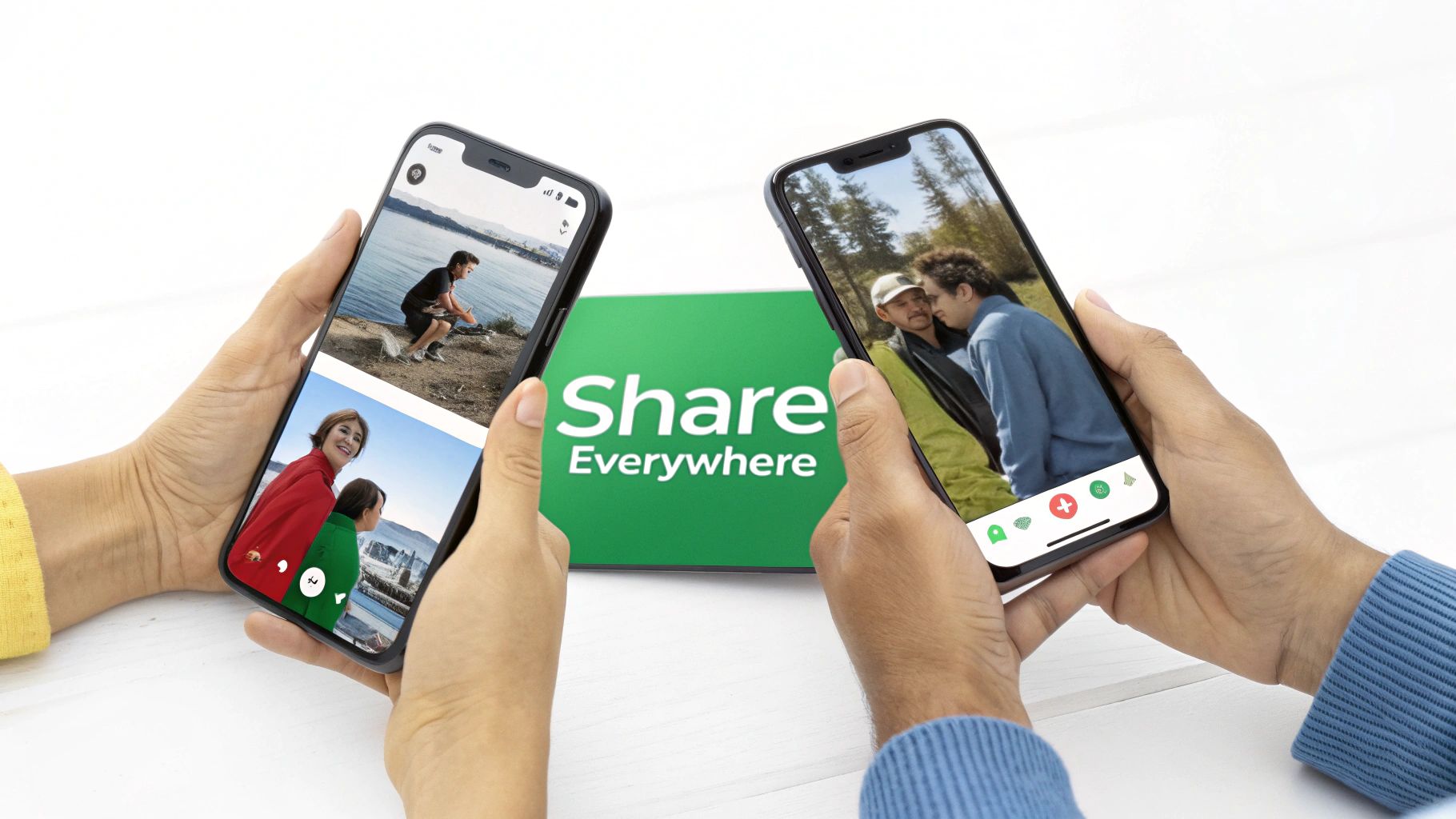
By repurposing your long-form content into bite-sized, platform-native formats, you tap into new audiences and different algorithmic recommenders. This transforms a single YouTube video into a multi-faceted marketing asset, creating numerous entry points for potential viewers to discover your content and channel.
Why Cross-Promotion is a Game-Changer for Views
Driving external traffic sends a powerful signal to YouTube that your content is valuable and has a life beyond the platform. This can positively influence how your video is recommended within YouTube's own ecosystem.
- Expanded Reach: It exposes your content to audiences who may not have discovered you through YouTube search or recommendations.
- Increased Initial Velocity: A surge of external views shortly after publishing can boost your video's initial performance, signaling to the algorithm that it's worth promoting.
- Audience Diversification: It helps you build a community on multiple platforms, making you less dependent on a single source of traffic.
How to Implement Cross-Promotion Effectively
The key is to create native-feeling content for each platform rather than just dropping a link. Each social network has its own culture and content style that you must adapt to for maximum impact.
For example, a tech creator can post a full, in-depth review on YouTube, then create a 30-second TikTok highlighting the single best feature and an Instagram Reel showcasing its design. An educational channel might share a key insight from a video as a text-based post on LinkedIn, directing professionals to the full lesson on YouTube.
To maximize your results, follow these tips:
- Create Platform-Optimized Clips: Edit 15-60 second vertical video clips with captions, as many users watch without sound.
- Use Clear Calls-to-Action: Explicitly tell viewers where to find the full video with a clear "Link in bio" or "Watch the full video on YouTube" message.
- Leverage Platform Features: Use trending sounds on TikTok and Reels, relevant hashtags on Instagram, and professional framing for LinkedIn.
- Batch Your Content Creation: While editing your main YouTube video, identify and export several short clips simultaneously to streamline your social media workflow.
By integrating your YouTube strategy with your broader social media presence, you create a powerful flywheel that continuously drives new, engaged viewers to your channel.
10. Strategic Use of YouTube Shorts & Trending Sounds
Leveraging YouTube's vertical video format is no longer optional if you want to get more views in YouTube and accelerate channel growth. YouTube Shorts tap directly into a powerful, separate discovery algorithm designed for rapid content consumption, offering an unparalleled opportunity to reach new audiences that may not see your long-form videos.
By creating engaging, short-form content, you expose your brand to millions of potential viewers in the Shorts feed. This strategy is highly effective for building an initial audience, testing content ideas for virality, and driving viewers from the Shorts feed back to your main channel and longer videos. It’s a low-investment, high-reward tactic for expanding your reach.
Why Shorts Are a Game-Changer for Views
YouTube is actively competing with TikTok and Instagram Reels, meaning it heavily promotes Shorts within its ecosystem. This gives creators a unique advantage, as the algorithm prioritizes discoverability for this format, often pushing new or small channels to a massive audience almost overnight.
- Massive Organic Reach: The Shorts algorithm is built for discovery, putting your content in front of non-subscribers at an incredible rate.
- Audience Funnel: Shorts act as effective trailers for your long-form content, converting casual viewers into dedicated subscribers.
- Low Production Barrier: You can create effective Shorts with just a smartphone, making it an accessible way to post content consistently.
How to Implement Shorts Effectively
The key to successful Shorts is capturing attention instantly and leveraging trends. Your goal is to stop the scroll and provide a quick, valuable, or entertaining payoff that encourages a viewer to check out your channel.
For example, Mr. Beast uses Shorts to showcase mind-blowing moments from his main videos, creating intrigue that drives traffic. Likewise, educational creators can distill a key concept into a 60-second explainer, offering a taste of the deeper knowledge available in their full-length tutorials.
To maximize your results, follow these tips:
- Hook in 2 Seconds: Start with your most compelling visual, a surprising sound, or a provocative question to immediately grab attention.
- Use Trending Audio: Incorporate trending sounds and music to increase the likelihood of your Short being picked up by the algorithm.
- Post Consistently: Aim for 4-7 Shorts per week to maintain momentum and give the algorithm more data on what your audience loves.
- Add a Clear CTA: End your Short with a verbal or on-screen call-to-action, like "Watch the full breakdown on our channel!" to guide viewers to your long-form content.
By integrating Shorts into your content strategy, you create a powerful new entry point for viewers, dramatically increasing your channel's visibility and helping you get more views across all your videos.
10-Strategy Comparison to Boost YouTube Views
| Strategy | Implementation Complexity 🔄 | Resource Requirements ⚡ | Expected Outcomes 📊 | Ideal Use Cases | Key Advantages ⭐ | Quick Tip 💡 |
|---|---|---|---|---|---|---|
| Strategic Chapter Timestamps & Video Segmentation | Medium — needs accurate timestamps & SEO | Low–Medium — 5–30 min manual or <5s automated; chapter tools | 15–25% ↑ views/watch time; reduced drop-off | Long-form content (podcasts, tutorials, lectures) | Improves navigation, retention, and SEO | Use long-tail keywords; place chapters every 2–5 min |
| Keyword-Rich Video Titles & SEO Optimization | Low–Medium — research + testing required | Low — 5–10 min; keyword tools (TubeBuddy, VidIQ) | 10–30% ↑ search visibility & CTR | Any video prioritizing discoverability (how-tos, reviews) | Directly improves search rankings and CTR | Put primary keyword in first 10 words; keep 50–60 chars |
| Compelling Thumbnails with High CTR | Medium — design + iteration needed | Medium — 5–15 min; design tools or designer | 20–50% ↑ CTR; 10–30% ↑ views | All niches, especially attention-driven content | Immediate, measurable uplift in clicks and visibility | High contrast, one focal point, 3–5 bold words |
| Long-Form Content Strategy (10+ Minutes) | High — more production, pacing, editing | High — 30 min to several hours; stronger production needs | 15–40% ↑ watch time & algorithmic ranking; ad opportunities | Deep dives, reviews, educational series, vlogs | Enables mid-roll ads, deeper engagement, authority | Hook in first 10s; add chapters and pattern interrupts |
| Strategic Video Description Optimization | Low — strategic placement and formatting | Low — 5–10 min; SEO knowledge | 5–15% ↑ related clicks & external traffic | Tutorials, reviews, resource-heavy videos | High ROI for low effort; boosts SEO and navigation | Put key info in first 2–3 lines; include timestamps & links |
| Community Engagement & Comment Interaction | Medium — ongoing moderation & replies | Medium — ~20–30 min per video (ongoing); moderation tools | 10–20% ↑ engagement signals & visibility | Community-focused channels & creators seeking loyalty | Builds loyalty, generates ideas, increases engagement signals | Reply within 24 hrs; pin community-generated comment |
| Playlist Creation & Strategic Categorization | Low–Medium — planning and ordering required | Low — 10–20 min per playlist | 20–40% ↑ average watch time per session | Educational series, serialized content, music | Encourages binge-watching and structured learning | Use keyword-rich titles and order videos strategically |
| Consistent Upload Schedule & Audience Anticipation | Medium — requires discipline and planning | Medium–High — ongoing 2–8 hrs/week production | 25–50% ↑ channel growth and audience loyalty | Channels seeking steady growth and habit formation | Trains audience behavior; signals consistency to algorithm | Choose sustainable frequency and maintain a content buffer |
| Cross-Platform Promotion & Social Media Integration | Medium — adapt content per platform | Medium — 15–30 min additional post-prod per video | 15–40% ↑ external traffic and multi-platform reach | Creators repurposing content across TikTok, IG, LinkedIn | Expands reach cost-effectively; drives external viewers | Create 15–60s clips with captions and clear CTAs to full video |
| Strategic Use of YouTube Shorts & Trending Sounds | Low–Medium — short-form format & trends | Low — 5–15 min per Short; rapid production | 20–100% ↑ discovery and subscriber growth (varies) | Viral testing, younger audiences, repurposing moments | High visibility in Shorts feed; fast experimentation | Hook in first 2s; use trending audio and post multiple Shorts/week |
From Strategy to Action: Building Your Weekly Growth Workflow
We've explored a comprehensive toolkit of 10 distinct strategies, each designed to answer the core question every creator asks: how do you get more views in YouTube? From the foundational SEO of keyword-driven titles and descriptions to the audience-retention power of strategic video chapters, the path to channel growth is paved with intentional, consistent effort. Knowledge, however, is only the blueprint; true progress comes from turning that knowledge into a repeatable system.
The sheer volume of advice can feel overwhelming. The secret isn't to flawlessly execute all 10 tactics on every single video from day one. Instead, the goal is to build a sustainable workflow that integrates these principles over time, creating a powerful engine for discovery and engagement. It's about shifting from a reactive "I need more views" mindset to a proactive, system-driven approach to content creation.
Prioritizing Your Efforts for Maximum Impact
Your journey to get more views in YouTube starts with a simple audit. Where is your biggest opportunity for improvement right now?
- If your videos have low click-through rates (CTR): Your immediate focus should be on compelling thumbnails and keyword-rich titles. These are the two most critical elements for attracting that initial click.
- If your audience retention is low: Dive deep into strategic chapter timestamps and long-form content strategy. Breaking down your videos with clear, timestamped chapters (which can be automated with tools like TimeSkip) helps viewers find exactly what they need, keeping them on your video longer.
- If your channel feels stagnant: Prioritize community engagement, cross-platform promotion, and experimenting with YouTube Shorts. These strategies are designed to bring new audiences into your ecosystem and energize your existing subscriber base.
By identifying your channel's specific bottleneck, you can apply targeted effort where it will yield the most significant results, rather than spreading your energy too thin.
Building a Sustainable Weekly Workflow
Transforming these strategies into habits requires a structured weekly plan. Consider a "batching" approach to make your efforts more efficient and less stressful. This system-level thinking is what separates hobbyists from professional creators who consistently get more views in YouTube.
Here is a sample weekly breakdown you can adapt:
- Content Core Day (e.g., Monday): Focus entirely on filming and recording. Batch-record two or three videos in a single session. This is your high-energy creative day, dedicated solely to generating the raw material for your channel.
- Post-Production & Optimization Day (e.g., Wednesday): This is where you transform raw footage into discoverable assets. Edit your videos, and then dedicate time to the crucial optimization steps we've discussed:
- Crafting SEO-driven titles and detailed descriptions.
- Designing high-CTR thumbnails.
- Generating strategic chapter timestamps to boost retention.
- Organizing videos into targeted playlists.
- Promotion & Engagement Day (e.g., Friday/Saturday): Once a video is live, its journey has just begun. Use this day to execute your cross-platform promotion plan, share your content on social media, and actively participate in your comments section.
This structured approach prevents burnout and ensures that no critical growth lever is forgotten. For creators looking to master this part of the process, it's essential to streamline your content creation workflow.
Ultimately, your success on YouTube is a direct reflection of the systems you build. By turning these powerful strategies into a manageable weekly routine, you move beyond just creating videos and begin engineering sustainable channel growth. You stop chasing fleeting views and start building a loyal community that eagerly awaits your next upload.
Ready to supercharge your audience retention and make your content more accessible? Use TimeSkip to automatically generate accurate, keyword-rich YouTube chapters and transcripts in minutes, not hours. It's one of the fastest ways to implement a key strategy to get more views in YouTube and provide a superior viewing experience.
