

You've spent hours scripting, filming, and editing a fantastic video. You hit "publish," expecting a flood of views, but instead, you get a trickle. The problem often isn't your content quality; it's your visibility. Without a solid search engine optimization strategy, your videos are essentially invisible to the millions of users searching YouTube for content just like yours. This is where the best YouTube SEO software becomes a non-negotiable part of your toolkit.
These platforms move beyond guesswork, providing data-driven insights to help you rank higher, attract more viewers, and grow your subscriber base. They automate tedious tasks like keyword research, competitor analysis, rank tracking, and even chapter creation, freeing you up to focus on what you do best: creating. While the broader landscape includes many powerful general-purpose best AI SEO software tools, solutions built specifically for video offer unique advantages.
In this comprehensive guide, we cut through the clutter to review the top 12 YouTube SEO tools available today. For each option, you'll find a detailed breakdown of its core features, ideal use cases, pricing, and honest pros and cons, complete with screenshots and direct links. Whether you're a new creator looking for a free keyword tool or a seasoned marketer needing a full-scale channel management suite, this list will help you find the perfect software to fix your channel's growth problem and unlock its true potential.
1. TimeSkip
Best for Automated, SEO-Optimized Chapters
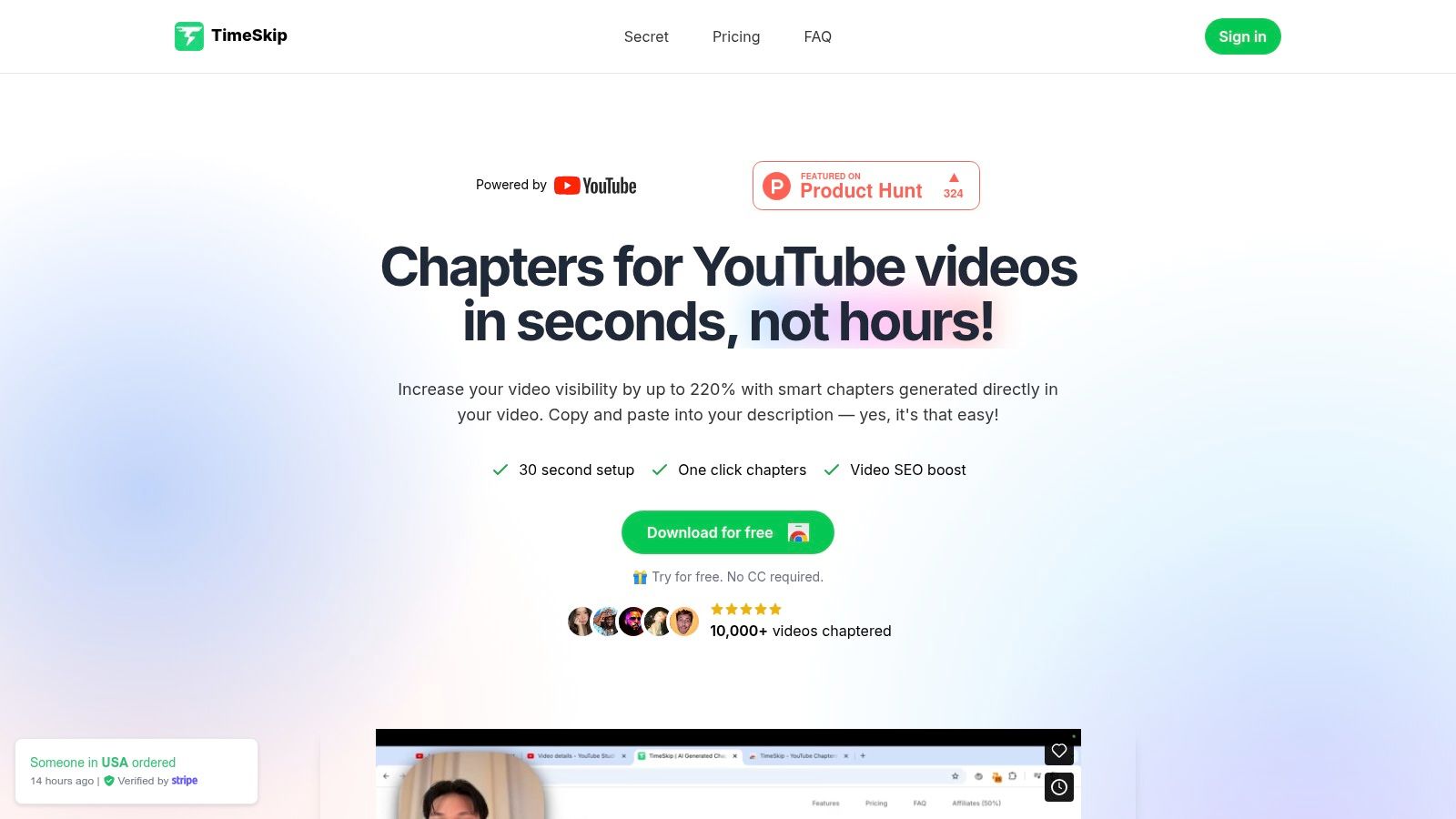
TimeSkip distinguishes itself as an essential piece of the best YouTube SEO software puzzle by tackling one of the most tedious yet impactful optimization tasks: creating video chapters. It transforms this manual chore into a one-click process directly within the YouTube player, using AI to generate discoverable, long-tail keyword-rich chapter titles in seconds. This innovative approach focuses on enhancing user experience and retention, two critical signals for the YouTube algorithm.
For busy creators, podcasters, and content teams, TimeSkip’s value is its sheer efficiency and direct SEO impact. Instead of spending hours scrubbing through footage to manually write timestamps and titles, you can generate a full, optimized set for a one-hour video in about five seconds. The tool is designed to significantly boost key metrics, with reported increases in video visibility by up to 220% and discovery by approximately 25%.
Key Features & Use Cases
- One-Click Chrome Extension: Integrates directly into your YouTube Studio workflow. There's no need to switch between apps; simply click the TimeSkip icon on your video's player to start.
- AI-Powered SEO Titles: The platform goes beyond simple timestamps by analyzing your video's content (via closed captions) to craft chapter titles with relevant long-tail keywords, making your video more likely to appear in specific search queries.
- Rapid Generation Speed: A standout feature is its speed. It processes long videos almost instantly, making it a practical addition to any publishing checklist without adding significant time to your workflow. If you want to dive deeper into optimizing your videos, you can explore their comprehensive YouTube SEO checklist for more strategies.
Pricing & Platform Details
- Free Trial: You can try it with two free video generations, which never expire. No credit card is required to get started.
- Paid Plans:
- Starter: $9/month
- Pro: $19/month
- Studio: $39/month (for very long videos and priority support)
- Lifetime: A one-time purchase option is also available.
- Platform: Requires a Chrome or Chromium-based browser (e.g., Brave, Edge).
Pros & Cons
| Pros | Cons |
|---|---|
| Lightning-fast generation saves hours of manual work. | Chrome-only extension limits use to Chromium-based browsers. |
| AI-driven chapter titles are optimized for discoverability. | Requires closed captions to function, so they must be enabled first. |
| Seamless YouTube integration means no external apps are needed. | AI-generated titles may need minor manual tweaks for tone or specific context. |
| Generous free trial and flexible, affordable pricing plans. |
Bottom Line: TimeSkip is an indispensable tool for any creator serious about leveraging YouTube chapters for SEO and audience retention. Its combination of speed, intelligent optimization, and seamless integration makes it a powerful, well-rounded choice for maximizing video performance with minimal effort.
Website: https://timeskip.io
2. TubeBuddy
TubeBuddy is a browser extension and mobile app that integrates directly into your YouTube Studio dashboard. Its main advantage is convenience, embedding powerful SEO and channel management tools right where you work, eliminating the need to switch between multiple tabs and applications. This deep integration makes it feel like a native YouTube feature, streamlining your entire optimization workflow from research to publication and beyond.
This platform excels at providing real-time, actionable feedback as you create. Its SEO Studio tool guides you step-by-step through crafting optimized titles, descriptions, and tags. The Keyword Explorer is another standout, offering detailed insights into search volume, competition, and related queries directly within the YouTube interface. For creators looking for one of the best YouTube SEO software options that focuses on workflow efficiency, TubeBuddy is a top-tier choice.
Key Features & Pricing
| Feature | Pro ($3.60/mo) | Star ($7.60/mo) | Legend ($14.80/mo) |
|---|---|---|---|
| Keyword Explorer | Yes | Yes | Yes |
| SEO Studio | Yes | Yes | Yes |
| Bulk Processing | Limited | Yes | Yes |
| A/B Testing | No | No | Yes |
| Competitor Scorecard | No | No | Yes |
| Website | https://www.tubebuddy.com/ |
Practical Tip: Use the "Suggested Tags" feature during upload. It analyzes your title and description to recommend relevant tags, saving time and uncovering keywords you might have missed.
Pros:
- Seamless Integration: Adds tools directly into the YouTube Studio interface.
- Comprehensive Toolkit: Covers everything from keyword research to A/B testing and bulk updates.
- Mobile App: Manage basic tasks and research on the go with their iOS app.
Cons:
- Paywalled Features: The most valuable features, like A/B testing, are locked behind the most expensive plan.
- Interface Can Feel Cluttered: The sheer number of features added to the YouTube UI can be overwhelming for new users.
3. vidIQ
vidIQ is a powerful browser extension and web application suite designed for creators focused on growth and competitive analysis. It overlays a data-rich panel directly onto the YouTube interface, offering immediate insights into video performance, keyword opportunities, and channel trends. Its primary strength lies in its ability to generate content ideas and provide deep competitor intelligence, helping you understand what makes popular videos successful and how to replicate that success on your own channel.
The platform shines with features like "Daily Ideas," which uses AI to suggest personalized video topics with high growth potential for your specific channel. Its comprehensive keyword research tools provide a clear "Score" that balances search volume against competition, making it easier to find untapped niches. For creators who want one of the best YouTube SEO software solutions that emphasizes data-driven content strategy and competitor benchmarking, vidIQ offers an invaluable toolkit for making smarter decisions.
Key Features & Pricing
| Feature | Basic (Free) | Pro ($7.50/mo) | Boost ($39/mo) |
|---|---|---|---|
| Competitor Tracking | Yes (Limited) | Yes | Yes |
| Daily Ideas | Yes (Limited) | Yes | Yes |
| Top Keyword Opportunities | Limited | Yes | Yes |
| Trend Alerts | No | Yes | Yes |
| AI Coach & Tools | Limited | Limited | Yes |
| Website | https://vidiq.com/ |
Practical Tip: Use the "Most Viewed" tab on a competitor's channel page. vidIQ enhances this view with data on views-per-hour, allowing you to quickly identify their current viral hits and understand what topics are resonating with their audience right now.
Pros:
- Strong Ideation Engine: The Daily Ideas feature provides excellent, personalized video suggestions.
- Deep Competitor Insights: Easily track and analyze what’s working for other channels in your niche.
- Generous Free Tier: The free plan offers enough core functionality to be genuinely useful for new creators.
Cons:
- Dynamic Pricing: Pricing and plan features can be subject to promotional changes, which can be confusing.
- Browser Limitations: Officially supported on major browsers like Chrome and Firefox, but performance on others may vary.
4. Morningfame
Morningfame is a YouTube analytics and keyword research tool designed specifically for creators who find traditional dashboards overwhelming. Its unique selling point is its guided, step-by-step workflow that translates complex data into simple, actionable advice. The platform operates on an invite-only model, which adds an element of exclusivity but often comes with a generous free trial, making it an accessible starting point for new YouTubers.
The platform shines by focusing on a four-step process: analyzing your previous video, researching a topic for your next one, crafting its metadata, and checking its performance post-launch. The keyword research tool presents data with a simple grading system, helping you quickly identify topics that are relevant to your channel size and have a good chance of ranking. For those seeking the best YouTube SEO software that prioritizes clarity and guided improvement over a sea of data, Morningfame is a standout choice.
Key Features & Pricing
| Feature | Basic ($4.90/mo) | Plus ($12.90/mo) |
|---|---|---|
| Keyword Research Tool | Yes (24-hour access/month) | Yes (Unlimited access) |
| Video Analytics Reports | Yes | Yes |
| Step-by-Step Optimization | Yes | Yes |
| Channel Comparisons | Yes | Yes |
| Website | https://morningfa.me/ |
Practical Tip: Use Morningfame's "Topic Opportunity" grades. A grade of "A" or "B" for a smaller channel indicates a keyword has low competition relative to its search volume, giving you a strategic advantage.
Pros:
- Beginner-Friendly: Simplifies complex analytics into clear, actionable next steps.
- Guided Workflow: Takes you from analysis to research and optimization in a logical sequence.
- Accessible Trial: The invite-only model usually provides a one-month free trial to test all features.
Cons:
- Invite-Only Access: You need to find an invite code to sign up, creating a barrier to entry.
- Limited Keyword Research: The Basic plan restricts access to the keyword tool to a 24-hour window per month.
5. Semrush (App Center — Rank Tracker for YouTube by Tubics)
For marketers and businesses already invested in the comprehensive Semrush ecosystem for their broader SEO efforts, the Rank Tracker for YouTube by Tubics is a powerful, integrated solution. This App Center add-on brings YouTube keyword rank tracking directly into the Semrush dashboard, allowing you to monitor your channel’s performance alongside your website and other digital assets. Its main strength is consolidation, keeping your video SEO data in the same place as your traditional SEO metrics for a holistic view of your content strategy.
This tool excels at tracking keyword positions over time for both your channel and your competitors. You can monitor weekly ranking changes, view performance distribution, and identify which keywords are driving the most visibility. While it's not a full-suite YouTube optimization tool like others on this list, it provides essential tracking data within a familiar, enterprise-grade platform, making it one of the best YouTube SEO software options for teams seeking centralized reporting.
Key Features & Pricing
| Feature | Base Plan ($20/mo) | +100 Keywords ($10/mo) | +500 Keywords ($40/mo) |
|---|---|---|---|
| Tracked Keywords | 200 | 300 | 700 |
| Channels to Track | Unlimited | Unlimited | Unlimited |
| Weekly Ranking Updates | Yes | Yes | Yes |
| Top Keywords Insights | Yes | Yes | Yes |
| Competitor Tracking | Yes | Yes | Yes |
| Website | https://www.semrush.com/ |
Practical Tip: Set up tracking for 3-5 of your top competitors. Analyzing their weekly ranking shifts for target keywords can reveal which video topics are gaining traction and inform your own content calendar.
Pros:
- Integrated SEO Workflow: Perfect for users who already manage website SEO within Semrush.
- Scalable Tracking: Easily add more keywords with predictable, à-la-carte pricing as your channel grows.
- Unlimited Channel Monitoring: Track as many competitor channels as you need without additional costs.
Cons:
- Requires Semrush Subscription: This is an add-on and cannot be purchased standalone.
- Weekly, Not Daily Updates: Rank tracking data is refreshed on a weekly basis, which may be too slow for fast-moving trends.
6. Keyword Tool (KeywordTool.io)
Keyword Tool operates on a simple yet powerful premise: it scrapes autocomplete suggestions directly from YouTube's search bar. This approach makes it exceptionally effective for uncovering long-tail keywords and niche video ideas that real users are actively searching for. Instead of complex analytics, it provides a massive list of relevant search terms, giving creators a direct line into audience intent and helping them find less competitive topic areas to target.
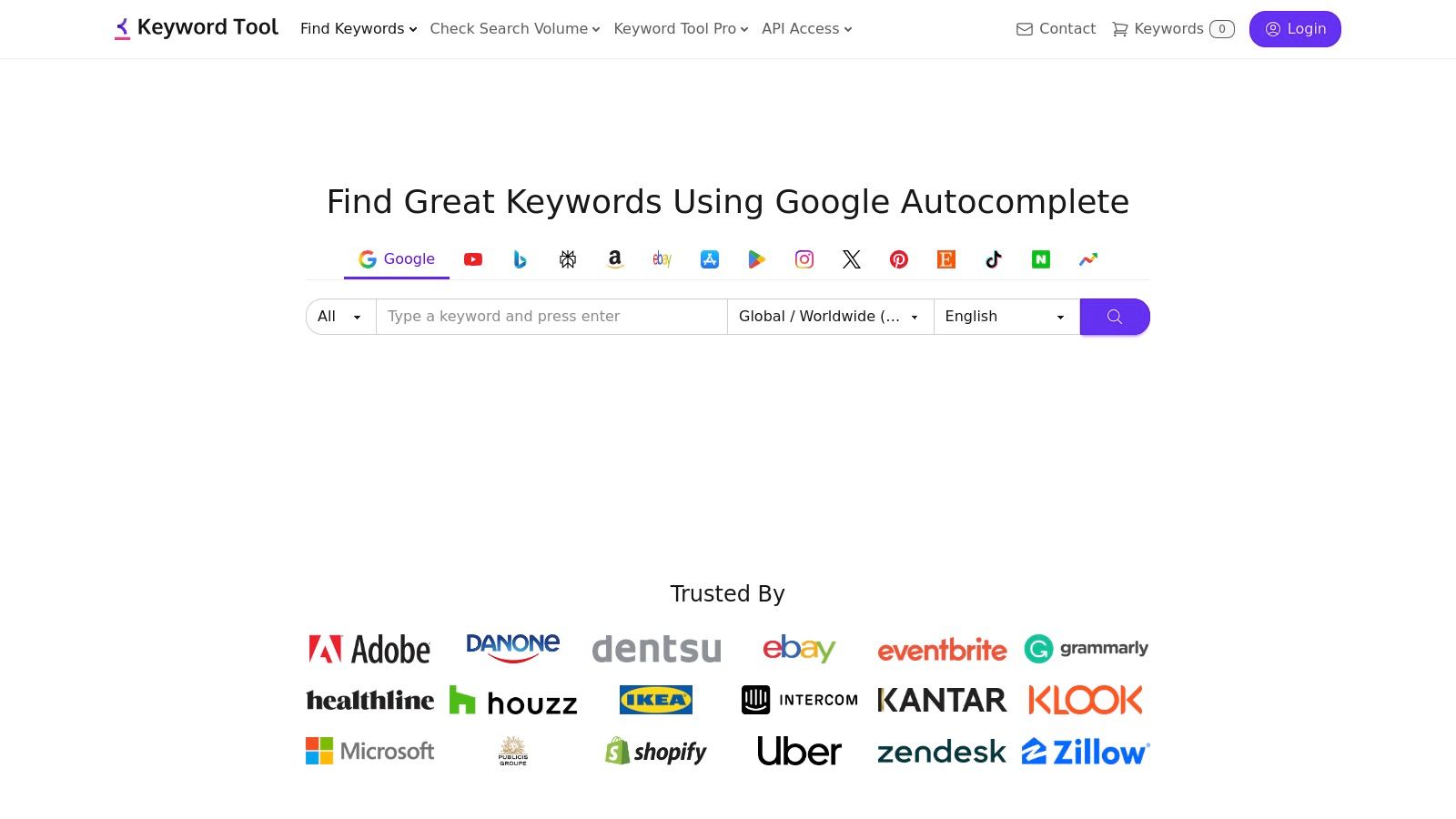
The platform's strength lies in its speed and volume. For any YouTube SEO strategy, mastering the importance of keywords is paramount, as it forms the basis of discoverability. Keyword Tool excels at generating hundreds of suggestions from a single seed keyword, which can be invaluable for brainstorming a content calendar or finding the perfect phrases for your video tags and description. It’s a foundational research tool for creators who need a large pool of ideas to start their optimization process.
Key Features & Pricing
| Feature | Free | Pro Basic ($69/mo) | Pro Plus ($79/mo) |
|---|---|---|---|
| Keyword Suggestions | Yes | Yes | Yes |
| Search Volume Data | No | Yes | Yes |
| Competitor Analysis | No | Yes | Yes |
| Bulk Search Volume | No | No | Yes |
| API Access | No | No | Yes |
| Website | https://keywordtool.io/ |
Practical Tip: Use the "Questions" tab after a search to find common problems and queries your audience has. Creating videos that directly answer these questions is a highly effective SEO strategy that targets users with strong intent.
Pros:
- Excellent for Long-Tail Keywords: Generates a vast number of specific, low-competition search queries.
- Simple Interface: Extremely easy to use with no steep learning curve.
- Supports Multiple Platforms: Also provides suggestions for Google, Bing, Amazon, and more.
Cons:
- Key Metrics are Paywalled: Search volume, trend data, and CPC are only available in the paid version.
- High Price Point: The Pro plans are costly compared to browser extensions with similar features.
7. Keywords Everywhere
Keywords Everywhere is a browser extension for Chrome and Firefox that overlays critical SEO data directly onto your YouTube search results and video pages. Its unique advantage is its credit-based system and broad application across over 20 websites, not just YouTube. It shows search volume, cost-per-click (CPC), and competition data right under the search bar, giving you instant insights without having to navigate away to a separate tool. This low-friction approach is perfect for creators who want quick, data-driven validation while brainstorming video ideas.

The platform shines by embedding topical and related keyword suggestions directly in the sidebar of your search results. While watching any video, it also reveals the complete list of tags that creator used, providing a transparent look into their optimization strategy. This makes Keywords Everywhere one of the best YouTube SEO software choices for creators who value on-the-fly research and competitor analysis without committing to a monthly subscription. The pay-as-you-go credit model makes it exceptionally budget-friendly for those with sporadic research needs.
Key Features & Pricing
| Feature | Silver ($1.75/mo) | Gold ($5.58/mo) | Platinum ($16.58/mo) |
|---|---|---|---|
| Annual Credits | 100,000 | 500,000 | 2,000,000 |
| Data on 20+ Sites | Yes | Yes | Yes |
| YouTube SERP Metrics | Yes | Yes | Yes |
| Video Tags Extractor | Yes | Yes | Yes |
| Users per Account | 1 | 3 | 5 |
| Website | https://keywordseverywhere.com/ |
Practical Tip: Use the "Tags" widget on a competitor's video page to quickly harvest high-performing tags. Analyze their top keywords and consider which ones are relevant for your own content to build a powerful tag list.
Pros:
- Low-Friction Overlay: Integrates data directly into the YouTube and Google interfaces.
- Flexible Pricing: The pay-as-you-go credit model is great for infrequent users.
- Value-Oriented: Annual plans provide a massive number of credits and multi-user seats for a low price.
Cons:
- Credit Management: You must actively manage your credit consumption to avoid running out.
- Not a Full Suite: Lacks channel management or A/B testing features found in more comprehensive tools.
8. Ahrefs
Ahrefs is a powerhouse in the general SEO world, and its robust toolkit extends to YouTube through its Keywords Explorer. While not a dedicated YouTube tool, it offers an enterprise-grade solution for creators and marketers who manage both website and video SEO strategies. Its primary strength lies in its massive database, providing extensive keyword data, search volume, and difficulty metrics that can inform high-level content planning across multiple platforms.
This platform excels at large-scale, data-driven research. You can analyze thousands of keywords at once, export lists for deeper analysis, and track rankings over time. For agencies or businesses where YouTube is just one part of a larger digital marketing ecosystem, having all your SEO data in one place is a significant advantage. Ahrefs is one of the best YouTube SEO software options for users who need a comprehensive, all-in-one SEO suite rather than a specialized, YouTube-only browser extension.
Key Features & Pricing
| Feature | Lite ($99/mo) | Standard ($199/mo) | Advanced ($399/mo) |
|---|---|---|---|
| Keywords Explorer (YouTube) | Yes | Yes | Yes |
| Content Explorer | Yes | Yes | Yes |
| Rank Tracker | Yes | Yes | Yes |
| Site Audit | Yes | Yes | Yes |
| Bulk Keyword Lists | No | Up to 10k keywords | Up to 50k keywords |
| Website | https://ahrefs.com/ |
Practical Tip: Use the "Parent topic" feature in Keywords Explorer. It helps you see if your target video keyword is part of a larger, more popular search topic, allowing you to create broader, more authoritative content.
Pros:
- Robust Data: Access to one of the largest and most reliable SEO datasets on the market.
- Unified Platform: Excellent for managing both website and YouTube SEO within a single interface.
- Large-Scale Research: Ideal for analyzing extensive keyword lists and competitor strategies.
Cons:
- High Price Point: The cost can be prohibitive for solo creators or small channels.
- Not YouTube-Specific: Lacks the deep, on-platform integration and creator-focused tools of competitors like TubeBuddy or vidIQ.
9. Google Trends (YouTube Search filter)
While not a dedicated software suite, Google Trends is an indispensable free tool from Google that every creator should use. Its power lies in its ability to be filtered specifically for "YouTube Search," providing a direct look at the rising and falling interest in topics over time. This makes it an essential first stop for validating video ideas, identifying seasonal content opportunities, and spotting breakout search queries before they become oversaturated.
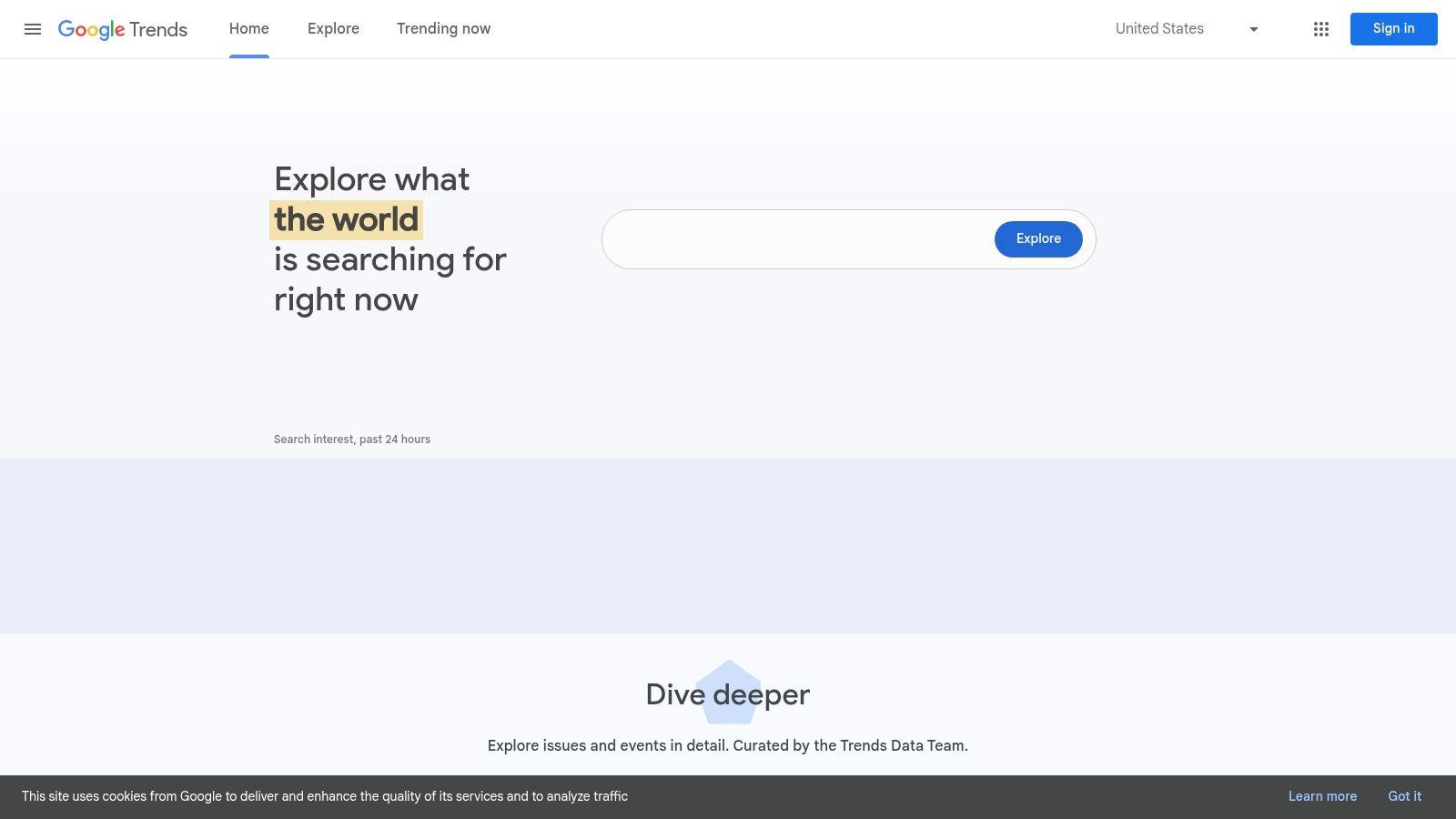
The platform excels at providing high-level directional data. You can compare the relative popularity of multiple keyword ideas, see how interest varies by region, and discover "rising" related queries that indicate emerging subtopics. By understanding these macro-level search patterns, you can align your content strategy with what the audience is actively looking for. For creators seeking the best YouTube SEO software to guide their content calendar with real-world data, Google Trends is a foundational resource.
Key Features & Pricing
| Feature | Free (No Account Required) |
|---|---|
| YouTube-Specific Search Filter | Yes |
| Interest Over Time Graph | Yes |
| Regional Trend Granularity | Yes |
| 'Rising' & 'Top' Related Queries | Yes |
| Keyword Interest Comparison | Yes |
| Website | https://trends.google.com/ |
Practical Tip: Use the time-window control to look at trends over the "Past 30 Days" to identify current, relevant topics. The "Related Queries - Rising" box is a goldmine for finding breakout keywords to target in your next video.
Pros:
- Completely Free: No cost or account is needed to access this powerful data.
- Authoritative Data: Comes directly from Google, reflecting actual user search behavior on YouTube.
- Excellent for Timing: Perfect for identifying seasonal trends and capitalizing on rising public interest.
Cons:
- Relative Data Only: Shows relative interest (scored 0-100) and not absolute search volume numbers.
- Requires Other Tools: Best used in combination with a keyword tool that provides search volume estimates for a complete picture.
10. TubeRanker
TubeRanker is a focused, web-based toolkit that strips away the channel management extras to concentrate purely on core YouTube SEO tasks. Its main advantage is simplicity and affordability, offering essential features like keyword research, rank tracking, and content generation without the complexity or cost of larger suites. This makes it an ideal entry point for new creators or those on a tight budget who need to cover the SEO basics effectively.
The platform excels at providing straightforward tools for specific jobs. Its YouTube Rank Tracker is a key feature, allowing you to monitor your video positions for target keywords over time, a crucial element for measuring SEO success. The suite also includes a tag extractor to analyze competitor strategies and AI-powered generators for titles and descriptions. For creators seeking a no-frills, SEO-centric tool, TubeRanker is one of the best YouTube SEO software options for its price point.
Key Features & Pricing
| Feature | Bronze (Free) | Silver ($29/mo) | Gold ($59/mo) |
|---|---|---|---|
| Keyword Tool | Limited | Yes | Yes |
| Rank Tracker | 5 Keywords | 50 Keywords | 150 Keywords |
| Tag Extractor | Limited | Yes | Yes |
| Channel Audit | Limited | Yes | Yes |
| Title/Description Generator | Limited | Yes | Yes |
| Website | <> |
Practical Tip: Use the Tag Extractor on the top 3-5 videos ranking for your target keyword. This quickly reveals the common tag patterns and high-value keywords you should include in your own video's metadata. To dig deeper, you can learn more about video rank tracking and its strategic importance.
Pros:
- Affordable: Offers a free tier and very competitive pricing for solo creators.
- SEO-Focused: Tools are centered entirely on essential ranking tasks.
- Easy to Use: The simple web interface is straightforward and not overwhelming.
Cons:
- Smaller Dataset: May not have the same data depth or keyword volume as larger competitors.
- Limited Features: Lacks advanced features like A/B testing, bulk processing, or deep channel analytics.
11. GeoRanker — YouTube Rank Checker
GeoRanker offers a focused and highly specific tool rather than a comprehensive suite. Its YouTube Rank Checker is a web-based utility designed for one primary purpose: quickly checking a video's search ranking for a specific keyword in a particular geographic location. This makes it an invaluable resource for creators targeting international audiences or local markets, allowing them to verify how their content performs in different countries and languages without needing a complex setup or subscription.
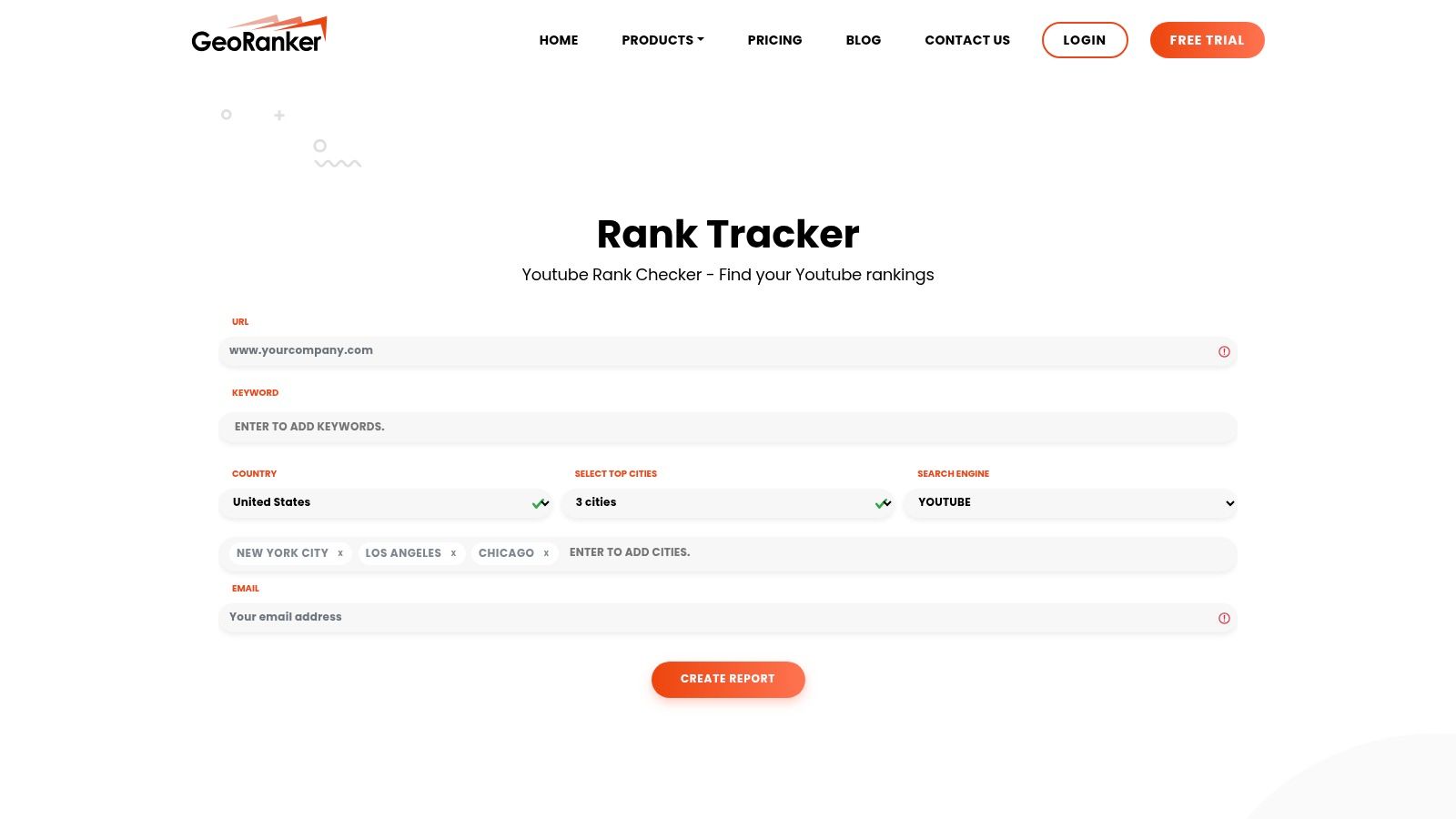
The tool’s strength is its simplicity and speed. You simply enter the video URL, the target keyword, and select the country, and it returns the ranking position. While it doesn't offer the ongoing, automated tracking of more robust platforms, it excels at providing immediate, on-the-spot data. For creators who need to perform quick competitive analysis or validate their geo-targeting strategy, GeoRanker is one of the best YouTube SEO software options for instant, location-based insights.
Key Features & Pricing
| Feature | Free Tool | Paid Plans (from $99/mo) |
|---|---|---|
| Geo-Specific Rank Checks | Yes | Yes (More Volume) |
| URL + Keyword Input | Yes | Yes |
| Simple, Fast Interface | Yes | Yes |
| Automated Rank Tracking | No | Yes |
| Full SEO Suite | No | Yes |
| Website | https://www.georanker.com/youtube-rank-checker |
Practical Tip: Before a major content launch targeting a new country, use GeoRanker to check the rankings of top competitors for your primary keywords in that specific region. This provides a quick benchmark for the level of competition you'll face.
Pros:
- Fast Spot Checks: Excellent for getting quick, location-specific ranking data without a lengthy setup.
- Simple Interface: Extremely easy to use with no learning curve; just plug in the data and get a result.
- Localization Insights: Perfect for verifying if your video is visible to your target international audience.
Cons:
- Not a Full Suite: It is a single-purpose tool, not a comprehensive SEO platform for ongoing management.
- No Automated Monitoring: Designed for manual spot checks rather than continuous, automated rank tracking on the free tier.
12. Serpwatch — YouTube Rank Tracker
Serpwatch is primarily a comprehensive rank-tracking tool for web SEO that extends its powerful monitoring capabilities to YouTube. Its unique proposition is integrating YouTube video rank tracking alongside traditional website SERP monitoring, making it ideal for creators and marketers managing a brand's presence across both Google and YouTube. This unified dashboard provides a holistic view of your keyword performance, saving you from juggling separate tools for different platforms.
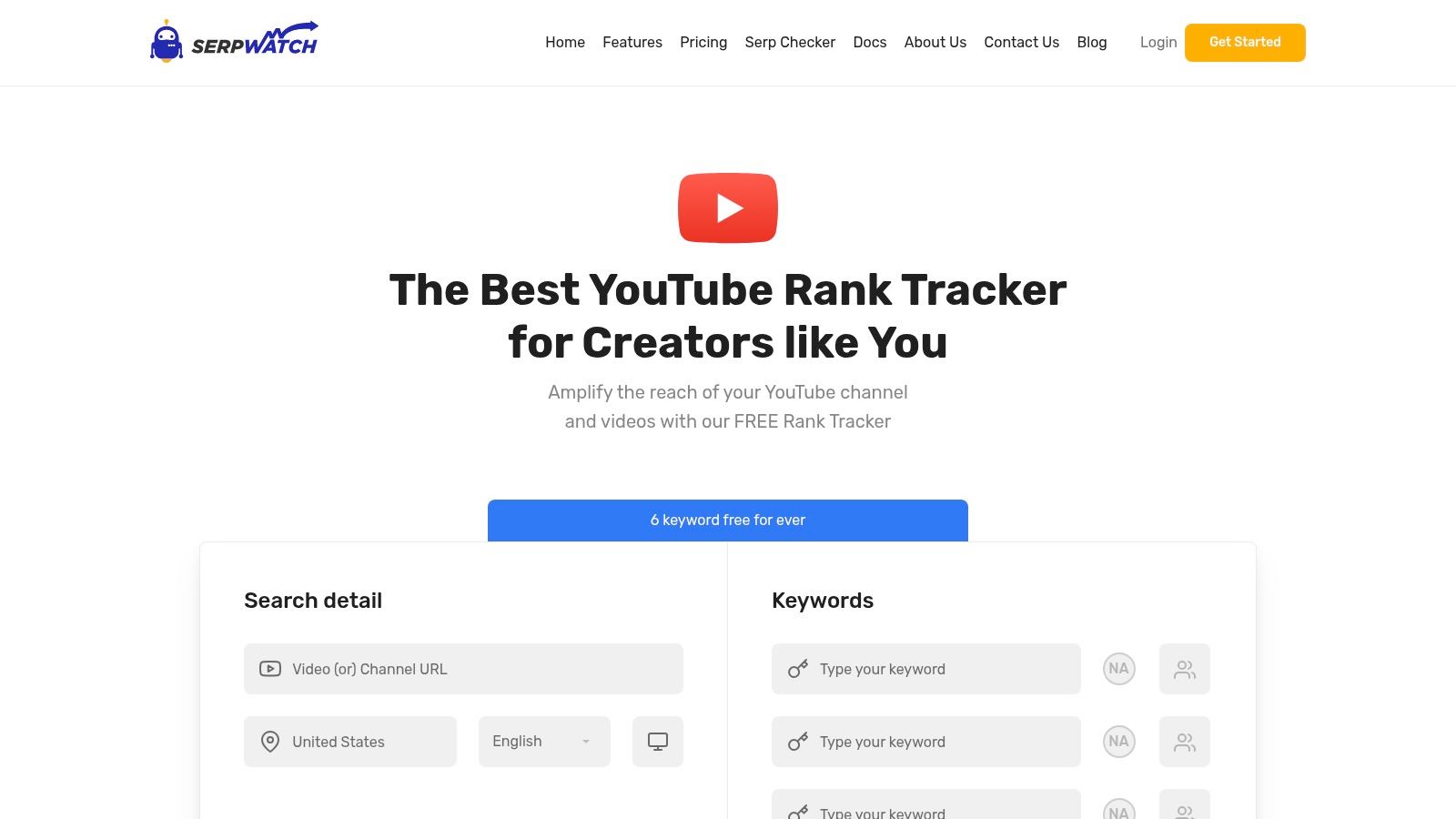
Unlike creator-focused suites like TubeBuddy or vidIQ, Serpwatch hones in on one specific, crucial aspect of SEO: performance tracking. It excels at showing you exactly where your videos rank for target keywords over time, with support for different geographic regions. For those who need a reliable and data-driven way to measure the impact of their optimization efforts, Serpwatch offers a focused and powerful solution, positioning it as a specialized piece of the best YouTube SEO software puzzle.
Key Features & Pricing
| Feature | Starter ($49/mo) | Growth ($99/mo) | Premium ($249/mo) |
|---|---|---|---|
| Keywords Tracked | 250 | 750 | 2500 |
| YouTube Rank Tracking | Yes | Yes | Yes |
| Google Rank Tracking | Yes | Yes | Yes |
| Local Tracking | Yes | Yes | Yes |
| Competitor Tracking | Yes | Yes | Yes |
| Website | https://serpwatch.io/youtube-rank-tracker/ |
Practical Tip: Use the multi-region tracking feature to monitor how your videos perform in different countries. This is invaluable if you have a global audience, helping you tailor content or promotion strategies to specific locales where you are gaining traction.
Pros:
- Integrated Tracking: Monitors both YouTube and Google search rankings in one dashboard.
- Data-Focused: Provides clean, historical data on keyword performance over time.
- Generous Free Trial: Offers a 15-day free trial to test the full feature set without commitment.
Cons:
- Niche Focus: Lacks the broader video optimization features (like tag suggestions or A/B testing) found in other tools.
- Higher Price Point: Primarily designed for agencies or businesses, which is reflected in the pricing structure.
Top 12 YouTube SEO Tools — Feature Comparison
| Tool | Core features ✨ | UX & Quality ★ | Price & Value 💰 | Best for 👥 |
|---|---|---|---|---|
| TimeSkip 🏆 | One‑click YouTube player integration; AI long‑tail chapter generation; <5s for 1‑hr videos | Lightning-fast; proven +visibility & retention gains; ★★★★☆ | 2 free gens (no CC); Starter $9/mo → Pro $19/mo → Studio $39/mo; Lifetime; credits never expire 💰 | Busy YouTubers, podcasters, editors & studios 👥 |
| TubeBuddy | Keyword Explorer, A/B tests, bulk metadata & rank/tag tools ✨ | Deep YouTube Studio integration; large community; ★★★★☆ | Free tier; paid tiers for advanced features (paywalled) 💰 | Channel managers & workflow-focused creators 👥 |
| vidIQ | Ideas feed, keyword suggestions, AI-assisted thumbnails & clips ✨ | Strong ideation & education; credit‑based AI tools; ★★★★☆ | Free tier; paid plans + credited AI features 💰 | Growth-focused creators & small teams 👥 |
| Morningfame | Digestible analytics, keyword scoring & improvement prompts ✨ | Very beginner-friendly; invite/trial access; ★★★★☆ | Invite/trial model; low-cost entry but no permanent free plan 💰 | New creators & hobbyists wanting simple guidance 👥 |
| Semrush (Tubics) | Weekly YouTube rank tracking; competitor & top-keyword insights ✨ | Scalable within Semrush; weekly cadence (not real-time); ★★★☆☆ | Requires Semrush + add-on; predictable add‑on pricing 💰 | SEO teams & agencies already on Semrush 👥 |
| Keyword Tool | Autocomplete-based YouTube keyword discovery; bulk/API options ✨ | Fast long-tail discovery; exports & metrics on Pro; ★★★★☆ | Pro unlocks volumes/CPC/exports; 30‑day money‑back 💰 | Researchers & creators needing volume data at scale 👥 |
| Keywords Everywhere | In-page volume/CPC/trend overlay across sites incl. YouTube ✨ | Low-friction overlay; flexible credit model; ★★★★☆ | Credit packs or annual plans (non-subscription option) 💰 | DIY SEOs & creators who want in-context metrics 👥 |
| Ahrefs | Large-scale keyword & SERP analysis; YouTube support in Keywords Explorer ✨ | Robust, reliable datasets for cross‑platform SEO; ★★★★☆ | Premium pricing—best for multi-platform/enterprise use 💰 | Agencies, enterprises & cross-channel SEOs 👥 |
| Google Trends (YouTube) | YouTube-only trend filter, regional & rising queries ✨ | Free, simple, great for timing; shows relative interest only; ★★★★☆ | Free 💰 | Creators timing uploads & trend researchers 👥 |
| TubeRanker | YouTube rank tracker, tag extractor, title/description generator ✨ | Lightweight, YouTube-focused; affordable; ★★★★☆ | Affordable plans aimed at solo creators 💰 | Solo creators seeking focused YouTube SEO tools 👥 |
| GeoRanker — YouTube Rank Checker | Geo-specific position checks by country/location ✨ | Fast spot checks; simple UI; ★★★☆☆ | Pay-per-use / small plans for spot checks 💰 | Localization testing & geo verification 👥 |
| Serpwatch — YouTube Rank Tracker | YouTube rank tracking with multi-region support & small free allowance ✨ | Easy entry; limited free tier; ★★★☆☆ | Small perpetual free allowance; paid tiers to scale 💰 | Light monitoring & combined web+video rank tracking 👥 |
The Final Verdict: Which YouTube SEO Software Should You Choose?
Navigating the landscape of YouTube SEO software can feel like an overwhelming task. We've explored a dozen powerful options, from comprehensive channel management suites like TubeBuddy and vidIQ to specialized keyword research powerhouses like Ahrefs and KeywordTool.io. Each tool offers a unique approach to the same core challenge: getting your videos seen by the right audience.
The journey to finding the best YouTube SEO software for your channel is not about finding a single "magic bullet" solution. Instead, it’s about strategically assembling a toolkit that addresses your specific workflow, budget, and growth objectives. Your choice should directly reflect where you are in your creator journey and what your biggest current obstacle is.
How to Choose Your Perfect YouTube SEO Toolkit
To make an informed decision, start by honestly assessing your needs. Ask yourself a few critical questions:
- What is my primary goal? Are you focused on finding untapped video topics, optimizing existing content for better rankings, or tracking your performance against competitors?
- What is my biggest time sink? Do you spend hours manually researching keywords, trying to write the perfect description, or painstakingly creating video chapters?
- What is my budget? Are you looking for a free or low-cost entry point, or are you ready to invest in a premium, all-in-one platform?
Based on your answers, you can start to categorize the tools we've discussed.
Matching Tools to Your Creator Profile
Let’s distill our findings into actionable recommendations for different types of creators.
- For the All-Around Creator (Beginner to Intermediate): If you need a comprehensive tool that lives inside your browser and assists with everything from keyword research to thumbnail A/B testing, TubeBuddy and vidIQ are your undeniable starting points. They provide the most bang for your buck and offer a wealth of data directly within the YouTube interface.
- For the Data-Driven Strategist (Advanced): If your strategy relies on deep competitive analysis and high-volume keyword data, investing in a robust platform like Ahrefs or Semrush is a logical next step. These tools give you a top-down view of the entire search landscape, far beyond what browser extensions can offer.
- For the Hyper-Efficient Optimizer (All Levels): If your primary bottleneck is the tedious, manual process of creating SEO-rich timestamps and chapters, TimeSkip stands in a category of its own. It solves one of the most critical and time-consuming aspects of modern YouTube SEO with a single click, directly impacting viewer retention and search visibility.
The Final Takeaway: Start with Your Biggest Pain Point
Ultimately, the most effective strategy often involves combining tools. You might use KeywordTool.io for initial topic brainstorming, TubeBuddy for daily optimization tasks, and TimeSkip to perfect your video's structure and user experience before hitting publish.
Don't fall into the trap of analysis paralysis. The best YouTube SEO software is the one you will actually use consistently. Start by identifying your single biggest frustration or the most time-consuming task in your current optimization workflow. Find the tool that solves that specific problem, master it, and then expand your toolkit as your channel grows and your needs evolve. By focusing on targeted solutions rather than searching for one tool to do it all, you will build a more efficient, effective, and sustainable SEO strategy for long-term YouTube success.
Ready to reclaim hours of your time while implementing one of the most powerful on-page SEO signals for your videos? Let AI handle the tedious work of creating perfect, keyword-rich chapters. Try TimeSkip today and see how one-click automation can transform your video workflow and boost your visibility.
