

Ever wondered how long a YouTube video can actually be? The answer isn't as simple as you might think and hinges on one critical step: account verification.
For brand-new, unverified accounts, you're looking at a 15-minute ceiling. But once you're verified, that limit skyrockets to a massive 12 hours or a 256 GB file size, whichever comes first. This single distinction is the key to unlocking your channel's long-form potential.
Understanding YouTube's Video Length Limits

So, why the initial 15-minute cap? Think of it as YouTube's security checkpoint. It's a simple but effective way to prevent spammers from flooding the platform with low-quality or harmful content right out of the gate.
Once you prove you're a real human by verifying your account, YouTube opens the floodgates. That massive 12-hour limit is what makes it possible for creators to upload everything from feature-length indie films and exhaustive tutorials to multi-hour podcast episodes and live stream archives.
It's not about the quality of your content—it's about trust. Verifying your account is like getting the keys to the kingdom, letting you move past the starter limits and into serious long-form creation.
YouTube Upload Limits At A Glance
To make it crystal clear, here’s a simple breakdown of how your account status affects your upload limits.
| Account Type | Maximum Video Length | Maximum File Size |
|---|---|---|
| Unverified Account | 15 Minutes | 256 GB |
| Verified Account | 12 Hours | 256 GB |
As you can see, the file size limit of 256 GB stays the same regardless of your verification status. The real game-changer is the time limit.
Ultimately, these limits strike a balance between creative freedom and keeping the platform safe. For the vast majority of creators, a 12-hour maximum is more than enough breathing room. The real challenge isn't bumping up against a technical ceiling, but creating content that's compelling enough to hold a viewer's attention for the long haul.
How To Upload Videos Longer Than 15 Minutes

Ready to break past that frustrating 15-minute barrier? The secret is a quick, one-time process called account verification. Think of it as YouTube's way of making sure you're a real human who plans to play by the rules. In return, they unlock a bunch of cool features for your channel.
It's a surprisingly simple process that just involves confirming your identity with a phone number. Once you're verified, your channel is permanently upgraded. You'll be free to upload your in-depth tutorials, full-length podcast episodes, or sprawling gameplay sessions without bumping into that default time limit.
It's funny to think this wasn't always the case. The youtube maximum video length has actually evolved quite a bit. Back in 2010, the platform even experimented with unlimited uploads before landing on the current 12-hour cap for verified accounts in 2016.
Your Step-By-Step Verification Guide
Getting your account verified only takes a couple of minutes. Just follow these quick steps, and you'll be uploading your magnum opus in no time.
- Head to the Verification Page: While logged into your Google account, just go to
youtube.com/verify. - Pick Your Country & Method: Select your country from the list and choose if you want your verification code sent via text message or an automated voice call.
- Enter Your Phone Number: Pop in a valid phone number where you can receive the code.
- Submit Your Code: Once you get the 6-digit code, type it onto the screen and hit "Submit."
And that's it! You'll get a confirmation message letting you know your YouTube account is officially verified. From that moment on, you can upload videos up to 12 hours long.
Just remember, this privilege comes with responsibility. If your channel racks up Community Guideline strikes, YouTube can temporarily—or even permanently—take away your ability to upload long videos.
Once you've got the length limits down, figuring out how to upload large videos to YouTube is the next logical step. And if your upload ever gets hung up, our guide on fixing a https://timeskip.io/blog/youtube-upload-stuck can be a real lifesaver.
The Difference Between Technical Limits and Audience Attention
So, you can upload a 12-hour epic. But the real question is, should you?
Once you get past the technical side of the youtube maximum video length, you run headfirst into a much more important limit: your audience's attention span. The real ceiling isn't set by YouTube's servers; it's set by the person on the other side of the screen.
Think of your video's length like a conversation. As long as it's engaging and valuable, people will stick around. The second it starts to drag or lose focus, they’ll quietly head for the exit. That’s the core challenge every creator faces with long-form content.
Your goal shouldn't be just to upload a long video. It should be to create something that people actually finish watching. Metrics like audience retention are your most honest friends here, showing you the exact moment viewers start to check out. For most content, that drop-off is inevitable as the runtime creeps up.
Finding The Strategic Sweet Spot
Now, this doesn't mean long-form content is a bad idea—far from it. Podcasts, deep-dive tutorials, and documentaries absolutely thrive on longer runtimes. What it does mean is that every single minute has to earn its place and be packed with value.
The most successful creators don't ask, "How long can my video be?" They ask, "What's the shortest possible length I need to tell this story effectively and keep my audience hooked?"
Getting this balance right is the secret to making longer videos that actually work. It all comes down to respecting your viewer's time.
The data consistently shows a preference for shorter, punchier content. Research suggests the sweet spot for maximizing engagement often falls somewhere between one and five minutes, with viewership taking a nosedive after that. And while the average YouTube video is now around 12 minutes long, the ideal length for retention is still much shorter. You can dig deeper into that in this analysis of YouTube's best video lengths.
This really highlights the crucial difference between what’s technically possible and what’s strategically smart for growing a channel.
How to Keep Viewers Hooked on Long Videos
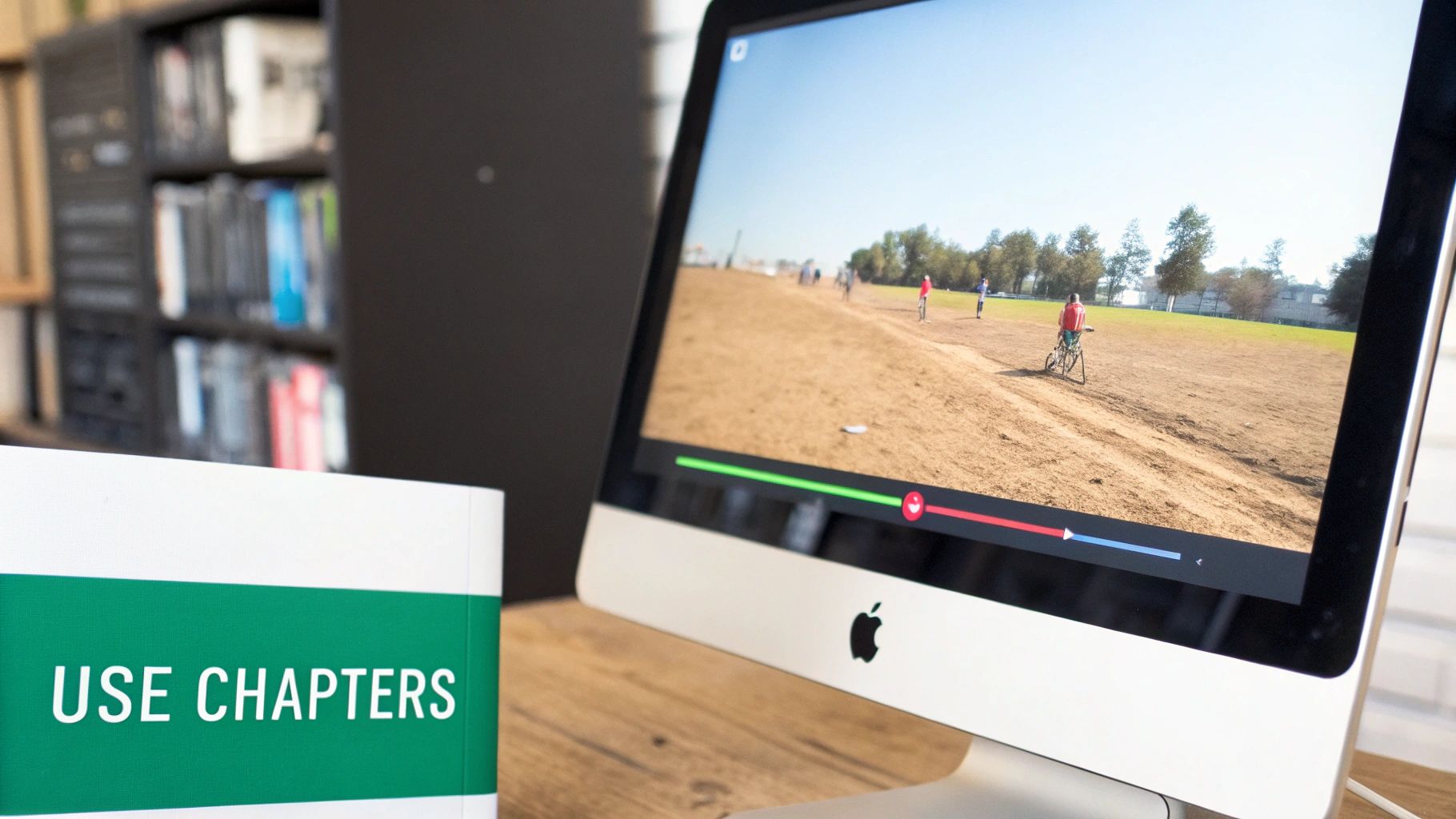
It’s one thing to upload a video that’s several hours long, but it’s a whole different ballgame to get people to actually watch it. When your content pushes the YouTube maximum video length, your biggest enemy isn't the upload limit—it's viewer fatigue. So, how do you stop them from clicking away?
The single most effective tool you have is YouTube Chapters.
Think of chapters like an interactive table of contents for your video. They slice your epic-length content into easy-to-navigate, labeled segments, letting viewers find the exact bit of information they came for in an instant.
This small feature is a total game-changer for the viewing experience. Instead of endlessly scrubbing through a massive timeline hunting for one specific moment, viewers see a clear outline and can jump right to what matters most to them. Honestly, just showing that you respect their time goes a long way in keeping them around.
The Power of Smart Chaptering
Manually adding chapters is pretty simple. You just type out timestamps and titles in your video’s description box, like so:
- 0:00 Intro
- 2:15 The First Key Strategy
- 8:40 Common Mistakes to Avoid
But let's be real—for a truly long or detailed video, this can be a painfully slow process. This is where AI-powered tools are a lifesaver.
By automatically generating descriptive, keyword-rich chapters, you’re doing two things at once: making your video way better for the viewer and giving it a massive SEO boost. It's a win-win for your audience and your channel's growth.
Tools like TimeSkip can listen to your video's audio and spit out accurate, optimized chapters in just a few seconds. If you want to see how it works, you can learn how to add chapters to a YouTube video with these newer, faster methods.
This kind of automation saves you hours of tedious work and helps craft chapters that perform well in search. When your timestamped sections start showing up directly in Google search results, they act like little magnets, pulling new viewers straight to the most relevant parts of your content. Suddenly, a potential point of viewer drop-off becomes a powerful tool for engagement, making your long-form content work for you, not against you.
Length Limits For Shorts, Live Streams, And Premieres

So you've verified your account and unlocked the ability to upload videos up to 12 hours long. That's great, but don't assume that rule applies everywhere on the platform. YouTube is a diverse ecosystem with different video formats, and each one plays by its own set of rules.
Take YouTube Shorts, for instance. They are built for quick, viral moments, and their time limit reflects that. A Short has a hard cap of 60 seconds or less and must be in a vertical format. This isn't just a suggestion—it's the defining constraint of the entire format.
If you're diving into short-form content, this guide on how to post a Short on YouTube is a great starting point. And if you're stuck for ideas, we've got you covered with a list of YouTube Shorts ideas to get your creativity flowing.
How Live Streams And Premieres Differ
While Shorts are about brevity, Live Streams and Premieres offer much more breathing room for long-form creators, though they each have their own quirks.
-
Live Streams: You can broadcast live for a very long time, but when it comes to saving the replay, YouTube has a limit. It will only archive up to 12 hours of your stream for on-demand viewing. If your stream goes longer, say for 15 hours, only the final 12 hours will be saved for your audience to rewatch.
-
Premieres: This one is straightforward. A Premiere is simply a standard video upload that you schedule to debut with a live chat feature. It follows the exact same length rules as any other video on your channel—up to 12 hours for a verified user.
To make these differences clearer, let's break them down in a quick comparison.
YouTube Video Format Length Limits
| Format Type | Maximum Length | Key Considerations |
|---|---|---|
| Shorts | 60 seconds | Must be in a vertical format; designed for mobile viewing and virality. |
| Live Streams | 12-hour archive | You can stream longer, but only the last 12 hours are saved for replay. |
| Premieres | 12 hours | Follows the same rules as a standard video upload for a verified account. |
Ultimately, choosing the right format comes down to your content and your goals. A Short is a sprint, a Live Stream is a marathon with a 12-hour memory, and a Premiere is just a planned movie screening. Each has its place in a well-rounded channel strategy.
The Longest Videos Ever Uploaded To YouTube
Even though the official YouTube maximum video length is a hefty 12 hours for verified accounts, you might stumble upon some legendary videos that seem to break this rule, running for hundreds of hours. These aren't glitches; they’re digital fossils from a time before 2016 when YouTube was playing around with unlimited upload times.
Think of these videos as historical artifacts from YouTube's wild-west era. Their existence gives us a fascinating peek into why today's limits were put in place. The platform had to grow up, moving from an "anything goes" frontier to the reliable, structured service we use today. These rules weren't created to hold creators back, but to make sure the whole system could handle the load without buckling.
There are still a few of these marathon videos floating around. One of the most famous clocks in at over 596 hours—that's nearly 25 straight days of footage in a single upload. If you’re curious how this was even possible, you can get the full story on this deep-dive video that explores these historical uploads.
These ultra-long videos are a testament to YouTube's early, experimental days. Understanding this history helps frame the current 12-hour limit not as a restriction, but as a necessary step in the platform's journey to supporting billions of users worldwide.
Got Questions About Video Length? We've Got Answers.
Creators bump into all sorts of practical issues that the official YouTube maximum video length rules don't quite cover. Let's dig into some of the most common questions that pop up when you're wrestling with long-form content.
Why Did My Video Fail If It Was Under 12 Hours?
Nine times out of ten, this comes down to one thing: you hit the 256 GB file size limit. It's the silent killer of long video uploads.
Even if your video is well under the 12-hour time cap, high-resolution footage—especially 4K with a high bitrate—can create absolutely massive files in a hurry. Before you even think about uploading, it’s a smart move to compress your video down to a more manageable size. You can usually do this without a noticeable drop in quality.
Should I Split A Long Video Into A Series?
This is a great strategic question, and the answer is often a resounding yes. Splitting a multi-hour beast of a video into a focused series can be a brilliant move for your channel.
While a single, long video is perfect for things like podcasts or unedited live stream archives, a series can do wonders for audience retention. Shorter, themed episodes feel way less intimidating for a new viewer to click on. Before they know it, they're binge-watching the whole playlist, which skyrockets your channel's total watch time.
Think about the natural breaks in your content. If your video has distinct, self-contained sections, it's a prime candidate for a series. This approach respects your viewer's time and can keep them hooked for much, much longer.
Ready to make your long-form content more discoverable and engaging? TimeSkip uses AI to generate SEO-optimized chapters for your videos in seconds, helping you rank higher and keep viewers hooked. Get started for free.
