

Let’s be honest, the world of YouTube tags can feel a little confusing. One day you hear they're the secret to going viral, and the next, someone claims they're totally useless. So what's the real story?
The truth is, tags have simply changed roles. They’ve gone from being a top-line ranking factor to a more subtle, behind-the-scenes tool that helps YouTube’s algorithm understand the finer points of your video.
Think of it this way: your title and description are the flashy movie poster for your video. Your tags? They're the notes you pass to the projectionist to make sure the film is shown to the right audience.
So, Why Do YouTube Tags Still Matter?
While tags no longer carry the heavyweight SEO power they once did, a well-chosen set of 5-15 tags still plays a critical supporting role. It's no longer about stuffing the tag box with hundreds of keywords; that's an old-school tactic that can actually confuse the algorithm.
Today, a smart tagging strategy is all about precision and clarity. It focuses on a few key areas:
- Adding Context: Tags are your chance to confirm what your video is really about, reinforcing the keywords you've already used in your title and description. It’s like giving the algorithm a final, confident nod.
- Catching Typos: This is a big one. If your video is about "graphic design," you can bet someone out there is searching for "grafic design." Adding common misspellings as tags is a simple way to capture that traffic.
- Influencing "Up Next": Good tags can be the deciding factor that gets your video recommended next to a similar, popular video. This is a massive source of discovery for any channel.
A small, focused set of tags sends a powerful, unified signal to YouTube. It’s far more effective than casting a wide net with dozens of random keywords, ensuring your video gets in front of viewers who actually want to see it.
The role of tags has shifted significantly over the years. To put it in perspective, let's look at how their priority stacks up against other key SEO elements, both in the past and today.
Tag Priority Modern vs Traditional YouTube SEO
| SEO Element | Traditional Priority (Pre-2020) | Modern Priority (Current) |
|---|---|---|
| Title & Thumbnail | High | Very High (Primary driver) |
| Description | High | High (Context & keywords) |
| Tags | High | Low (Supporting role) |
| Video Content (Transcript) | Medium | Very High (Directly analyzed by AI) |
| Audience Engagement | High | Very High (Watch time, CTR, likes) |
As you can see, while tags have moved down the list, they haven't disappeared. They've just settled into a more specialized job.
Quality, Not Quantity, Is the Name of the Game
YouTube’s own guidance and countless industry studies all point to the same conclusion: tags now play a supporting role. Their main job is to clarify topics and catch common misspellings that your title and description might miss. That's why most experts today recommend a curated list of just 5–15 hyper-relevant tags.
This targeted approach ensures every single tag has a purpose. It's a small but important part of a cohesive video SEO strategy. When you're ready to put this into practice, we've got a full walkthrough on the mechanics of adding tags to YouTube videos.
How to Find High-Value Tags Manually
While automated tools are great for speed, nothing beats rolling up your sleeves and doing a little manual research. It gives you a real, intuitive feel for what your audience is actually searching for.
Forget guesswork. The best tool for finding great YouTube tags is already right in front of you, and it’s totally free. It's the YouTube search bar itself.
Mine YouTube Search Autocomplete
The first thing I always do is start typing my video's main topic into YouTube's search bar. Let's say I'm making a video about sourdough bread. I'll just type "sourdough starter."
Now, the trick is not to hit enter. Just wait a second and look at the list of suggestions that pops up. These aren't random phrases; they're the most common things real people are searching for related to your topic.
sourdough starter recipesourdough starter from scratchsourdough starter troubleshootingsourdough starter for beginners
This autocomplete list is an absolute goldmine. Every suggestion is a proven, high-intent keyword that can be a powerful tag for your video. It’s a direct window into your viewer's mind.
Reverse-Engineer Competitor Videos
Once I have a solid baseline from the search bar, my next move is to see what's already working for others. Find three to five of the top-ranking videos for your main keyword. These are your direct competitors, and their success leaves a trail of clues.
You can't see their exact tag list on the video page anymore, but you can still get a great idea of their strategy by looking at their titles and descriptions. I look for recurring phrases and specific terms they use to describe the content. For a deeper dive into this, check out our guide on how to find keywords for YouTube.
By analyzing what the top videos are doing, you can build a list of proven tags. For our "sourdough starter" example, you might notice the big videos consistently mention "no-fail recipe," "baking tips," or "artisan bread." These are fantastic candidates to add to your own tag list.
This infographic shows just how important it is for your title, description, and tags to all work together.
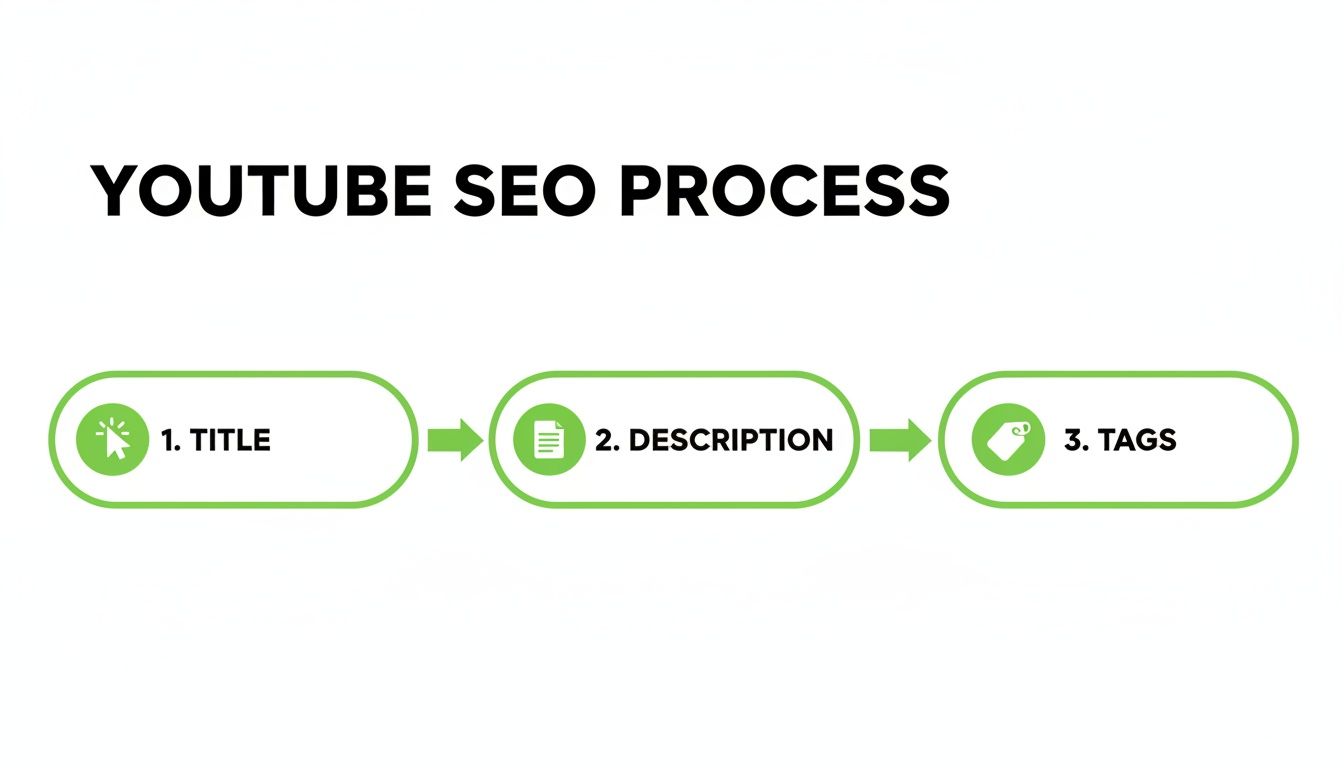
As you can see, tags are a crucial piece of the puzzle. They reinforce the core topics you introduce in your title and description, creating a cohesive SEO strategy that the algorithm can easily understand.
Broaden Your Search with Related Topics
Don't just stop at the direct keywords. You have to think about the entire world your topic lives in. What other problems or interests might your audience have? Someone trying to make sourdough for the first time might also be searching for:
baking for beginnershomemade breadfermentation basics
Manually researching tags isn't just about finding keywords; it's about developing empathy for your viewer. Understanding their language and search habits is the foundation of a successful content strategy.
And while we're focused on YouTube, the core principles of finding effective keywords are pretty universal. The same logic applies across different platforms. To see how this works in a different context, you can learn more about how to hashtag on Instagram effectively.
When you combine search autocomplete suggestions, a little bit of competitor analysis, and some broader brainstorming, you end up with a robust and highly relevant list of tags. This hands-on process ensures your tags aren't just technically correct—they're deeply aligned with what your audience is actively looking for. That’s how you give your video the best possible chance to connect with them.
Using Tools to Uncover Your Best YouTube Tags
While manual research gives you a fantastic feel for your audience, the right tools can absolutely supercharge your efforts and reveal hidden opportunities. Think of them as your data-driven co-pilot, helping you find those perfect youtube good tags with precision and speed.
Browser extensions like TubeBuddy and vidIQ are pretty much non-negotiable for serious creators. These tools plug right into the YouTube interface, layering on analytics that turn your regular dashboard into a powerful research station.
Tapping into Tag Suggestion Engines
One of the most immediate perks of these tools is their ability to spit out dozens of relevant tag ideas in seconds. Just type in your main video topic, and they'll generate a whole list of related keywords, often complete with scores for search volume and competition.
This is a massive time-saver, but the real magic is in finding "opportunity" keywords. These are the search terms with high viewer interest but relatively low competition from other creators, giving your video a much better shot at ranking.
For instance, a broad tag like "home workout" is incredibly competitive. A tool might suggest a more specific, lower-competition alternative like "no equipment apartment workout"—the exact kind of specific tag that helps new videos get found. A great way to start is by using a specialized YouTube tags generator to get a solid baseline of ideas.
Reverse Engineering with Competitor Insights
Ever wonder which tags a top-ranking video is using? These tools pull back the curtain. When you view any video on YouTube, the extension will show you the full list of tags that creator used, often with their search ranking for each one.
This isn't about blindly copying their list. Instead, it’s about spotting patterns and finding proven keywords you might have missed. I always recommend analyzing the tag lists of three to five top videos on your topic to build a master list of high-performing options.
Using creator tools isn’t just about finding tags faster; it’s about making smarter, data-backed decisions. They transform guesswork into a repeatable strategy for video optimization, giving you a clear competitive edge.
The impact here is significant. By 2025, most mid-to-large channels are expected to be using these types of utilities. We're already seeing data showing that creators who implement data-driven tag strategies can see CTR increases of 5–20% and impressions growth of 8–30% in just a few months. You can discover more insights about these trends and tag tool performance.
Creating Standardized Tag Templates
For creators who produce a series of related videos, tools offer another pro-level advantage: creating standardized tag lists. If you run a weekly "Keto Meal Prep" series, you can lock in a core set of tags that apply to every single video in that playlist.
keto meal prepweekly keto recipes[Your Channel Name]
You'd save this as a template and then just add unique, video-specific tags for each upload (like keto chicken parmesan recipe). This technique is huge for building topical authority for your channel and encourages YouTube to recommend your videos back-to-back, which is exactly how you boost those binge-watching sessions.
How to Structure Your Tags for Maximum Impact
 Okay, so you've got a solid list of potential tags. The job's not done yet. Just dumping them into the tag box randomly won't cut it. How you arrange them sends some pretty strong signals to the YouTube algorithm, and we want those signals to be crystal clear.
The secret is all about the order. YouTube pays the most attention to the first few tags you use, which is why the best strategy is something I call front-loading.
It’s a simple but incredibly powerful concept: put your most important, specific, and descriptive tag first. This is your prime real estate. This first tag should nail the core topic of your video, almost always mirroring the main keyword phrase you're targeting. By putting it upfront, you’re telling YouTube in no uncertain terms, "Hey, this is what my video is really about."
The Specific-to-Broad Framework
Once you’ve locked in that primary tag, the rest should flow in a logical "specific-to-broad" order. Picture a pyramid. You start at the very top with the most pointed, detailed tag and then gradually work your way down to the wider, more general categories.
This gives the algorithm a complete road map. It understands the specific niche your video serves and the broader categories it fits into. This little trick boosts your chances of showing up in both super-specific searches and wider recommendation feeds.
Let's break down the types of tags you'll be working with in this structure:
- Specific (Long-Tail) Tags: These are your heavy hitters. They’re super-detailed phrases, usually three or more words long, that match what a viewer with a very specific problem is typing into the search bar.
- Compound (Broad-Match) Tags: These are a bit shorter, maybe two or three words. They add more context and connect your video to related, but less specific, searches.
- Broad (Single-Word) Tags: These are the general, one-word categories. You’ll want to use these sparingly and stick them at the very end of your list to define the overarching subject.
Putting It All into Practice
Let's see this in action. Say we just filmed a tutorial called "How to Use a Sony A7IV for Wedding Videography." It's a niche topic for a very specific audience.
Using the specific-to-broad framework, our tag structure would look something like this:
- Specific Tag First:
how to use a sony a7iv for wedding videography - More Specific Tags:
sony a7iv wedding settings,best camera settings for wedding video - Compound Tags:
wedding videography tips,sony a7iv tutorial,cinematic wedding video - Broad Tags:
videography,filmmaking,sony,weddings
This structured approach does more than just list keywords; it tells a story. It guides the algorithm from the hyper-specific purpose of your video all the way out to its general category, maximizing every opportunity for discovery.
When you arrange your tags this way, you're not just throwing spaghetti at the wall and hoping something sticks. You're building a logical hierarchy that makes your video's subject matter impossible for YouTube to misunderstand. And that, right there, is the whole point of a solid tagging strategy.
Common Tagging Mistakes That Hurt Your Reach
It's surprisingly easy to shoot yourself in the foot with bad tagging habits, even when you have the best intentions. Nailing your YouTube good tags is only half the job—you also have to sidestep the common mistakes that can sabotage your video before it even gets a chance to take off.
One of the biggest blunders I see is tag stuffing. This is when a creator just crams the tag section with dozens of semi-related or trending keywords, hoping something sticks. In reality, you’re just confusing the algorithm. This dilutes your video's focus and makes it nearly impossible for YouTube to figure out who your actual audience is.
Using Misleading or Irrelevant Tags
Another classic mistake is chasing trends with irrelevant tags. You know the drill: slapping "MrBeast challenge" onto your woodworking tutorial just because it's a hot search term. This is a recipe for disaster.
What happens next is predictable. People click, realize they've been baited, and leave within seconds. That high bounce rate sends a massive red flag to YouTube. It tells the algorithm your video failed to deliver, and your visibility will get crushed as a result.
Your tags are a promise you make to both your viewers and the algorithm. If you break that promise with irrelevant keywords, you destroy trust and signal that your content is a poor match, killing your reach.
Relying Only on Broad, Competitive Tags
It’s tempting to go after the big, broad keywords like "gaming" or "fitness," but for most channels, that’s a losing battle. These single-word tags are hyper-competitive, completely dominated by the biggest creators on the platform. A smaller channel stands virtually no chance of ranking for them.
When you focus only on these terms, you miss out on all the specific, long-tail searches where you can actually find an audience and win. A video tagged only with "fitness" will get lost in the noise. But one tagged with "15 minute bodyweight workout for beginners at home" can connect with the exact people looking for that content.
While you're working on optimizing your tags, it's just as important to keep your channel in good standing overall. A great resource on this is learning how to avoid copyright strikes on YouTube to make sure other issues don't hurt your visibility.
A smart strategy always blends specific and compound tags. This is how you attract a targeted audience that's genuinely interested in what you’re making. Dodging these common errors is a massive step toward building a tagging strategy that actually works.
Your YouTube Tag Questions, Answered
Even with the perfect strategy, a few nagging questions always seem to pop up right when you're about to publish. Let's tackle some of the most common points of confusion around YouTube tags so you can move forward with confidence.
Think of this as your final check-in before sending your video out into the world. Getting these details right is what makes all that keyword research worth it.
How Many YouTube Tags Should I Use?
This is one place where more is definitely not better. Quality over quantity is the name of the game.
The sweet spot is usually somewhere between 5 and 15 highly relevant tags. This gives the algorithm a crystal-clear signal about your video's topic without muddying the waters. I always start with my most specific, primary keywords first, then add a few broader ones to give YouTube a little more context. Piling on 30+ tags can actually confuse the algorithm about who your ideal viewer is.
Should My Channel Name Be a Tag?
Yes, absolutely. Make this a non-negotiable habit for every single video you upload.
Including your channel name as a tag creates a powerful link between all of your content. This is one of the easiest ways to increase the odds of your own videos showing up in the "Up Next" sidebar when someone is watching your stuff—a huge win for encouraging binge-watching sessions.
Can I Reuse the Same Tags on Different Videos?
This is a classic "yes and no" situation. It’s smart to have a small set of "template" tags you reuse on related videos. This should include your channel name and maybe a high-level category tag (like "home renovation" or "beginner guitar lessons").
However, the vast majority of your tags—I’m talking 70-80% of them—need to be unique to that specific video. This is what gives the algorithm the precise details it needs to rank each video for its own unique topic. Don't get lazy here.
Do Hashtags in the Description Do the Same Thing?
Nope, they serve different purposes, but they work best together.
Hashtags in your description are visible to your audience and often appear as clickable links right above your video's title. They're great for discovery on the platform's dedicated hashtag pages. Tags, on the other hand, are purely backend metadata for the algorithm.
The best approach is to use both. I recommend putting 2-3 of your most important keywords as hashtags in the description and then using your full, structured list of 5-15 keywords in the actual tag box.
While a great tagging strategy helps get your video that initial visibility, never forget what truly matters: audience signals. Metrics like watch time and retention are king. By 2025, a video's ability to keep a viewer hooked will be the single biggest factor in its success. Good tags get you the click, but only great content earns the watch time. You can find more on these vital YouTube statistics and why they matter.
At the end of the day, your tagging strategy is all about sending a clear, precise message to YouTube. It’s that final piece of the puzzle that confirms what your video is about, giving it the best possible shot at finding the right audience.
Ready to boost your video's visibility without the guesswork? TimeSkip uses AI to generate SEO-optimized chapters for your YouTube videos in seconds. Install our Chrome extension and get two free video generations to see how easily you can improve viewer retention and rank higher in search. Get started with TimeSkip today.
