

You might have seen them scrolling through a video's comment section: a blue, clickable set of numbers like 3:45. That's a YouTube timestamp comment, and it's a simple but incredibly powerful tool that lets anyone jump to a specific moment in the video.
Think of it as a digital bookmark, but one that anyone—you or your viewers—can create. When someone types "3:45" into a comment, YouTube automatically turns it into a hyperlink. Click it, and you're instantly transported to the 3-minute, 45-second mark. This little feature completely changes the comment section from a simple discussion forum into an interactive, user-generated table of contents.
For creator-controlled chapters in the video description, follow the YouTube timestamp formatting guide.
What Makes a Timestamp Comment So Powerful?
For creators making long-form content like podcasts, tutorials, or deep-dive interviews, this is an absolute game-changer. Viewers can easily skip lengthy intros, find the exact answer to their question, or re-watch a favorite part without the frustrating guesswork of scrubbing through the timeline.
But this isn't just about making things convenient; it's about boosting engagement in a way that gets the algorithm's attention.
Firing Up Engagement and Algorithmic Signals
Engagement is the name of the game on YouTube, and timestamp comments are a direct line to increasing it. When viewers start creating their own timestamps, it sends a clear signal to YouTube that your content is so compelling, people feel the need to point out specific moments.
Imagine seeing a comment that says, "8:12 This tip is pure gold!" When multiple people do this, the algorithm really starts to pay attention. This kind of user-generated activity sends incredibly strong, positive signals:
- High Viewer Interest: People aren't just passively watching. They are actively engaged and highlighting valuable segments for others.
- Massive Replay Value: Timestamps encourage viewers (and new visitors) to re-watch specific clips, which can give your overall watch time metrics a serious lift.
- Community Building: It creates a collaborative vibe where your audience helps each other discover the best parts of your video.
When you see a bunch of timestamps popping up around the same moment in a video, that's powerful social proof. It screams to both new viewers and the algorithm, "Hey, pay attention! This part is important!"
The Secret Weapon for Longer Videos
Scrolling through comments and seeing a timestamp that reads '1:23:05 - this part is hilarious!' is pure magic for a viewer. It helps them cut through the noise and get straight to the good stuff. These aren't just random notes; they're vital for keeping people engaged with longer videos.
In fact, recent data from Statista shows that long-form videos on YouTube average around 4 comments per video, significantly more than Shorts. Every single youtube timestamp comment adds to this higher engagement, making your longer content feel less intimidating and far more rewarding for your audience.
How to Create Clickable Timestamps on Any Device
Dropping a clickable timestamp in a YouTube comment is a simple but incredibly helpful way to guide other viewers and show the creator you're paying attention. The great news is, the process is practically identical whether you're typing away on a desktop or tapping on your phone.
The secret is all in the format. YouTube's system is smart enough to automatically spot timecodes written as MM:SS (minutes and seconds) or HH:MM:SS (hours, minutes, and seconds) and instantly turn them into clickable links.
The Basic Steps on Desktop and Mobile
When you stumble upon a moment in a video worth highlighting, just hit pause. Glance at the time displayed on the video player—let's say it's 4 minutes and 15 seconds in.
Now, just head down to the comment section. All you have to do is type 4:15 followed by your thoughts. It could be something as simple as 4:15 This is the key insight or, for a longer video, 1:22:05 The final reveal is incredible. As soon as you post it, YouTube works its magic and makes the 4:15 part a blue, clickable link.
Key Takeaway: The single most important rule here is using a colon (
:) between the numbers. If you use a period, like4.15, it just won't work. It'll show up as plain text, and nobody will be able to jump to that moment in the video.
It might seem like a small action, but leaving a timestamp comment can create a powerful feedback loop that actually helps the video's creator.
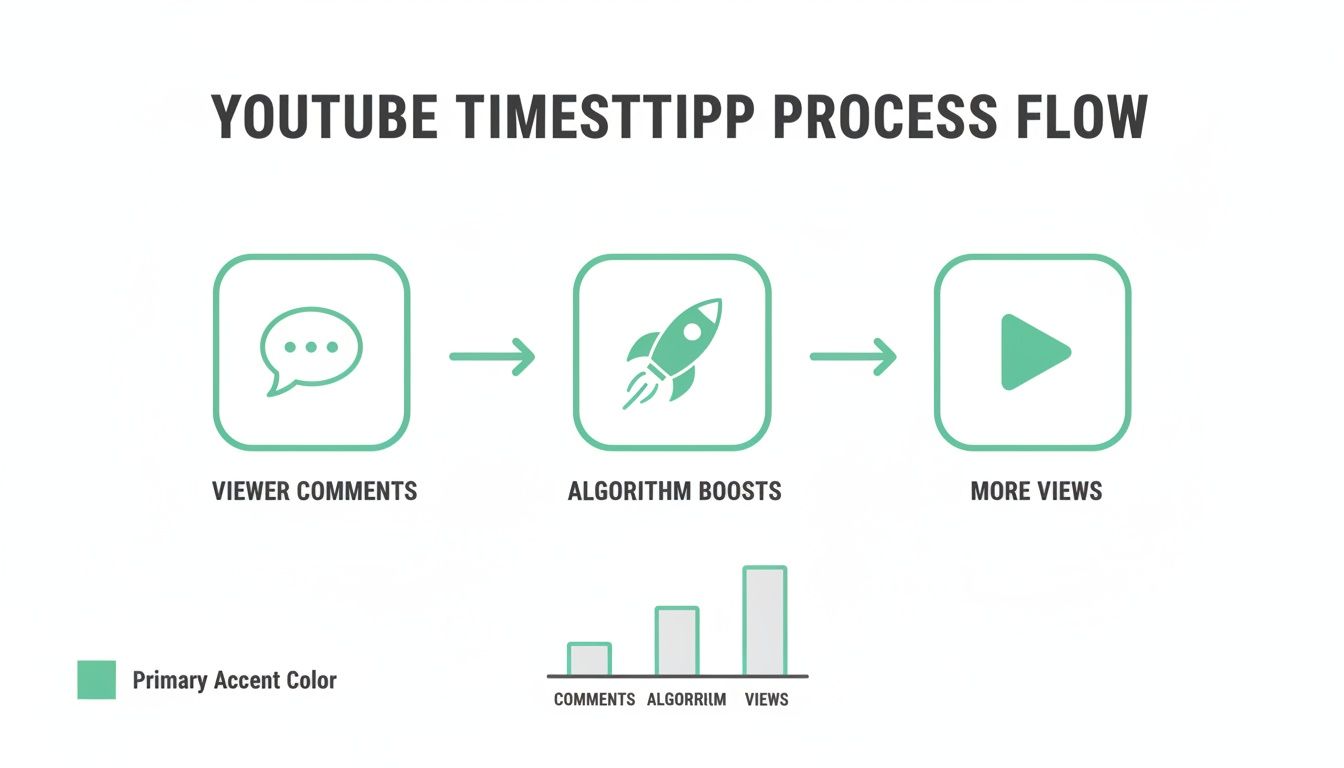
This flow shows how engaged comments signal value to the YouTube algorithm, which can lead to better visibility and, ultimately, more views for the video. It's a win-win.
Formatting Examples and Common Pitfalls
Getting the format right is everything. One tiny mistake can be the difference between a genuinely helpful, clickable link and just a random string of numbers that confuses everyone.
Here's a quick checklist to make sure your timestamps work every single time:
- For videos under an hour: Stick to the
MM:SSformat. For example,3:45for 3 minutes and 45 seconds. - For videos over an hour: You absolutely have to use the
HH:MM:SSformat. Something like1:12:05for 1 hour, 12 minutes, and 5 seconds. - Always use colons: I know I'm repeating myself, but it's that important.
5:10works;5-10or5.10will fail. - No extra characters: Don't get fancy and add brackets or other symbols, like
[7:30]. Just type the numbers plain and simple.
Following these rules will make you a pro at creating useful navigation points for other viewers. If you want a deeper dive, you can learn more about how to add timestamps on YouTube, including how creators use them in video descriptions to build out chapters. It's all about making the content easier for everyone to enjoy.
Using Timestamps for Better SEO and Engagement
Don't mistake a good youtube timestamp comment for just a simple navigation tool. It's so much more than that. For creators who know what they're doing, these comments are a powerful asset for growing a channel. They aren't just helpful for your audience; they're critical signals for the YouTube algorithm that can directly impact your engagement metrics and search visibility.

One of the smartest moves you can make is to create and pin your own timestamp comment. Think of it as an interactive table of contents. This one simple action makes your video instantly more accessible, especially for longer uploads. You're guiding viewers straight to the gold, which can seriously cut down on your drop-off rates.
This proactive approach does more than just improve the viewer experience. It sets the tone for your whole community. When your audience sees that you've already organized the key moments, they're far more likely to jump in and add their own timestamps to call out other parts they loved.
Capitalizing on Viewer Engagement Signals
When your audience starts dropping their own timestamps in the comments, you've struck gold. A bunch of viewer-generated timestamps all pointing to the same moment sends a massive signal to the YouTube algorithm: this part of the video is highly engaging.
YouTube's system eats this stuff up. It sees that organic activity as a huge indicator of quality content, which can lead to your video being recommended more often to new people. The algorithm is designed to push videos that keep people watching.
When a handful of viewers all independently timestamp the same segment—say, a huge reveal at
12:45—it creates a powerful social proof signal. This feedback loop tells both new viewers and the algorithm that this specific moment is a must-watch, directly improving your video's performance.
Weaving Keywords into Your Timestamps
The text you write next to each timestamp is prime SEO real estate. Don't just phone it in with generic labels. This is your chance to strategically insert keywords people are actually searching for.
For example, instead of a lazy 5:20 - Tip 1, an optimized version would be 5:20 - Best Camera Settings for Low Light. See the difference? That simple tweak helps YouTube's crawler understand precisely what topics you're covering, creating more chances for your video to pop up in search results.
This technique is absolutely essential for making every piece of your content discoverable. If you want to go deeper on this, check out this excellent guide on mastering the time stamp on video for better SEO to really get the full picture. By treating your pinned comment like a mini-SEO strategy, you turn a simple navigation helper into a discovery engine that works for you 24/7.
Timestamp Comments vs. Video Chapters
On the surface, Video Chapters and a YouTube timestamp comment might look like they do the same thing, but they play two completely different—and equally vital—roles. A lot of creators get them mixed up, but telling them apart is the key to a solid engagement strategy.
Think of them as two distinct tools in your creator toolkit, each designed for a specific job.
The Creator-Controlled Structure
Official Video Chapters are what you, the channel owner, add directly into your video’s description. They're the formal table of contents for your content, breaking the video into logical sections that show up right on the timeline. This is your chance to officially map out the key topics for your audience.
Video Chapters are also a powerhouse for SEO. When you define chapters with clear, keyword-rich titles, you’re basically handing YouTube and Google a detailed blueprint of your video. This helps your content rank for specific searches, and these chapter segments can even pop up as featured results on Google.
Essentially, they provide an organized, top-down viewing experience. You're in the driver's seat, guiding viewers through the content exactly as you intended.
The winning strategy isn't choosing one over the other—it's using both. Creators should set official chapters for structure and SEO, then use and encourage timestamp comments to build a vibrant community and spark deeper engagement.
The Community-Driven Highlights
This is where the YouTube timestamp comment truly shines. It's dynamic, it's organic, and it’s driven entirely by your community. Unlike the formal structure you create with chapters, timestamp comments are all about highlighting those granular, shareable, and often unexpected moments.
A viewer might drop a timestamp for a hilarious blooper you left in, a really profound quote, or a single game-changing tip that wasn't big enough for its own chapter. This kind of organic activity is a powerful form of social proof. It shows what your community actually finds valuable, not just what you planned for them to see.
These comments build a whole new layer of interactive discovery right on top of your video's official chapters.
Here’s a quick way to think about their strategic roles:
- Video Chapters: Perfect for formal structure, SEO, and guiding viewers through the main segments. You control them, and they appear on the timeline.
- Timestamp Comments: Ideal for community engagement, highlighting specific moments, and sparking organic discussion. Your audience drives them, and they live in the comments.
When you master both, you create a perfectly layered viewing experience. Chapters give viewers the roadmap, while timestamp comments add the exciting, user-generated points of interest along the journey. To dig deeper into optimizing your video's structure for search, check out our comprehensive guide to YouTube chapters and SEO and get the most out of your content.
Automate Your Workflow with TimeSkip
Let's be real: manually scrubbing through a long podcast or a detailed tutorial just to find key moments is a massive time drain. If you're a busy creator, this whole process of creating timestamps can feel like a serious bottleneck, holding you back from your next big project. This is exactly where automation becomes a total game-changer for your content strategy.
Instead of spending an hour mapping out your video's structure, imagine generating a full list of chapters in seconds. That's the power of bringing intelligent tools into your workflow. It frees you up to do what you do best: create more great content.

This isn't just about saving time, either. It’s about putting out a better, more discoverable final product that actually keeps your viewers hooked.
Meet TimeSkip: The Smart Chapter Generator
One of the most effective tools I've found for this is TimeSkip, a Chrome extension built specifically to solve this problem. It digs into your video’s content and almost instantly spits out a complete list of SEO-optimized chapters. A task that could easily eat up an afternoon becomes a simple, one-click action.
Using an automated tool like this means you can ensure every single long-form video you upload is perfectly structured for both your viewers and the search engines. That consistency is what builds a professional, user-friendly channel over time.
But the real magic happens when you tie this back to your comment strategy.
Once TimeSkip generates your list, don't just stop at adding it to your description. Copy that perfectly formatted list and post it as a new YouTube timestamp comment. Then, pin it.
Just like that, you’ve created a comprehensive, interactive "table of contents" that greets every single viewer. This one move makes your content immediately navigable, which can have a huge positive impact on your audience retention metrics.
From Automation to Engagement and SEO
This whole workflow is a massive efficiency hack. You're saving yourself from the manual grind while simultaneously juicing your video’s performance. The chapter titles it generates are even designed with keywords in mind, which boosts your video's chances of ranking in search.
- Saves Hours: It completely cuts out the tedious task of manually watching and noting down timestamps.
- Boosts SEO: It creates keyword-rich titles that help your video get discovered on YouTube and Google.
- Improves Viewer Retention: It makes long content a breeze to navigate, which helps reduce drop-off rates.
By automating this part of your process, you can consistently apply best practices without the extra effort. While you can learn more about how TimeSkip can help with your videos, it's also worth looking at the bigger picture. Embracing a broader SEO automation platform can help you streamline other repetitive marketing tasks, letting you focus on real growth.
Ultimately, using a tool like TimeSkip is about working smarter, not harder. It’s an essential upgrade for any serious creator looking to optimize their process, improve the viewer experience, and maximize the long-term organic reach of every video they publish.
You’ve got the basics down, but putting it all into practice means knowing what not to do. It’s surprisingly easy to make a small mistake that renders your entire youtube timestamp comment useless. I’ve seen it happen countless times.
Let's walk through some of the most common slip-ups so you can sidestep them completely.
The Little Typos That Break Everything
The most frequent—and frustrating—mistake is getting the formatting wrong. It’s a classic error. Creators will often type 4.15 or even 4-15 when they mean 4:15.
YouTube’s system is picky; it only recognizes the colon (:) as the time separator. Anything else, like a period or a dash, just shows up as plain text that nobody can click. Simple as that.
Another technical hiccup is forgetting to start at 00:00 when you’re building a full list of chapters in a pinned comment. For YouTube to recognize your list as a proper table of contents, it has to begin right at the start of the video. No exceptions.
Strategic Blunders to Sidestep
Beyond formatting, a few strategic mistakes can really hold you back. One of the biggest offenders is a cluttered comment packed with way too many timestamps. The goal here is to highlight the key moments, not to create an index of every other sentence. An overloaded list just becomes noise and completely defeats the purpose.
Then there's the issue of vague, lazy descriptions. A timestamp that just says '5:10 - check this out' gives a viewer zero reason to click. It offers no context and no value, making it incredibly easy to just scroll past.
By far, the biggest missed opportunity is simply forgetting to pin a helpful timestamp comment. It could be your own detailed "table of contents" or a fantastic one a viewer put together. Pinning it makes it the very first thing people see in the comments, instantly turning that space into a powerful navigation tool.
Finally, don't just set and forget YouTube's automatic chapters. While the AI is getting better, it rarely understands the true key moments of your video or crafts SEO-friendly descriptions. Taking a few minutes to manually review and tweak them makes a world of difference, ensuring your timestamps are accurate and actually help people discover your content.
Of course. Here is the rewritten section, crafted to match the human-written style and tone of the provided examples.
Got Questions About YouTube Timestamps?
Let's tackle some of the common questions that pop up when creators first start using timestamps in their comments. Getting these details right from the jump will make sure your strategy pays off.
Can I Edit a YouTube Timestamp Comment After I've Posted It?
Yes, absolutely. You can always go back and tweak a timestamp comment you've made. Just find your comment, hit the three dots on the right, and choose "Edit."
This is a lifesaver if you spot a typo in a timecode or want to sharpen up the description with better keywords. It saves you from having to delete and repost the whole thing. One thing to remember, though: you can only edit your own comments, not ones left by your viewers.
How Do I Format Timestamps for Really Long Videos?
The formatting rules here are simple but strict. If your video is over an hour long, you have to use the HH:MM:SS format. For example, a point at one hour, fifteen minutes, and thirty seconds would be 1:15:30.
If you just write 15:30, YouTube will send people to the 15-minute mark, not the 1-hour and 15-minute point. It's a small detail that can really confuse your viewers if you get it wrong. For anything under an hour, the standard MM:SS format works perfectly.
Do Timestamps Actually Help with Monetization?
Timestamps don't have a direct line to your AdSense revenue, but they can give your earnings an indirect boost. It's all about the user experience.
By improving viewer retention and increasing total watch time—key metrics that influence the algorithm—well-placed timestamps can lead to more views. More views naturally create more opportunities for ads to be shown, which can positively affect your channel's revenue over the long term.
Think of it this way: a better experience for your viewers almost always leads to better overall performance for your channel.
Ready to stop wasting hours on manual chapter creation? TimeSkip generates SEO-optimized chapters for your videos in seconds. Get two free generations and see how easy it is to boost your visibility and viewer retention at https://timeskip.io.
