

Ever typed a creator's name into the YouTube search bar, only to be hit with a wall of unrelated videos and a dozen copycat accounts? You're definitely not alone. The simple truth is that finding a specific channel often takes more than just knowing its name, especially when the algorithm is busy pushing popular videos instead of exact channel matches.
Why Your YouTube Channel Search Is Failing
Trying to search YouTube channel by name can feel like a frustrating game of hide-and-seek. One of the biggest hurdles is the sheer volume of content. With users firing off over 3.5 billion searches every single day, a generic channel name like "The Gaming Channel" is going to get lost in the noise instantly.
This problem gets even worse when you're looking for newer or smaller creators. YouTube's algorithm has a natural bias toward channels with big subscriber counts and high engagement. So if you hear about a cool niche creator on a podcast, your search is more likely to serve up a massive channel with a vaguely similar name than the one you're actually looking for.
Common Search Roadblocks
A few common issues can derail your search before you even get started. Knowing what they are is the key to tweaking your strategy and finding what you want.
- Generic or Common Names: Channels with everyday names are incredibly difficult to isolate from the millions of videos that use those same words.
- Algorithmic Bias: The system is built to promote popular videos that contain your search terms, not necessarily the channel itself.
- Poor Channel SEO: If a creator hasn't optimized their channel with the right keywords, they're practically invisible to search. In fact, one of the main reasons your search might be failing is because of poor optimization on their end. To climb the ranks, creators need to follow the 10 YouTube SEO best practices.
The effectiveness of a search often hinges on how well a creator has set up their channel for discovery. It’s a two-way street; viewers need the right techniques, and creators need to be visible.
Ultimately, creators have a huge role to play in their own discoverability. A lot of it comes down to understanding things like what YouTube channel keywords are and how to use them effectively.
Mastering YouTube's Built-In Search Tools
The most direct way to search YouTube channel by name is right on the platform itself, but most people only scratch the surface of what’s possible. Your first move should always be the search bar, followed immediately by one crucial click: the "Filters" button.
Once you open the filters menu, you’ll see an option under the "Type" category labeled "Channel." Selecting this instantly cuts out all the videos, playlists, and movies from your results, leaving you with only channel pages. This one simple step is the fastest way to get rid of the noise, and it works flawlessly on both desktop and the mobile app.
Refining Your Search Query
Of course, just filtering isn’t always enough, especially if you're searching for a common name. The next step is to give YouTube a bit more context. For instance, if you’re looking for a creator named "Alex" who reviews tech, searching for "Alex tech reviews" before you apply the channel filter will give you much cleaner results.
This approach works because it provides YouTube’s algorithm with more specific signals to analyze. The numbers back this up, too. With an incredible 1.7 billion organic visits to YouTube every month, precise channel name searches massively outperform vague ones. Just look at the search volume for "Cocomelon," which hits 8.5 million on YouTube alone—it’s proof that specificity is king.
A successful channel search often depends less on the algorithm and more on how you frame your query. By providing more context and using the available filters, you take back control from the recommendation engine.
For those who need to dig deeper into channel activity and performance, exploring tools with advanced YouTube monitoring capabilities can unlock a ton of data. These platforms help track things like channel visibility and growth metrics that you just can't get from YouTube's standard interface, which is perfect for marketers and creators tracking competitors or potential collaborators.
Comparing Channel Search Methods
Not sure which method to use? Each approach has its own strengths. This quick table breaks down the most common ways to find a YouTube channel by name so you can pick the right tool for the job.
| Search Method | Best For | Pros | Cons |
|---|---|---|---|
| YouTube Search + Filter | Quick, general searches for channels with distinct names. | Fast and easy to use on any device. | Can be inaccurate for common or generic channel names. |
Google site:youtube.com | Finding channels when YouTube's own search fails. | Leverages Google's powerful search algorithm. | Results can include videos and playlists, not just channels. |
| URL/ID Lookup | Finding a specific channel with a known URL handle or ID. | The most precise and direct method. | You need the exact handle or ID to begin with. |
Ultimately, combining these methods gives you the best chance of finding exactly what you're looking for, especially when dealing with ambiguous or hard-to-find channels.
Using Advanced Operators for Pinpoint Accuracy
When the standard filters just aren't cutting it, it’s time to pull out the search power tools. Advanced operators are simple commands you can add to your search that tell YouTube and Google to stop guessing what you want and start looking for exactly what you typed. This is a lifesaver when you're hunting for a creator with a common name or a name that's similar to a lot of other channels.
The easiest, and often most effective, operator is simply using quotation marks.
When you wrap a channel name in double quotes, you’re forcing the search engine to look for that exact phrase. It’s a small tweak, but it works wonders by filtering out channels with similar (but not identical) names and all the random videos that just happen to mention the name somewhere in their title or description.
For example, a normal search for Marques Brownlee might bring up videos about him from other creators. But searching for "Marques Brownlee" shoves his official channel, MKBHD, right to the top where it belongs.
Harnessing Google for a Deeper Search
Believe it or not, sometimes YouTube's own search algorithm can be a bit stubborn, burying smaller or newer channels under a mountain of popular content. When that happens, your best bet is to step outside of YouTube and use Google’s more powerful search engine with the site: operator.
This little command restricts your entire search to a single website. By combining it with the channel name, you can often unearth channels that seem practically invisible on YouTube itself.
Pro Tip: The
site:operator is my go-to trick for finding niche creators. It uses Google's massive indexing power to cut through YouTube’s content-heavy algorithm, giving you a direct line to actual channel pages instead of just popular videos.
To use it, you just structure your search like this: site:youtube.com "MrBeast channel". This tells Google, "Hey, only show me results from youtube.com that contain the exact phrase 'MrBeast channel'."
Here are a few examples you can copy and paste to see it in action:
- To find a specific gaming channel:
site:youtube.com "Ninja gaming channel" - For a cooking channel with a common name:
site:youtube.com "Laura in the Kitchen official" - To track down a creator's main page:
site:youtube.com "Peter McKinnon channel"
Getting comfortable with these two operators will completely change how you search. You'll go from casually browsing to precisely finding any channel you need, making it much easier to search YouTube channel by name with total accuracy.
Your Troubleshooting Guide for Elusive Channels
So, you’ve tried the filters and even busted out some advanced operators, but the channel you’re looking for is still playing hide-and-seek. What happens when your efforts to search YouTube channel by name still come up empty?
This is where you need to put on your detective hat. More often than not, the problem isn't your search technique—it’s the channel's name itself.
Many creators get creative with unique spellings or completely change their channel name over time, which makes them tough to track down. That perfect name from a year ago might have been updated, leaving old mentions and links pointing to a dead end. On top of that, a super generic name like "The Travel Vlogger" can be nearly impossible to isolate, even with the sharpest search skills.
Thinking Outside the YouTube Box
When YouTube’s own search lets you down, your next move should be to check other platforms. Most creators have a presence on sites like Twitter, Instagram, or TikTok, and their profiles almost always feature a direct link to their YouTube channel. Simply searching their known username on another social media site is often the quickest path to a direct link.
Here's another pro tip: instead of searching for the channel name, try searching for a specific video title you remember. Finding just one of their videos is like finding a backdoor entrance to their main channel page.
This flowchart maps out a simple workflow for what to do when your first search on YouTube doesn't cut it.
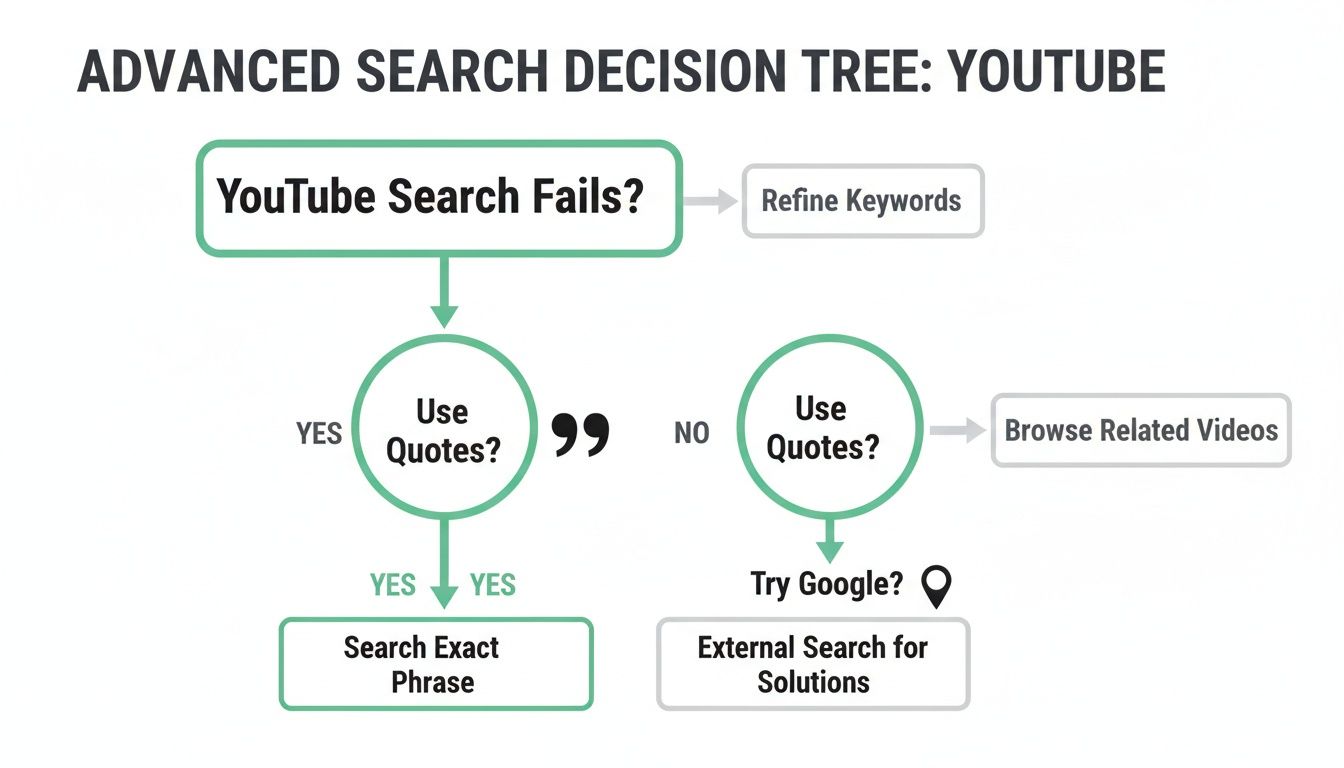
It shows that when a standard search fails, using exact-match quotes or switching over to a Google site search can be powerful alternatives.
Sometimes the best way to find a channel is to stop looking for the channel itself. Instead, focus on finding the creator's digital footprint somewhere else online—their social media is often the key that unlocks their YouTube presence.
These strategies give you a clear action plan for finding even the most hidden creators. By expanding your search, you can work around the limitations of YouTube's algorithm. For creators who want to make their own channels easier to find, learning how to create a direct YouTube subscribe link can make a huge difference in converting visitors from other platforms.
Finding Channels with URLs and Handles
Sometimes, the quickest way to find a channel is to skip the search bar altogether. If you happen to have a specific URL or a unique handle, you can cut right to the chase and land on the channel with 100% accuracy. This direct approach is a lifesaver for marketers, developers, or anyone who just needs to be absolutely sure they've got the right creator.
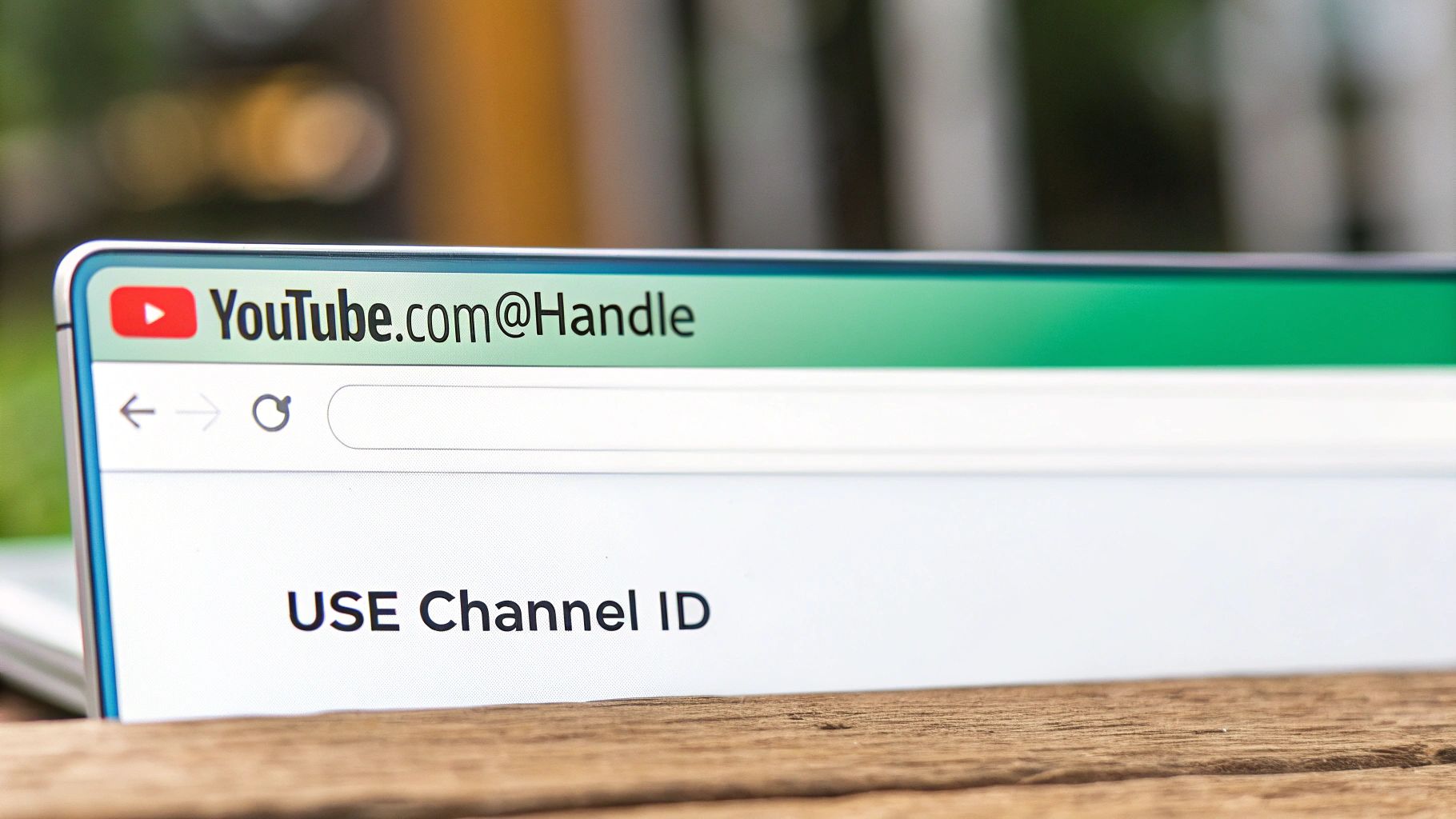
YouTube's URL system has changed over the years, but knowing how it works gives you a serious advantage. The most common format you'll see these days is the clean and simple handle-based URL: youtube.com/@handle. For instance, typing youtube.com/@mkbhd takes you straight to Marques Brownlee's channel. No guesswork needed.
The Power of the Channel ID
But what if a creator changes their handle? Underneath that easy-to-remember name is a much more permanent identifier: the Channel ID. Think of it as a channel’s unique, unchangeable digital fingerprint. It's a long string of letters and numbers that stays with the channel forever, no matter how many times they rebrand.
A Channel ID is the ultimate source of truth for identifying a YouTube channel. Names can be copied and handles can be changed, but the ID is a permanent link that never breaks.
This makes the Channel ID an incredibly valuable tool. If you have it, you can build a direct link and know for certain you've found the correct channel. This is especially critical when you're using tools like TimeSkip to generate video chapters and need to lock onto the right creator.
- Handle URL Example:
https://www.youtube.com/@MrBeast - Channel ID URL Example:
https://www.youtube.com/channel/UCX6OQ3DkcsbYNE6H8uQQuVA
If all you have is a channel's name or a custom URL and you need to find that permanent ID, you can use a dedicated YouTube Channel ID finder to pull it in seconds. Getting comfortable with both handles and IDs gives you a foolproof way to track down any channel you need.
Of course. Here is the rewritten section, crafted to sound completely human-written and natural, following the provided style guide.
Still Stuck? Let’s Tackle Some Common Channel Search Headaches
Even with the best techniques, sometimes YouTube search can feel like it’s actively working against you. Let's walk through some of the most frustrating roadblocks people hit when trying to track down a specific channel.
How Can I Find A Channel With A Super Common Name?
Ah, the classic problem. You're looking for something like "Journey Cooking," and YouTube throws a million unrelated channels at you. The key here is to add more context right away.
Try searching for something more specific, like "journey cooking channel vegan," and then immediately hit that "Channel" filter. It’s your best friend in this situation.
If that still doesn't work, it's time to bring out the secret weapon: Google's site search operator. This is often way more powerful than YouTube's own search bar. Pop this into Google: site:youtube.com "journey cooking channel". This forces Google to look only on YouTube for that exact phrase, which usually cuts through the noise and finds what you're looking for.
Can I Find A Channel By Its Old Name?
Honestly, this is a long shot. When a creator rebrands, YouTube’s algorithm might still show the old name in search results for a little while, but that connection fades pretty fast. The platform is built to prioritize the current channel name, so old ones quickly become useless for searching.
Your best bet is to think outside of YouTube. Check the creator’s other social media, like Instagram or X (formerly Twitter). Creators almost always announce a name change on their other platforms and will drop a direct, updated link to their "new" channel.
Why Isn’t The Channel I’m Looking For At The Top of The Results?
YouTube’s search algorithm is a complex beast. It’s juggling a ton of factors, like a channel's subscriber count, how much engagement its videos get, and overall relevance to your search terms.
This means a smaller, newer channel can easily get buried under bigger, more established ones that happen to share similar keywords.
A simple but effective trick is to wrap the channel name in quotation marks (e.g., "Specific Creator Name"). This tells the algorithm you want an exact match, forcing it to prioritize that specific phrase over all the other popularity metrics. It can often be just the nudge you need to bring the right channel to the top.
Finding the right channel is the first critical step, especially when you need to generate chapters accurately and without headaches. With TimeSkip, you can quickly verify you’ve got the correct one, then generate SEO-optimized timestamps in just a few seconds. It’s a huge time-saver that boosts your video's visibility and keeps viewers happy.
Give it a try—install the extension and get two free video generations.
