The most effective content repurposing strategies in 2026 are: adapt one piece natively for each platform, break long videos into short clips and micro-content, transform formats (video to blog, podcast to video), refresh evergreen content for the season, re-angle it for different audience segments, turn big topics into a series, invite user-generated responses, and extract data and insights from what you have already published. For video creators, the fastest wins come from the first two: chapter your long videos so the best moments are easy to find with a tool like TimeSkip, then let a crossposting tool like PostOnce republish each short to TikTok, Instagram Reels, YouTube Shorts and the rest automatically.
To repurpose content means taking something you've already made and turning it into new formats for new platforms and audiences, instead of starting from a blank page every time. Producing a great video or episode is only half the work. The other half is making sure it reaches everyone it could, in the format they actually consume. For a broader primer, this guide on content repurposing strategies covers the fundamentals well.
This guide was refreshed for October 2026. Each strategy below covers why it works, how to implement it, and a real-world example. Platform limits and tool pricing change often, so confirm them in each app before you plan around them.
Quick comparison: the 8 strategies at a glance
| Strategy | Effort | Best for | Main payoff |
|---|---|---|---|
| 1. Cross-platform adaptation | Low with automation, high by hand | Creators active on several platforms | More reach from every post |
| 2. Long-form to micro-content | Moderate | Podcasts, tutorials, webinars | Many short assets from one recording |
| 3. Format transformation | High | Reaching readers, listeners and viewers | New audiences and search traffic |
| 4. Seasonal and timely refresh | Low to moderate | Evergreen guides and tutorials | Renewed rankings and relevance |
| 5. Audience segmentation | Moderate to high | Products with several buyer types | Higher relevance and conversions |
| 6. Series and sequencing | Moderate | Deep or complex topics | Return visits and binge-watching |
| 7. User-generated content | Moderate | Brands with engaged communities | Social proof at low cost |
| 8. Data and insight extraction | High | Channels with large back catalogs | Original, linkable research |
A fuller breakdown of complexity, resources and outcomes is in the comparison table near the end.
1. Cross-Platform Content Adaptation
Cross-platform adaptation means tailoring one core piece of content to the format, audience and algorithm of each platform, rather than dropping the same link everywhere. A 15-minute YouTube deep dive can become a punchy vertical tutorial for TikTok, Reels and Shorts, a LinkedIn text post with the key insights, and an Instagram carousel that visualizes the main points. The core value stays the same; only the delivery changes.

Why This Strategy Works
People use each platform in a different mindset. LinkedIn users are in a professional, learning mode; TikTok and Reels viewers want quick, entertaining or educational clips. Meeting each audience in the format it prefers gets you far more out of the same idea than posting once and hoping.
The good news is that short-form video has converged. A vertical 9:16 clip works on TikTok, Instagram Reels, YouTube Shorts and Facebook Reels with little or no change. YouTube Shorts now accepts vertical or square videos up to 3 minutes (raised from 60 seconds in October 2024), and TikTok and Instagram both accept multi-minute uploads, though exact limits vary by account and region. Keep clips under a minute or two if you want them to fit everywhere without edits.
Automate the Distribution Step
The slowest part of cross-platform adaptation for most creators isn't the adaptation itself. It's downloading every short and re-uploading it, one platform at a time. PostOnce removes that step: you keep posting where you already post, and it republishes each new video to your other connected accounts automatically, usually within about 20 minutes, through each platform's official API.
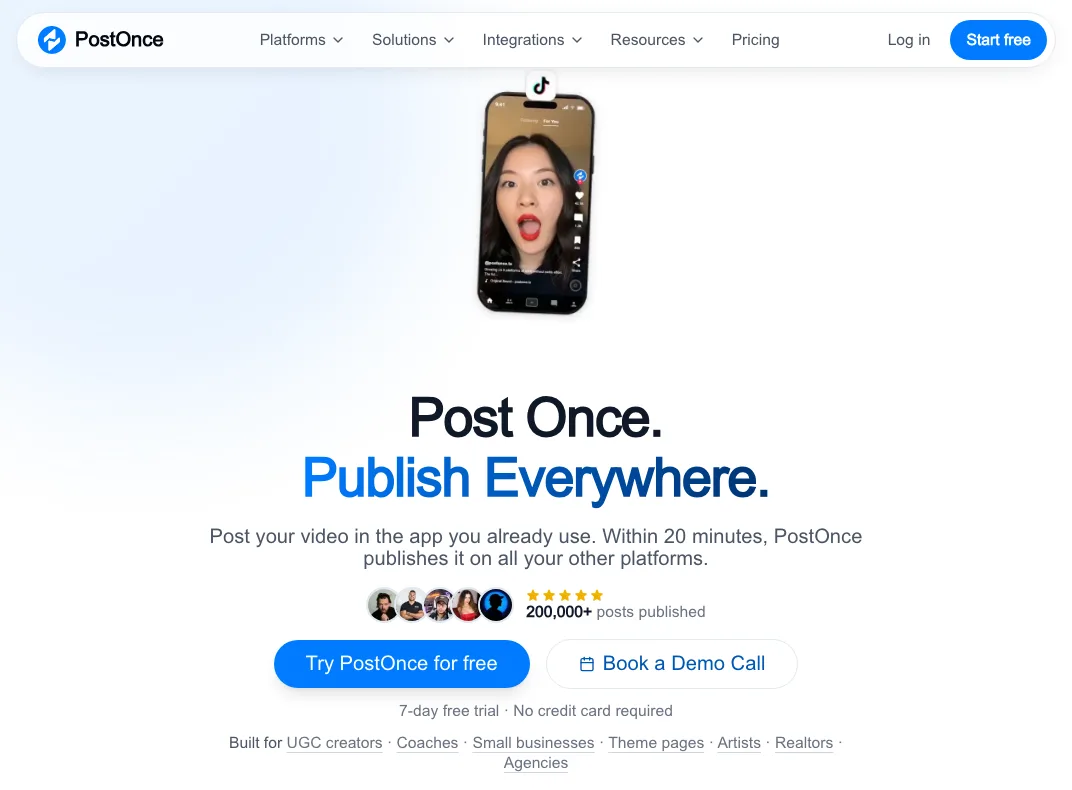
For example, you set up a workflow once, "TikTok → YouTube Shorts, Instagram Reels and Facebook", and every new TikTok flows to the other three. It works in any direction across YouTube, TikTok, Instagram, Facebook, LinkedIn, X, Threads, Bluesky and Pinterest, and it can also push your existing back catalog, so old TikToks become fresh Shorts. Plans start at $29/month (Creator, up to 15 accounts) with a 7-day free trial and no card required. It isn't an editor, so you still decide what each clip says; it just handles the posting.
How to Implement Cross-Platform Adaptation
- Study Native Formats: Spend time on each platform before posting. Note common video lengths, caption styles, on-screen text and trends.
- Adapt the Tone and Style: Keep your core voice but adjust the register: more formal and data-led on LinkedIn, more casual on Instagram and TikTok.
- Optimize for Each Platform: Use relevant hashtags, tag the right accounts, and write captions with the words people search for inside each app. For your blog or website, write proper SEO copy so the adapted piece can be found on Google too.
- Automate What Doesn't Need Judgment: Write the hook and caption yourself, then let a crossposting tool handle the uploads so you aren't spending your time re-posting the same file.
- Plan a Content Calendar: Map when each adapted piece goes out so your channels feel like one campaign instead of the same post repeated.
HubSpot is a good example: it turns its long marketing blog posts into LinkedIn posts, Instagram carousels of key stats, and short educational videos. Each piece feels native to its platform while reinforcing the same lesson.
2. Long-Form to Micro-Content Breakdown
This strategy deconstructs one comprehensive "pillar" asset into many standalone pieces of micro-content. Instead of just linking to your long video or episode, you extract its best insights and repackage them as short clips, quote cards, posts and audiograms. One recording session becomes weeks of content.

Why This Strategy Works
Some of your audience will watch a full hour; many more will only give you 30 seconds. Short pieces reach the second group and pull the most interested viewers back to the full version, so the long-form asset keeps working long after publish day.
Start With Chapters
The hardest part of clipping a long video is finding the moments worth clipping. Scrubbing through a 90-minute podcast to find five good segments takes longer than editing them. Chapters solve this. TimeSkip reads your video's transcript and generates SEO-friendly YouTube chapters with timestamps, plus title, description and tag suggestions, from a button on the YouTube watch page or in YouTube Studio. Those chapters become your clip list: each topic change is a candidate short, and each chapter title is a ready-made hook or caption. You can try it on any video with the free YouTube chapter generator. Paid plans start at $19/month (Pro, 15 videos a month up to 90 minutes each).
Chapters also help the long video itself. They make it easier to skim and give YouTube and Google more context for Key Moments in search.
Once the clips are cut, post each one to the platform where you're strongest and let PostOnce republish it to TikTok, Reels, Shorts and your other accounts. Chapters tell you what to clip; crossposting makes sure every clip reaches every platform.
How to Implement Long-Form to Micro-Content Breakdown
- Map the Content First: Generate chapters or a timestamped outline, then pick 5 to 10 segments with a strong idea, quote, story or actionable step.
- Create Branded Templates: Use consistent templates for captions, quote cards and audiograms so people recognize your content across platforms.
- Use Strong Hooks: Open every clip with the most interesting line, a bold claim or a question. The chapter title is often a good starting point.
- Include a Clear Call-to-Action: Point back to the full video or episode: "Full conversation on YouTube" or "Link in bio for the whole guide."
- Distribute Everywhere: Publish once and let automation push each clip to the other short-form platforms.
Tim Ferriss is a well-known example: his long podcast episodes are broken into posts on X, quote graphics for Instagram and short video clips, all funneling attention back to the full episode.
For a practical walkthrough, see how to automatically post Instagram Reels to YouTube Shorts without uploading the same clip twice.
3. Format Transformation
Format transformation converts a piece of content from one medium to another: a blog post into a YouTube tutorial, a podcast episode into an article, a webinar into an email course. The message stays the same, but the form changes to suit how different people learn.

Why This Strategy Works
People consume information differently. A visual learner may skip a 3,000-word article but watch a 10-minute video on the same topic; a commuter would rather listen. Offering your core ideas in several formats removes those barriers and opens new discovery channels, such as Google search for written content and podcast apps for audio.
How to Implement Format Transformation
- Choose Complementary Formats: Data-heavy reports suit infographics; multi-step processes suit video tutorials; interviews suit articles built from the transcript.
- Start From the Transcript: For video and audio, the transcript is your raw material for blog posts, newsletters and social threads. Chapters give that transcript a ready-made outline with headings.
- Invest in Quality Conversion: A poorly recorded audio version or a sloppy infographic can hurt your brand. Edit the output; don't just paste it.
- Maintain Brand Consistency: Keep your branding, tone and core message the same across formats.
- Test and Analyze Performance: Track which formats your audience engages with most and lean into them.
Neil Patel regularly turns his marketing articles into YouTube tutorials and podcast episodes, and many podcasters turn long audio conversations into dozens of video clips. If that's your format, here's how to repurpose a podcast for YouTube.
4. Seasonal and Timely Refresh
A seasonal refresh updates and re-releases existing content to match current events, seasons or industry changes. Instead of writing something new, you make a proven asset relevant again. A "Best Laptops" guide from last year can be updated with new models and republished as "Best Laptops for Back-to-School 2026."

Why This Strategy Works
It combines the authority an old page or video already has with new relevance. Search engines favor up-to-date information on time-sensitive topics, and audience interest spikes predictably around holidays, launches and annual events. A refresh lets you ride those spikes with a fraction of the work.
How to Implement a Seasonal and Timely Refresh
- Create a Refresh Calendar: Map key holidays, events and seasons in your niche and schedule updates a few weeks ahead of peak interest.
- Monitor Trends and News: When a platform changes its rules or algorithm, update your related guide quickly while people are searching for answers.
- Update the Substance, Not Just the Date: Replace outdated facts and examples, fix broken links, and add sections that reflect what has changed.
- Optimize for Timely Keywords: Work in seasonal or year-specific phrases, such as "New Year fitness plan" in January.
- Resurface Old Videos Too: Evergreen shorts from last year can be reposted to platforms where you never published them. PostOnce can push existing content from one account to another, which turns your back catalog into new posts.
Tech publications such as The Verge and Wirecutter do this every year with their holiday gift guides: they update an existing, high-ranking page with new picks rather than starting from scratch.
5. Audience Segmentation Adaptation
Audience segmentation adaptation tailors one core message to different groups by changing the angle, language and examples. A single product demo can be re-angled to highlight cost savings for a startup founder, efficiency for a project manager, and security for a CTO. The information stays the same; the context and relevance change.
Why This Strategy Works
Relevance drives engagement. Content that addresses a viewer's specific role, industry or stage builds trust faster than a generic message and is more likely to lead to the next step, whether that's a subscription, a sign-up or a sale.
How to Implement Audience Segmentation Adaptation
- Define Your Segments: Know each group's goals, challenges, vocabulary and where they spend time online.
- Use Segment-Specific Language and Examples: A finance creator might adapt one retirement video for "young professionals starting to invest" and for "people close to retirement," with different examples and tone.
- Create Different Calls-to-Action: Beginners might get a free starter guide; advanced viewers a deeper tutorial or a consultation.
- Rework the Framing: Often you only need a new intro, title and thumbnail that speak to each segment's main problem. The body can stay largely the same.
Salesforce is a classic example: it pitches the same CRM to small businesses on affordability and ease of use, and to enterprises on scalability, integrations and analytics.
6. Content Series and Sequencing
Content series and sequencing turns one large idea into a connected run of installments. A long webinar can become a five-part weekly video series, each episode teasing the next. That builds anticipation and lets you go deeper on a topic without overwhelming people in one sitting.
Why This Strategy Works
Series create open loops that viewers want to close, which brings them back. They also establish authority, because a series can cover a topic with more depth than a single video, and they build a habit around your channel.
How to Implement Content Series and Sequencing
- Plan the Entire Arc First: Outline every installment before launching so each one connects to the last and the next.
- Give Each Piece Standalone Value: Someone who lands on episode three should still get something useful from it.
- Use Consistent Branding and Naming: A clear series name, matching thumbnails and a YouTube playlist make it easy to recognize and binge.
- Include Recaps and Previews: Open with a quick recap and close with a teaser. Chapters help here too, letting returning viewers skip the recap and new viewers jump back to it.
Marie Forleo's MarieTV is a good example: episodes build on recurring business and personal development themes, creating an interconnected library that encourages binge-watching.
7. User-Generated Content Integration
User-generated content (UGC) integration uses your content as a prompt for your audience to create their own: a tutorial invites viewers to share their attempts, a podcast question invites responses under a hashtag, a product showcase invites customer photos. You move from sole creator to curator of a community conversation.
Why This Strategy Works
Content from real users is often seen as more authentic than brand content, which makes it strong social proof. Featuring contributions also rewards your audience for participating, which deepens loyalty and keeps the conversation going.
How to Implement User-Generated Content Integration
- Create Clear Prompts and Guidelines: Give a specific call to action, a branded hashtag and an example of what you're looking for. GoPro's long-running community photo and video features are built on clear themes.
- Engage With and Feature Submissions: Like, comment on and share entries, and feature the best in a highlight video, a Story or your newsletter.
- Get Permission and Credit Creators: Ask before reposting someone's content and credit them clearly. Use platform features such as Duets, Stitches and Remix where they exist.
- Maintain Brand Standards: Only highlight UGC that fits your values and quality bar.
- Reward Top Contributors: Recognition, exclusive content or merchandise often works as well as prizes. Starbucks' Red Cup contests drew huge volumes of festive photos largely on the promise of being featured.
8. Data and Insight Extraction
This strategy mines your existing content, audience interactions and analytics to create new, data-driven pieces. Analyzing your last hundred videos might reveal patterns in what drives watch time, which you can publish as a case study, report or video of its own.
Why This Strategy Works
Original data can't be copied by competitors. Audiences, journalists and search engines value first-hand findings, which earns credibility and backlinks and makes you a primary source in your niche.
How to Implement Data and Insight Extraction
- Use Your Analytics: Go past view counts into audience retention, click-through rate, traffic sources and conversions. Retention graphs show exactly where viewers drop off and which segments they rewatch.
- Look for Surprising Insights: Counterintuitive findings make the best content. Did a thumbnail style or video length consistently outperform the rest? Did one topic pull in far more comments than usual?
- Visualize the Data: Present findings as charts, graphs and simple tables so they're easy to understand and share.
- Turn Insights Into Recommendations: End with clear actions your audience can apply to their own work.
HubSpot's annual State of Marketing report is a well-known example: it combines survey data with HubSpot's own customer data to publish industry trends, and it generates authority and leads year after year.
Content Repurposing Strategies Comparison
| Strategy | Implementation Complexity | Resource Requirements | Expected Outcomes | Ideal Use Cases | Key Advantages |
|---|---|---|---|---|---|
| Cross-Platform Adaptation | Moderate; low once distribution is automated | Platform knowledge plus a crossposting tool | More reach and engagement per post | Creators targeting several social platforms | One post reaches every audience |
| Long-Form to Micro-Content | Moderate; finding and cutting clips | Chapters or timestamps, a clip editor | Higher content volume, more touchpoints | Podcasts, tutorials, webinars, interviews | Extends content life, fits short attention spans |
| Format Transformation | High; new format skills | Transcripts, editing and design tools | New audiences and search traffic | Reaching readers, listeners and viewers | Adds SEO value, suits different learning styles |
| Seasonal and Timely Refresh | Low to moderate; regular audits | Update time | Renewed relevance and rankings | Evergreen guides and tutorials | Cheap, builds on existing authority |
| Audience Segmentation | High; audience research | Several versions of intros, titles, CTAs | Better relevance and conversion | Products with several buyer types | Stronger connection with each segment |
| Series and Sequencing | Moderate; upfront planning | Consistent production schedule | Loyalty, return visits, topic depth | Complex topics | Builds momentum and binge-watching |
| User-Generated Content | Moderate; community management | Moderation and engagement time | More content and social proof | Brands with engaged communities | Authentic, low production burden |
| Data and Insight Extraction | High; analysis and interpretation | Analytics access, analysis time | Original, authoritative content | Channels with large back catalogs | Unique, linkable insights |
Putting Your Content Repurposing Strategies into Action
Repurposing isn't about repeating yourself; it's about getting full value from work you've already done. Picture how a new viewer finds you: they see a 30-second Reel cut from your podcast, click through to the full YouTube episode, use the chapters to jump to the part they care about, subscribe, and later see a LinkedIn post built on a stat from the same recording. Every one of those touchpoints came from one piece of content.
You don't need all eight strategies at once. Start small:
- Select One Core Asset: Pick a high-performing long video or episode, such as your most-viewed upload from the last six months.
- Map Its Key Moments: Add timestamped chapters. They help viewers navigate and give you a ready-made list of clip candidates and captions. TimeSkip can draft them from the transcript in a click.
- Choose One Strategy to Test: The Long-Form to Micro-Content Breakdown is usually the easiest place to start.
- Create and Distribute: Turn 3 to 5 key moments into short clips, post them where you're strongest, and let PostOnce republish them to TikTok, Reels, Shorts and your other accounts.
- Analyze and Iterate: Check which clips and platforms performed best, and use that to choose your next asset.
Repeat that loop and you build a content engine instead of a content treadmill: each new recording feeds a week or more of posts across every platform you care about.
Ready to make the first step of your video repurposing workflow faster? TimeSkip generates SEO-friendly YouTube chapters and timestamps from your transcript, giving you a clear map of the best moments for clips, Shorts and descriptions. Try TimeSkip, and when your clips are ready, let PostOnce publish them everywhere else automatically.